These instructions apply to the Mazda CX-30 Mk1 (DM) 2019-Present.
For other models, please choose your vehicle here.
The Mazda CX-30 (DM, 2019–present) has Mazda’s i-stop system, which switches the engine off at a standstill to save fuel and cut idling emissions. Come to a halt with the brake pressed and the engine shuts down, showing the i-stop indicator; lift off the brake and it fires straight back up. Mazda’s system is unusual in restarting by igniting fuel in a cylinder to spin the engine back up, which makes the restart notably quick and smooth. It’s a normal feature, not a fault — but if you’d rather keep the engine running in traffic, on a hot day, or before working in the engine bay, you switch it off with one button.
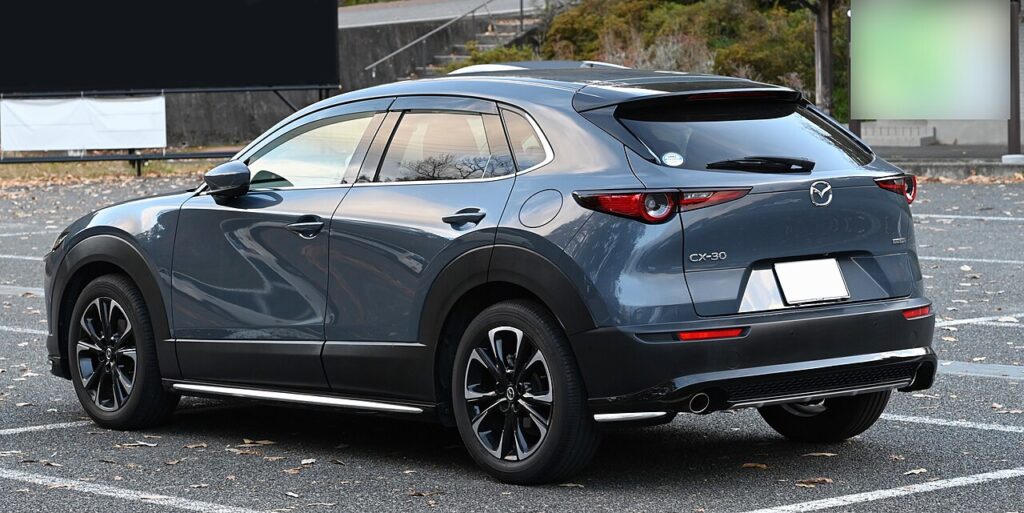
How It Works on the CX-30
i-stop only cuts the engine when a set of conditions is satisfied. It watches the state of charge of the 12 V battery, the engine and coolant temperature, and how hard the climate control is working. A battery sensor tracks the charge continuously so the system knows it can restart cleanly every time. When shutting down would leave you short of power or comfort — a cold engine, a heavy air-con demand, a low battery — i-stop simply keeps the engine idling. That’s why it may stop the engine at one junction and not the next depending on temperature and how far you’ve driven.
Getting Ready
- Have the engine running and the ignition fully on — the i-stop OFF button only responds with the car awake.
- Expect a per-drive switch-off; there is no permanent factory ‘off’ for i-stop.
- Before opening the bonnet, switch it off first so the engine can’t auto-restart on you.
- On a cold morning, let the engine warm through if you actually want i-stop to activate.
How to Turn Off i-stop
- Find the ‘i-stop OFF’ button on the dashboard (an ‘A’ with a circular arrow).
- Press it once — the indicator confirms i-stop is off, and the engine will keep running when you stop.
It Resets Every Drive
Like nearly every car with this feature, the CX-30 re-enables i-stop each time you switch the ignition off and on. There’s no permanent factory ‘off’ — press the button once per journey if you don’t want it.
If the Engine Won’t Stop on Its Own
If i-stop seems to have stopped working even though you never disabled it, one of the inhibit conditions is usually being tripped:
- A weak or ageing 12 V battery — the most common cause; short trips never fully recharge it, so i-stop won’t risk a shut-down.
- Cabin not yet at temperature — strong heating or cooling demand keeps the engine running to feed the climate system.
- Cold engine — below normal operating temperature the engine stays on until it warms through.
- Brake not pressed firmly, or you’re on a gradient.
- Bonnet open, or the driver’s door open / seat belt unfastened.
- Steering being turned, an extreme outside temperature, or the demister running hard.
What Happens Next
Press i-stop OFF and its indicator changes to show the system disabled; the engine then idles normally at every stop for the rest of that drive. Nothing else changes — open-road fuel use is unaffected and no fault is stored. At your next ignition cycle i-stop quietly switches itself back on, so press the button again if you want it off for that journey too.
Frequently Asked Questions
How do I turn off i-stop on a Mazda CX-30?
Press the i-stop OFF button on the dashboard — it’s marked with an ‘A’ inside a circular arrow — and the indicator confirms it’s off. The engine will then idle normally when you stop. It only lasts for the current drive; press the button again to turn i-stop back on.
Can I disable it permanently?
No — the CX-30 resets i-stop to on at every ignition cycle, and there’s no factory setting to keep it off between trips. The simple habit is to press the button once each time you set off. Any ‘memory’ module that changes this is aftermarket and outside the car’s own controls.
Why did i-stop come back on?
Switching the ignition off and on re-enables it automatically — it didn’t turn itself back on mid-drive. Mazda defaults to i-stop active at every start so the car meets its official fuel-economy figures, leaving the choice of disabling it to you each journey.
Why won’t the engine stop sometimes?
A low 12 V battery charge, a cabin still heating or cooling, or a cold engine will all hold the engine running, and that’s by design. A gentle gradient, an open bonnet or an unfastened driver’s belt can do the same. None of these point to a fault — they’re i-stop’s normal safeguards.
Does i-stop wear out the starter or battery?
Mazda’s combustion-assisted restart means i-stop leans less on a conventional starter than some rivals, and the car uses a battery designed for frequent cycling. The wear point owners notice first is the battery, which works harder than on a non-i-stop car; keeping it healthy keeps i-stop active.
Is it safe to leave i-stop switched off?
Yes. Disabling it only means the engine idles at stops as older cars always did, with no effect on reliability. You can press i-stop OFF every drive without harm; the only trade-off is slightly higher fuel use in heavy traffic, which is exactly the situation i-stop was built to address.
If an i-stop fault light shows instead of the normal indicator, look it up on autodtcs.com — a tired 12 V battery is the usual cause. See our CX-30 battery guide.
Independent guide — not affiliated with Mazda. Always follow your official service manual and safety precautions. Read our full disclaimer.