These instructions apply to the Mazda CX-5 Mk3 (KM) 2025-Present.
For other models, please choose your vehicle here.
If the Mazda Connect centre display on the third-generation (KM) CX-5 freezes or stops responding, a forced restart usually clears it. This generation is touchscreen-led with no rotary Commander knob, so you restart it using the power/volume control rather than a dial.
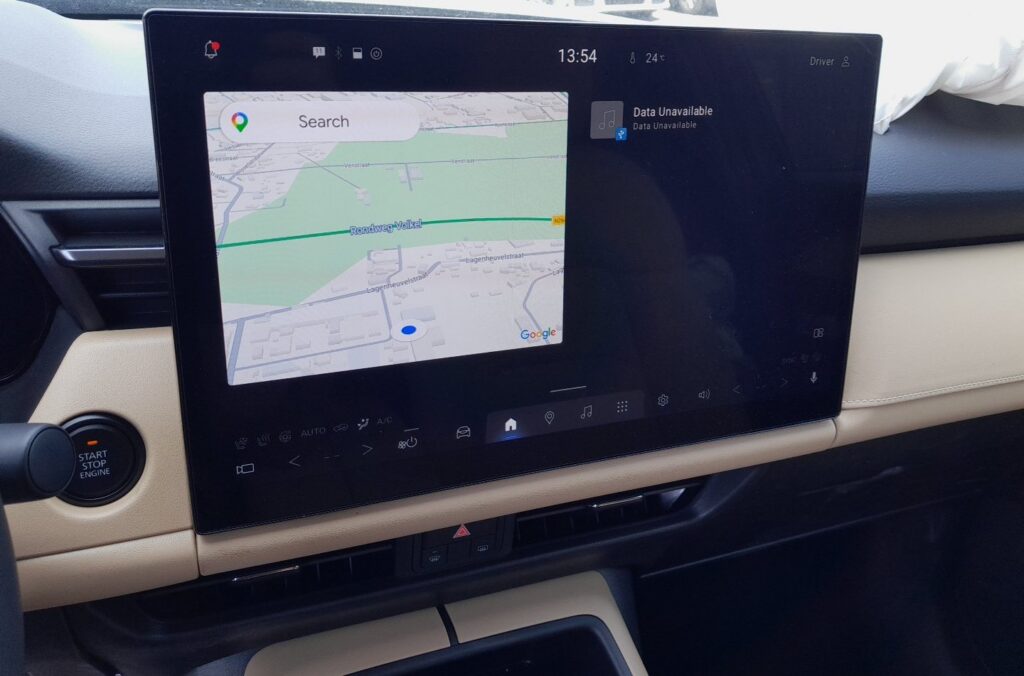
Before you start
- Park safely; the screen may go dark for a few seconds during the restart.
- A simple restart keeps your pairings and settings — try it before any factory reset.
- With the ignition on, press and hold the power/volume control on the centre display area.
- Keep holding until the screen goes dark and begins to restart.
- Release when the Mazda logo reappears and let the system finish booting.
- Check that the display now responds to touch and that your Bluetooth and Google built-in settings are intact.
- If it still misbehaves, open Settings > System and use the factory reset option as a last resort.
FAQ
Will restarting Mazda Connect erase my paired phone or settings?
No. A press-and-hold restart simply reboots the display software; your phone pairings, accounts and preferences are retained. Only a full factory reset under Settings > System returns everything to defaults.
How is the restart done without a rotary Commander knob?
The KM generation drops the rotary controller used on the older KF. You trigger the restart by pressing and holding the power/volume control instead, holding until the Mazda logo comes back on screen.
The screen is completely black and won’t restart. What should I try?
If a press-and-hold does nothing, switch the ignition fully off, open and close a door to let the car power down, then restart and try again. Persistent black screens that survive this may need a dealer diagnostic check.
Independent guide — not affiliated with Mazda. Always follow your official service manual and safety precautions. Read our full disclaimer.