These instructions apply to the Nissan Note E12 (2013 - 2017). For other models, please choose your vehicle here.
The service reminder in the Nissan Note (also known as the Versa Note) can be reset from the instrument cluster without special tools. Use this procedure after completing scheduled maintenance so the next interval is tracked correctly.
Before You Start
- Park safely and switch off all accessories.
- Ensure the service has been completed (oil, filters, checks).
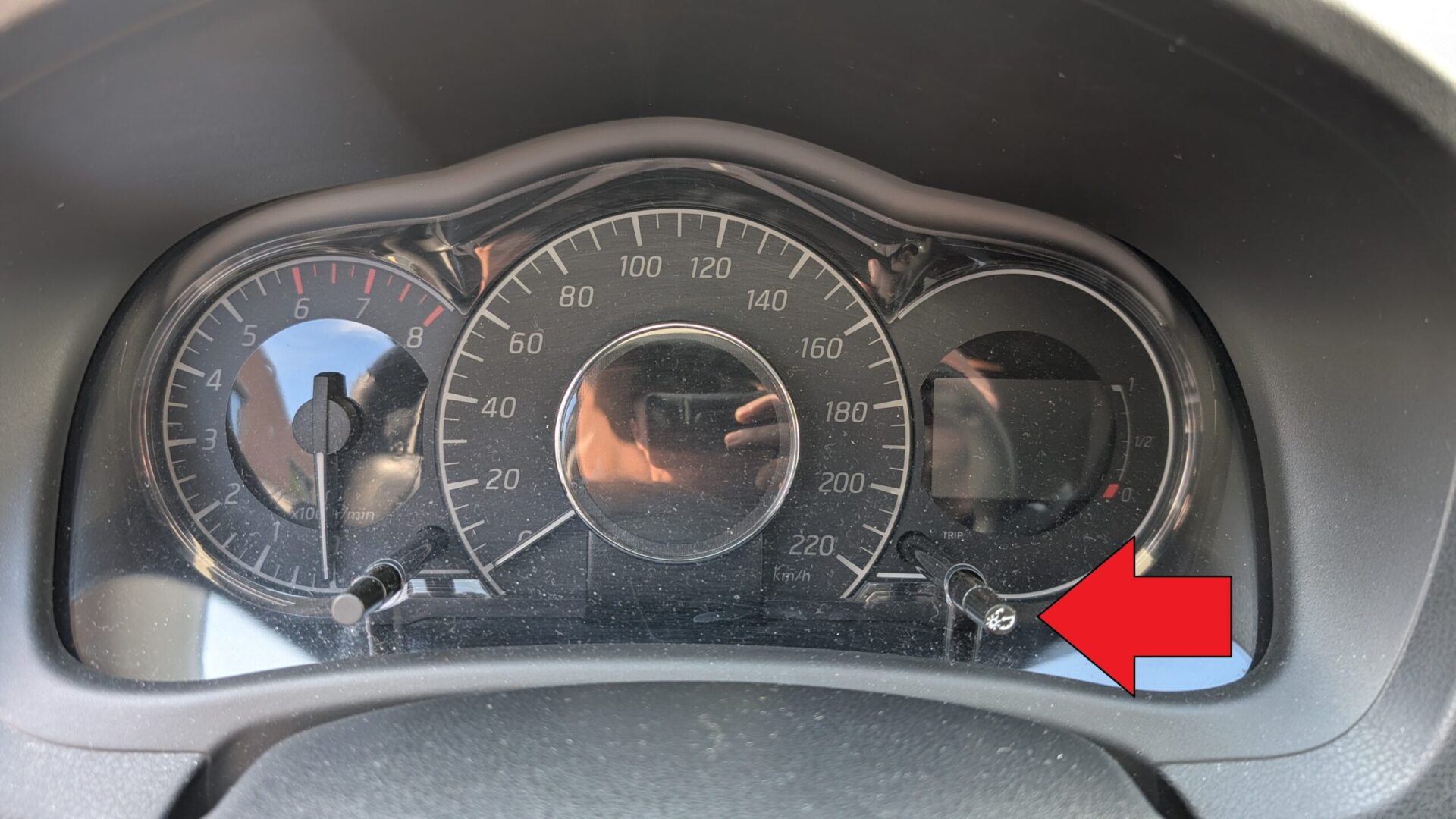
- Locate the trip button on the instrument cluster. This button is used for both trip readings and the service reset function.
Manual Reset Procedure
- Switch the ignition ON (do not start the engine).
- Within about 10 seconds, press and hold the trip button for roughly 3 seconds.
- The service key symbol and the remaining distance value will begin to flash.
- Release the button, then press the trip button repeatedly to set the desired distance to the next service.
- Stop pressing the button and wait ~5 seconds for the value to store.
- Switch the ignition OFF. The service interval is now reset.
Troubleshooting & Tips
- If the value does not store, repeat the steps ensuring you hold the button long enough during the first press and wait the full 5 seconds before switching off.
- Only reset after maintenance; resetting early will skew your intervals.
- If your cluster wording differs, look for Service, Maintenance, or a spanner/key icon.
- For markets using time-based intervals, set the distance according to your maintenance schedule (e.g., 10,000–15,000 km as specified by your service plan).
Disclaimer: This guide is for general information. Always follow your vehicle’s official service information and safety instructions. Perform repairs at your own risk.
Disclaimer: The information on this page is provided for general guidance only. Always follow your official service manual and safety precautions when working on your vehicle. We are not responsible for errors, omissions, or any damage resulting from the use of this information.
This website is an independent resource and is not affiliated with, endorsed by, or sponsored by Nissan. All trademarks and brand names belong to their respective owners.