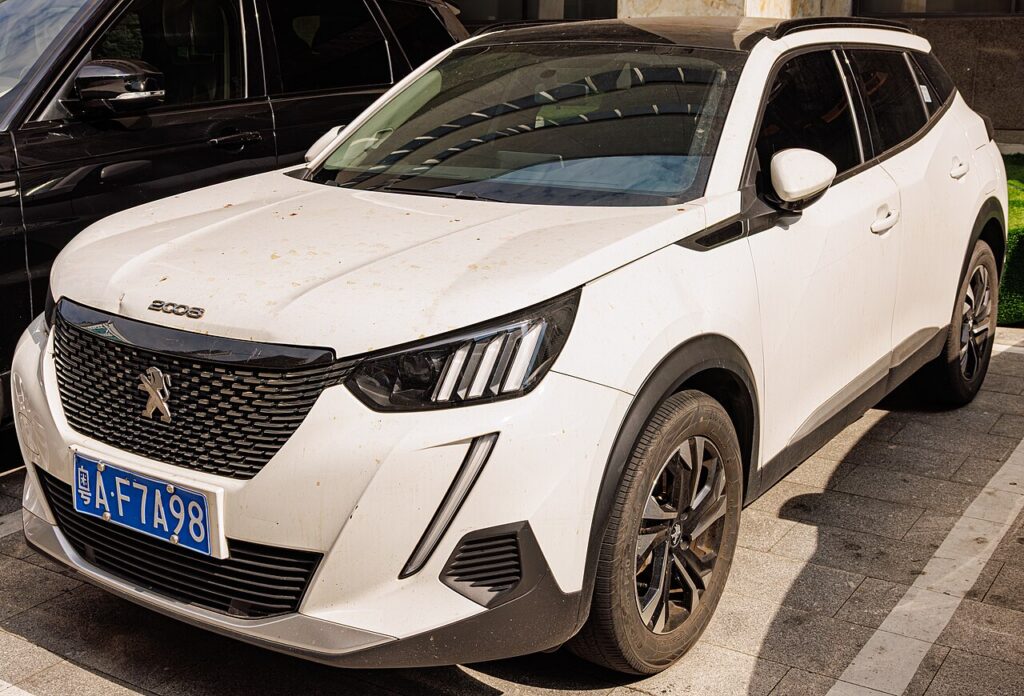
These instructions apply to the Peugeot 2008 Mk2 (P24) 2019-Present.
For other models, please choose your vehicle here.
The Peugeot 2008 (Mk2/P24, 2019–Present) — petrol, diesel and the electric e-2008 — uses keyless “Access & Start” on most trims. When the fob coin cell goes flat, the START/STOP button reports “key not detected”. The key’s battery-free transponder still lets you unlock and start it close-up, without help.
Base trims with a plain remote and turn ignition aren’t affected for starting — a flat fob only stops the remote buttons; unlock with the blade and turn the key. The steps below are for keyless cars.
Start the keyless Peugeot 2008 Mk2 with a dead fob
- Open the car with the emergency blade (next section), sit in the driver’s seat and pull the door shut so the cabin antenna can search for the key.
- Press and hold the brake pedal — on the e-2008, the same brake-and-button sequence applies.
- Press the START/STOP button once. The i-Cockpit display shows “key not detected”.
- Hold the flat face of the fob against the steering column, just left of the START button, over the backup antenna.
- Keeping the fob there with your foot on the brake, press START/STOP again. The immobiliser reads the passive chip and the 2008 starts (or shows READY on the e-2008).
Unlock the doors with the emergency key blade
- Slide the catch on the fob and pull out the metal emergency blade.
- Lever off the small cover at the rear of the driver’s door handle with the blade tip to reveal the hidden lock cylinder.
- Insert the blade, turn to unlock, and refit the cover afterwards. The alarm may sound until the car recognises the key and starts.
Replace the fob battery
The Peugeot 2008 Mk2 fob uses a single CR2032 3V lithium coin cell. Take out the emergency blade, split the case at the seam, lift the old cell and fit the new one with the + face up, then clip it shut. A new CR2032 lasts two to three years; shrinking keyless range is the warning to change it before you get caught out.
Frequently Asked Questions
Where do I hold the fob on the 2008 Mk2? Flat against the left of the steering column by the START button. If it doesn’t read first time, move the fob a centimetre and press again.
Why can’t I see the door keyhole? It is capped for a clean look. Prise the small cover off the end of the driver’s door handle with the blade to reach the cylinder.
What battery does the 2008 fob take? A CR2032 lithium coin cell, sold everywhere and swapped in under five minutes.
The alarm went off when I used the blade — is that normal? Yes. Mechanical entry trips the alarm by design; it stops once the car reads the key and you start it.
If a warning light or fault code appeared with the key message, you can decode it on our sister site autodtcs.com.
Independent guide — not affiliated with Peugeot. Always follow your official service manual and safety precautions. Read our full disclaimer.