These instructions apply to the Renault Clio Mk5 (XJA) 2019-Present.
For other models, please choose your vehicle here.
If the tyre-pressure light is on in your Renault Clio Mk5 (XJA, 2019–present) after adjusting pressures or swapping wheels, you need to store the new values as the reference. You do it from the cluster menu with the wiper-stalk buttons, then a short drive finishes the relearn. A steady amber tyre symbol is flagging that a corner has drifted from its stored target — a notification, not a fault. Correct the pressures, store them, and it clears. Here’s how.
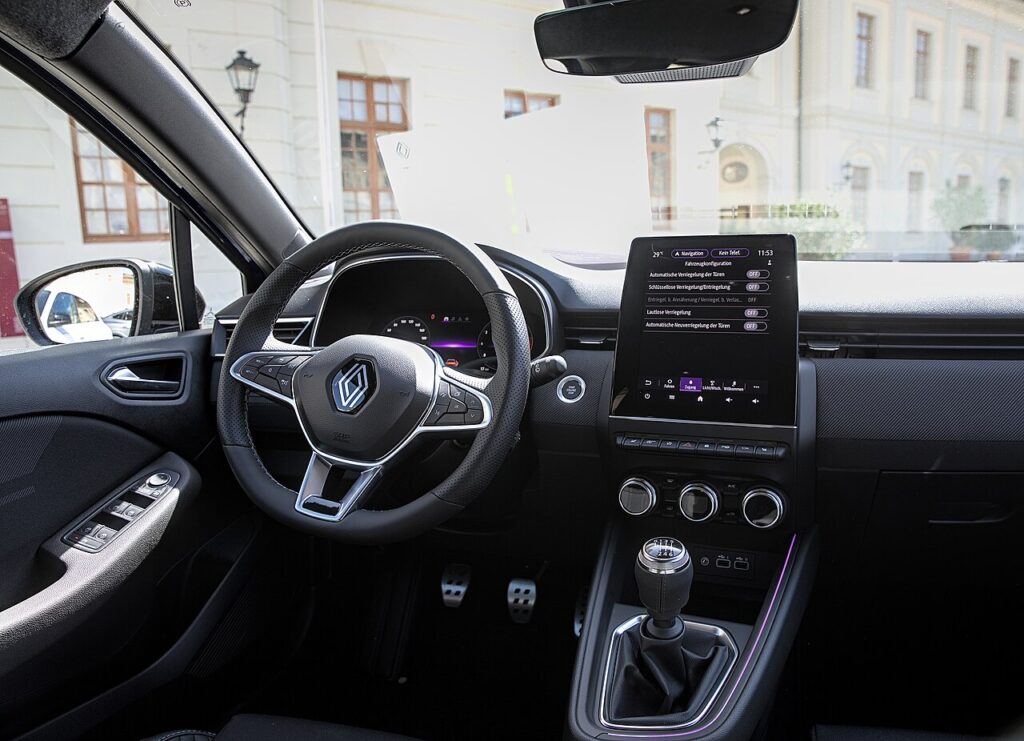
How the Clio’s System Works
The Clio Mk5 monitors tyre pressure and shows a low corner. After you set the pressures you confirm them through the ‘Tyre pressure’ menu so the car treats those as “correct,” then it relearns as you drive. The menu step doesn’t calibrate against a fixed number — it snapshots the pressures as they are at that moment and adopts them as the baseline. So order matters: inflate accurately first, then store, then drive. Store while a tyre is still soft and the car simply learns the wrong reference.
First, a Few Checks
- Check pressures cold — before driving, or after the car has stood a few hours; warm tyres read high and store a false baseline.
- Use the door-label figures in the driver’s door opening, matched to your load and wheel size.
- Set all four (and the spare if it’s a monitored full-size wheel) before you store — the menu captures whatever the tyres read at that instant.
- Use an accurate gauge or the forecourt airline; a gauge that reads a couple of psi out defeats the whole point.
- Ignition on is enough to reach the cluster menu with the wiper-stalk buttons; you don’t need the engine running to store.
How to Reset the Clio Mk5 TPMS
- Set all four tyres to the correct pressure cold — the figures are on the label in the driver’s door opening.
- Turn the ignition on.
- Press the scroll button (1) on the wiper stalk until the ‘Vehicle’ menu shows, and confirm with button (2)/(3).
- Select ‘Tyre pressure’ and press and hold ‘OK’ for at least 5 seconds — a confirmation message appears.
- Drive the vehicle for a few minutes to complete the procedure; the warning then clears.
If the Light Stays On
- Re-check every tyre, including the spare if it’s a monitored full-size wheel — one corner a few psi low is enough to keep the light on.
- Confirm you stored after inflating, not before — if you held OK while a tyre was still soft the car learned the wrong baseline; correct it and store again.
- One tyre keeps dropping — look for a slow puncture, a leaking valve, or a corroded alloy bead; the system is doing its job.
- Not enough driving — give it a few minutes at a steady speed after storing so the relearn can finish.
- Cold morning — pressure falls roughly 1–2 psi for every 10 °C drop, so a warning after a cold night is normal; top up and re-store.
- The light flashes and stays flashing — that’s a sensor fault, which needs a tyre shop’s tool, not a reset.
Once It’s Done
Having stored the correct pressures and driven for a few minutes, the amber tyre symbol goes out and stays off for the rest of the trip and beyond. It only comes back if a corner genuinely drops again, so a return soon after usually means a real leak worth investigating. A brief flash of the symbol at start-up as the system runs its self-check is normal and not a concern.
Frequently Asked Questions
Where is the tyre-pressure reset on the Clio Mk5?
In the cluster menu via the stalk buttons: Vehicle → Tyre pressure → hold OK 5 s → drive. Turn the ignition on first and set every tyre to the door-label pressure while cold, then hold OK until the confirmation message appears and drive a few minutes to finish.
Do I need a tool?
Not for a normal reset — set the pressures, store them in the menu, and drive; no workshop equipment is involved. A tool is only needed if the in-wheel sensors were replaced or swapped, because new sensor IDs have to be programmed in before the car will recognise them.
Why did the light come on in cold weather?
Pressure drops as temperature falls, roughly 1–2 psi for each 10 °C, so tyres set correctly on a mild day can read low after a cold night. It doesn’t mean anything is leaking. Top the tyres to the door-label figure and re-store, then drive to complete the relearn.

The light keeps flashing — is that low pressure?
A persistent flash usually means a sensor fault rather than low pressure — have the sensors checked. Typically the symbol flashes for about a minute at start-up and then stays lit steadily when there’s a fault. That points to a dead sensor battery or a sensor that isn’t communicating, and storing pressures won’t clear it.
Do I need to reset after swapping or rotating the wheels?
Yes — whenever the wheels move position or you fit a different set, set every tyre to the correct cold pressure and store again through the menu, then drive to finish. If the new wheels carry their own sensors, those IDs may also need matching with a tyre shop’s tool.
Can I ignore the warning if the tyres look fine?
Best not to. The Clio can flag a corner only a few psi low, which is hard to see by eye but still costs grip, braking and economy and lets a slow puncture worsen. Check all four with a gauge, correct any that are low, store and drive. If all were fine, a quick re-store clears a stale reading.
If a fault code is stored, look it up on autodtcs.com. To clear a service reminder, see our Clio Mk5 service reset guide.
Independent guide — not affiliated with Renault. Always follow your official service manual and safety precautions. Read our full disclaimer.