These instructions apply to the Suzuki Ignis Mk3 (ATK) 2016-Present.
For other models, please choose your vehicle here.
If the touchscreen in your Suzuki Ignis (Mk3/MF, 2016–Present) has frozen — the audio stuck, the navigation locked, or the screen ignoring your taps — you almost never need a dealer. The Ignis uses Suzuki’s SLDA (Smartphone Linkage Display Audio), the Bosch-built head unit shared across the range, and a forced reboot clears a software hang in seconds with no loss of settings.
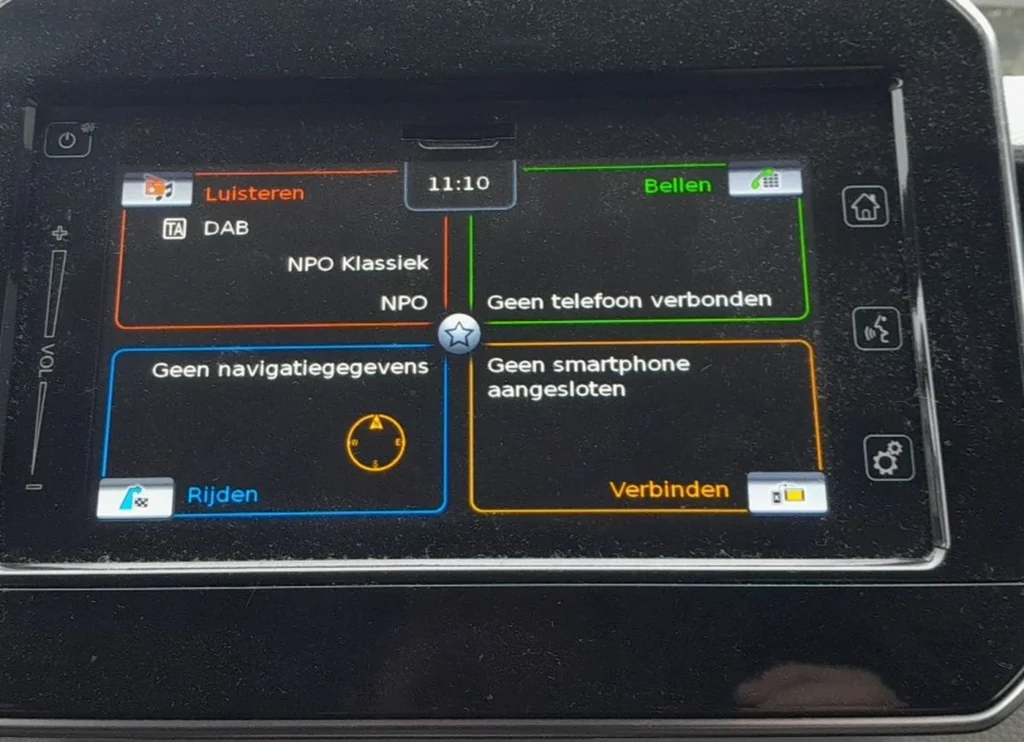
Which System Your Ignis Has
Higher Ignis trims (SZ-T and SZ5) carry the 7-inch SLDA touchscreen with sat-nav, DAB, Bluetooth, and on later cars Apple CarPlay and Android Auto. The entry SZ3 in some markets shipped with a simpler radio rather than the full touchscreen. The SLDA unit is the one that freezes — the same Bosch system as the Swift and Vitara, with the familiar habit of locking up after a software update or when a poor USB cable is plugged in. A manual reboot is the standard first fix.
Soft Reset (Reboot the Screen)
- Switch the ignition to ON so the screen is awake — do this parked.
- Press and hold the Power/Volume knob (the dial you press to mute, turn for volume) for about 10 seconds.
- Keep holding until the screen goes black and the SUZUKI logo reappears.
- Release. SLDA reboots in 20–30 seconds and returns to the home screen.
Safe — No Data Lost
A reboot is completely safe. Presets, paired phones, navigation favourites, and any CarPlay/Android Auto setup all survive — the hold power-cycles the head unit like restarting a phone. Repeat it whenever the screen plays up.
If It Stays Frozen
- Hold the knob longer — up to 20 seconds — if 10 didn’t bring up the logo.
- Switch off, lock the car, and wait 5–10 minutes. A full power-down once the car sleeps clears a deeper hang.
- Unplug the USB cable. A failing or charge-only USB lead is a common SLDA freeze trigger — remove it, reboot, then test a proper data cable.
- Check the SLDA software version. A repeated reboot loop usually means outdated or corrupt firmware; a dealer reflash of the latest version cures it.
- As a last resort, disconnect the battery for a minute or two. Several Ignis owners report this clears a head unit that ignores the knob entirely. Remember the Ignis SHVS variant is a 12V mild hybrid — the 12V battery is the one that resets the radio; relink the radio code if asked.
Factory Reset (Erases Data)
Only needed if SLDA stays unstable. With the screen responsive, go to Settings → Reset to factory settings and confirm. This erases presets, pairings, and saved destinations and returns the unit to its delivered state, so use the soft reset first.
Frequently Asked Questions
Will rebooting delete my presets or paired phone?
No. Holding the Power/Volume knob only restarts the unit. Presets, favourites, and Bluetooth pairings are kept — only the factory reset erases them.
My base Ignis has no touchscreen — how do I reset it?
The simpler SZ3 radio has no software to freeze. Switch the ignition off and on, or pull the audio fuse briefly; you may then need to re-enter the radio code.
Does the Ignis mild-hybrid system affect the radio reset?
No. The SHVS mild-hybrid system is separate. The 12V battery powers the SLDA unit, so a 12V disconnect is what cold-resets the radio — the same as any non-hybrid car.
Why does my Ignis screen freeze after an update?
A partially installed or corrupt SLDA update is a common cause. Reboot to clear it; if it loops, have the dealer reflash the latest software cleanly.
Can I reboot the screen while driving?
You can, but do it parked. The screen blanks for about half a minute, removing the reversing camera and navigation while SLDA restarts.
If a warning light or stored fault appears alongside the freeze, read the code first on autodtcs.com.
Independent guide — not affiliated with Suzuki. Always follow your official service manual and safety precautions. Read our full disclaimer.