These instructions apply to the Suzuki Ignis Mk3 (ATK) 2016-Present.
For other models, please choose your vehicle here.
The Suzuki Ignis Mk3 (ATK, 2016–present) uses a direct tire-pressure monitoring system — a sensor in each wheel reports the real pressure to the car. To clear the low-pressure warning you set all four tires to the correct cold pressure and then drive; the light goes out on its own once the sensors read the new values.
Correct tire pressures (cold)
Set the pressures cold, before driving, to the figures on the placard in the driver’s door opening. They are the same for the 175/65 R15 and 175/60 R16 fitments:

| Load | Front | Rear |
|---|---|---|
| Up to 3 occupants (normal) | 250 kPa / 2.5 bar / 36 psi | 220 kPa / 2.2 bar / 32 psi |
| Full load (5 + luggage) | 250 kPa / 2.5 bar / 36 psi | 260 kPa / 2.6 bar / 38 psi |
Always confirm against your own door placard — it is the authority for your exact car. Check pressures monthly and before long trips, with cold tires.
How the Ignis TPMS works
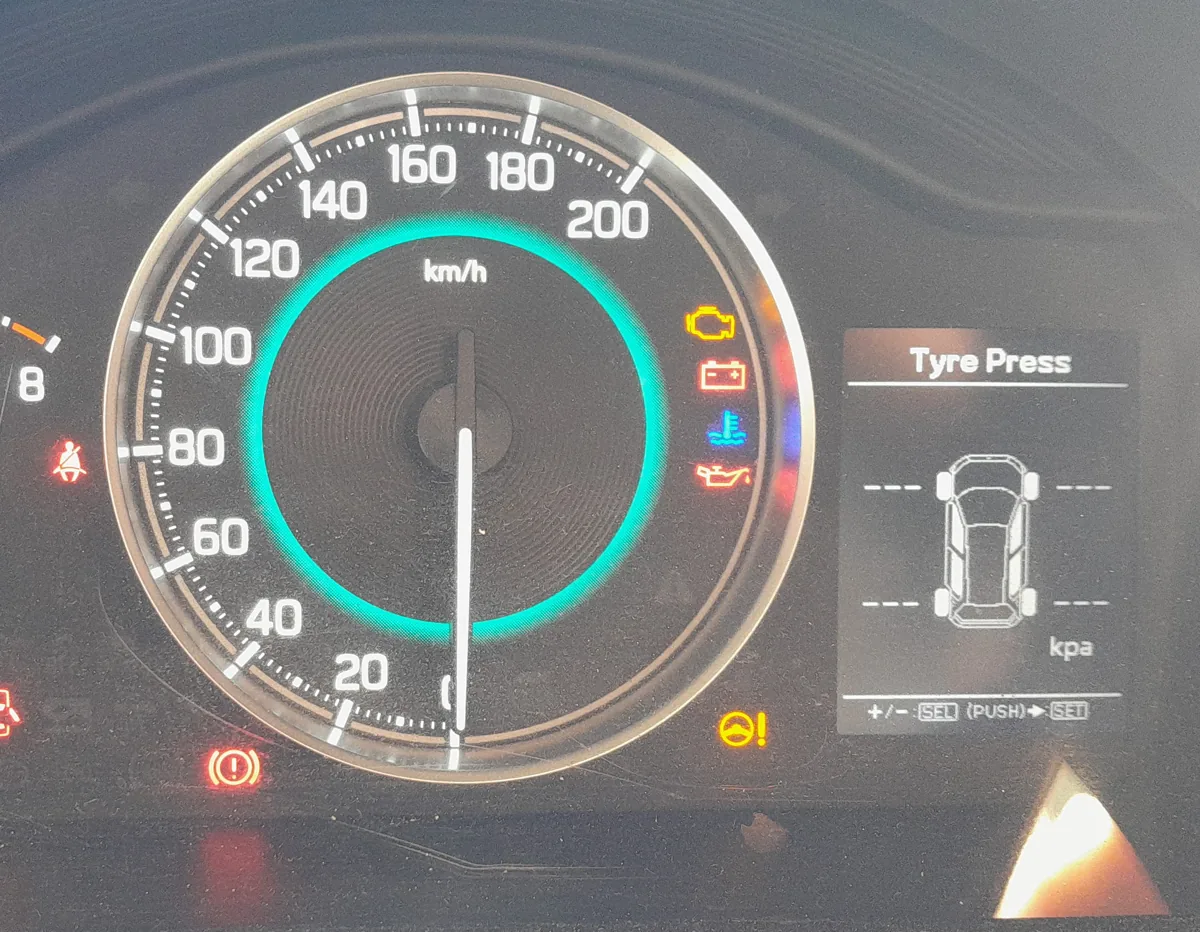
Because every wheel has its own sensor, the cluster’s Tyre Press screen can show the live pressure at each corner. When the car is parked it reads – – – at each wheel; the real figures appear after you have driven for a few minutes and the sensors start transmitting.
How to clear the low-pressure warning
- Set all four tires to the correct cold pressure from the table above (check the spare too, if fitted).
- Turn the ignition ON.
- Drive normally for about 10 minutes so the sensors report the new pressures.
- The low-pressure warning light goes out by itself, and the Tyre Press display then shows the current pressures.
There is no button sequence to “relearn” the pressures on this system — correcting the pressures and driving does it. If the light will not clear after 10 minutes of driving, one tire is still low or there is a slow leak or a sensor fault; have it checked.
Loaded and unloaded modes
The Setting menu (opened with the INFO button (the same menu used for the oil-service reset)) has a TPMS entry where you can match the warning threshold to how the car is loaded — unloaded or loaded. Set this to suit how you normally drive so the warning triggers at the right point.
After a tire or wheel change
New sensors carry their own ID codes, so after fitting a tire or wheel with a different sensor the system has to be re-registered to the car. That step needs Suzuki diagnostic equipment and is normally done by the dealer or tire shop.
Frequently asked questions
Where is the reset button? There isn’t one for the warning. Correct the cold pressures and drive about 10 minutes — the light clears automatically.
Why do the wheels show dashes? The car is stationary. The direct sensors only transmit once you drive, so the live pressures appear after a few minutes.
The light came on in cold weather — is something wrong? Cold air lowers pressure. Re-check and set all four cold to the placard figures; the warning should clear after a short drive.
If a different dashboard symbol is showing, identify it with the free lookup at autodtcs.com.
Independent guide — not affiliated with Suzuki. Always follow your official service manual and safety precautions. Read our full disclaimer.