These instructions apply to the Suzuki Swift Mk3 (AZG/AZH) 2010-2017.
For other models, please choose your vehicle here.
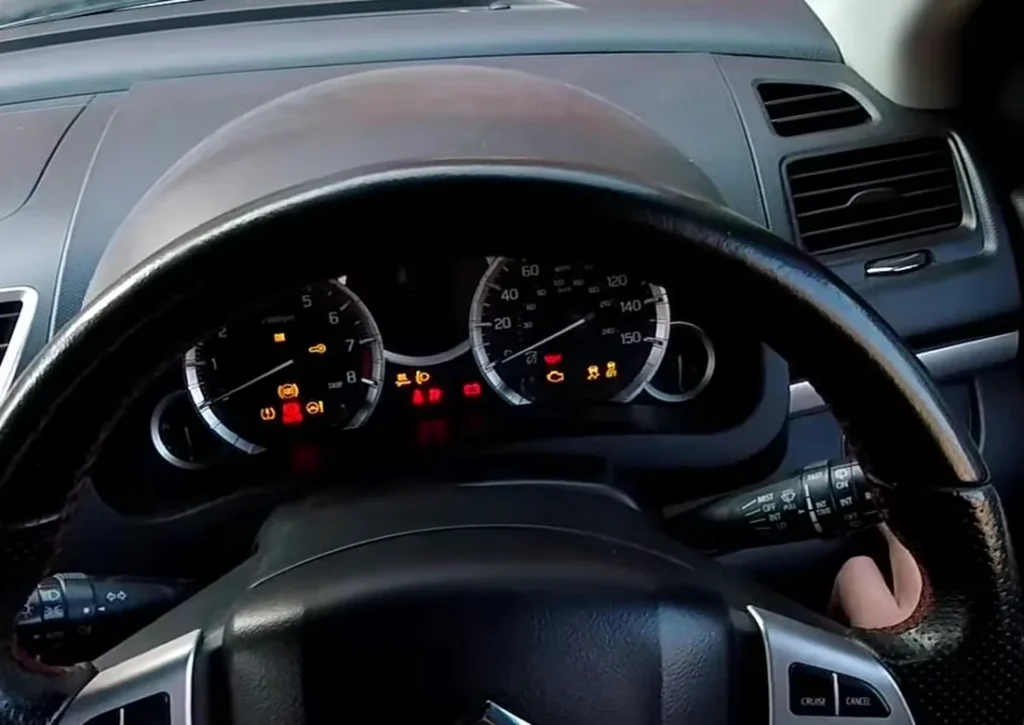
The Suzuki Swift AZG/AZH (2010–2017) shows an oil-service reminder on the cluster’s information display when a service is due. After the oil and filter change you clear it from the dashboard button — no scan tool needed. There are two paths: a menu reset that works anytime, and a quick reset used the moment the OIL prompt is showing.
Before you start
- Do the oil and filter change first, using a Suzuki-approved oil of the correct grade — clearing the reminder without doing the work just hides it and risks engine wear.
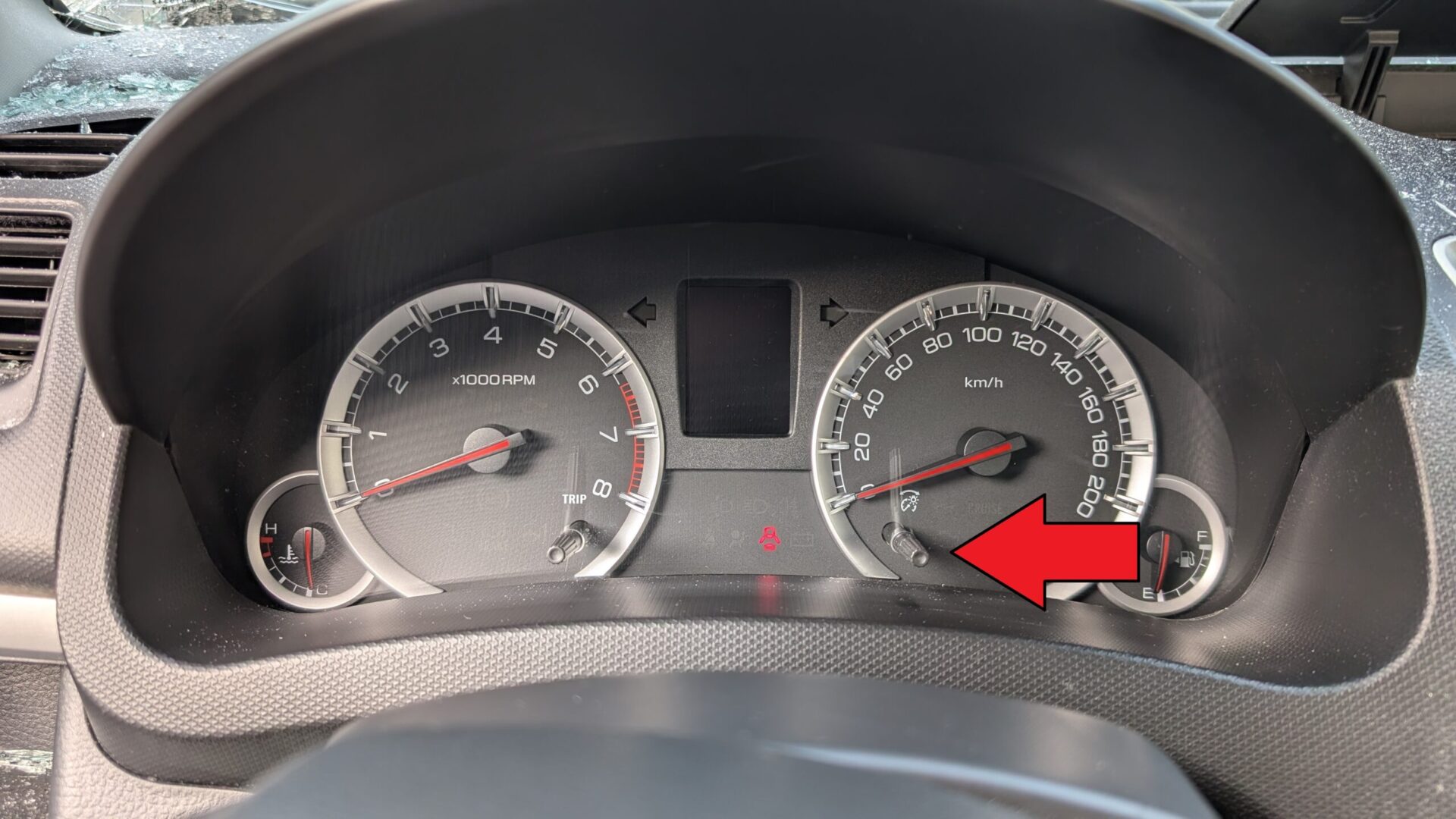
- Switch the ignition to ON (engine off). The reset uses the small rotary button on the lower-right of the instrument cluster — the trip-computer selector.
How to Reset the Oil Service Light on the Suzuki Swift (Trip-Computer Menu)
- Switch the ignition to ON (engine off).
- Press the dashboard button repeatedly to cycle through the trip-computer screens until RANGE (fuel-range readout) appears on the display.
- Press and hold the button for about 3 seconds, then release. The display enters the trip-computer settings menu.
- Turn the button clockwise (rotate, don’t press) to scroll through the menu items until OCI (Oil Change Interval) is highlighted.
- Press the button to confirm OCI.
- Rotate to select RESET, then press the button to confirm.
- The display will show SUCCESS to confirm the counter has been zeroed.
Method 2 — Quick Reset When the OIL Prompt Is Displayed
- Wait until the OIL reminder is currently shown on the display (this happens automatically when the counter expires).
- Switch the ignition to ON.
- Press and hold the dashboard button until the oil-warning light begins to flash.
- Release the button. The reset is complete and the OIL prompt disappears.
Method 2 only works at the moment the reminder is showing — it’s a shortcut, not a permanent reset path. If you’ve already cleared the OIL prompt with another button press, use Method 1.
Verify the Reset Worked
Switch the ignition off, wait 5 seconds, then turn it back to ON. The OIL reminder should no longer appear at startup. If your Swift’s trip computer shows a “distance to next service” readout, it should now show the full new interval (typically 15,000 km or 12 months, depending on market).
When It Won’t Cooperate
- OCI option isn’t in the menu. Some Swift trims (notably very basic specs in certain markets) have a simplified trip computer without the OCI/RESET menu items. On those cars, use Method 2 instead — the quick reset works on every AZG/AZH trim because it doesn’t depend on menu structure.
- SUCCESS message doesn’t appear. The button press at the end of step 6 was too short. Press and release with a firm click, not a tap.
- OIL prompt comes back after a few miles. The reset didn’t latch — try Method 1 again, holding the button slightly longer on the final confirm. If it persists, the Swift’s engine ECU may have a counter-side fault (rare), in which case a Suzuki dealer can re-zero it with their diagnostic tool.
- Display shows OIL even though you’ve never changed the oil. The interval timer fired based on time, not distance. This is normal — the reminder is set to whichever happens first, mileage or 12 months.
Frequently Asked Questions
Is the “service light” the same as the oil reminder on the Suzuki Swift?
On the 2010–2017 Swift there is no separate spanner-style “service” light like some cars have — the maintenance reminder is the OIL / OCI (Oil Change Interval) prompt on the trip computer. So “service reset,” “service light reset,” and “oil light reset” all mean the same job on this Swift: zeroing the OCI counter using the steps above. If your cluster does show a separate spanner icon (some markets), the same trip-computer path (long-press at RANGE to enter the menu, scroll to OCI, then RESET) clears it.
Does this work on my 2012, 2014, 2015, 2016 or 2017 Swift?
Yes — every model year of the third-generation Swift (AZG/AZH, 2010 through 2017) uses the identical trip-computer reset. Suzuki made no mid-cycle change to the OCI menu, so both methods apply whether yours is a 2012, 2014, 2015, 2016 or 2017. For the taller fourth-generation Swift built from late 2017, use the Mk4 service-indicator reset instead.
What’s the service interval on a 2010–2017 Suzuki Swift?
Manufacturer-recommended interval is 15,000 km or 12 months, whichever comes first, for most European markets. Severe-service driving (heavy stop-and-go, dusty roads, very short trips) tightens this to 7,500 km or 6 months. Check your owner’s handbook for your specific market.
Will the reset affect the cluster’s “distance to next service” countdown?
Yes — both Methods 1 and 2 zero the same counter. After a successful reset, the cluster’s countdown returns to the full interval (15,000 km on most trims).
Why does the OCI menu appear behind RANGE rather than under a Settings tab?
The Swift’s trip computer doesn’t have a separate Settings hierarchy on this generation. RANGE → long-press is the only way Suzuki provided into the configuration menu, which is why the procedure feels indirect. It works once you know the path.
Does this same procedure work on a Swift Sport?
Yes — the Swift Sport AZG/AZH uses the same trip-computer firmware. The OCI / RESET menu items are present even though the Sport’s interval recommendation is shorter (7,500 km in some markets due to higher engine output).
Independent guide — not affiliated with Suzuki. Always follow your official service manual and safety precautions. Read our full disclaimer.