These instructions apply to the Toyota Corolla Mk12 (E210) 2019-Present.
For other models, please choose your vehicle here.
When the maintenance (spanner) reminder or a “Maintenance Required” message appears on your Toyota Corolla Mk12 (E210, 2019–present) — hatchback, Touring Sports or saloon, petrol or hybrid — it just means the service interval has elapsed. It is a routine reminder rather than a fault, and after the work is done you clear it from the multi-information display in a few seconds. This guide shows the exact steps, no tools or dealer visit needed.
What the Maintenance Reminder Means
The Corolla’s maintenance reminder is a scheduled prompt. An internal counter tracks the distance and time since the last service was logged, and when the preset point is reached the spanner symbol or “Maintenance Required” text appears in the driver’s display. It is not a live oil-condition sensor and it is not a diagnostic trouble code — it simply marks that the car is due for its next routine service. Because the counter has no way of detecting that the work was carried out, the message stays on screen until you reset it manually, which is exactly what the steps below do.
Before You Begin
Only reset the reminder once the service has actually been done. Clearing it early just hides the prompt while the oil and filters keep ageing. Park on level ground with the car safely stopped. You do not need the engine running or the hybrid system “ready” — you only need the instrument cluster powered up so the menus are visible, and no tools are required. The reset is done through the cluster’s Vehicle Settings menu using the steering-wheel controls.
How to Reset the Corolla Mk12 Maintenance Reminder
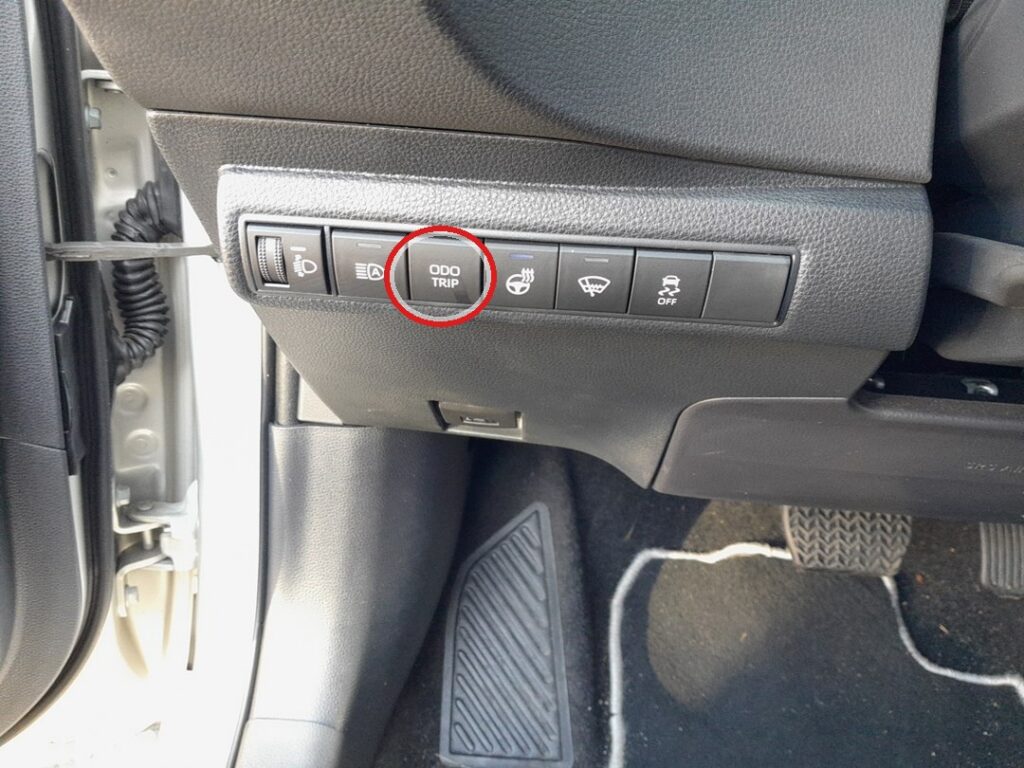
- Turn the ignition on (on the hybrid, press POWER twice without your foot on the brake so the dash powers up but the car stays in “ready off”).
- Using the multifunction steering-wheel controls, scroll through the display menus.
- Select the ‘Vehicle Settings’ menu.
- Select ‘Scheduled Maintenance’.
- Follow the on-screen instructions to confirm the reset.
- ‘Reset completed’ appears — the reminder is cleared.
If the Reminder Comes Straight Back
If the message is still there next time you switch on, the reset almost certainly wasn’t confirmed all the way through. Work down this list and try again:
- It reappears at start-up: the confirmation step wasn’t completed — repeat and follow the prompts all the way to ‘Reset completed’.
- You’re in the wrong menu: the reset lives under Vehicle Settings → Scheduled Maintenance. Exact wording varies slightly by display type, so scroll carefully rather than guessing.
- The dash isn’t fully awake: make sure the cluster is powered up (POWER pressed twice, no brake) before you start scrolling.
- A separate warning light is on: that’s a fault, not the maintenance timer — the reset won’t clear a genuine fault code.
After the Reset
Once ‘Reset completed’ shows, the spanner symbol or “Maintenance Required” message clears and the counter starts again from zero. Nothing else changes — your driving settings, radio and trip data are untouched, and the car simply begins counting towards the next service point.
How Often You’ll Need This
Reset the reminder after every service, once the work has genuinely been done. The distance and time between Corolla services depend on how the car is driven and on the maintenance schedule for your model and market, so follow the interval in your owner’s handbook rather than a fixed figure. Each time the reminder returns, treat it as the cue to have the next service carried out and then repeat this reset.
Frequently Asked Questions
Does the engine need to run to reset the Corolla maintenance light?
No. On a hybrid you don’t even need the system “ready” — just power the dash up and use the menu.
Where is the Scheduled Maintenance option?
In the cluster’s Vehicle Settings menu, reached with the steering-wheel controls. Exact wording varies slightly by display type.
Is the reset the same on the petrol and hybrid Corolla?
Yes — the menu path is the same. The only difference is how you wake the dash: on the hybrid, press POWER twice without the brake; on the petrol car, turn the ignition on without starting the engine.
Will resetting affect anything else?
No — it only restarts the maintenance countdown. Nothing else is changed.
The light stays on after resetting — why?
If it’s the maintenance reminder, the confirmation wasn’t completed. A different warning (engine, hybrid system) is a fault needing diagnosis, not a maintenance reset.
If a warning light appeared alongside the maintenance message, look up the code on autodtcs.com. Hybrid owners: see also our Corolla hybrid battery cooling-filter cleaning guide.
Independent guide — not affiliated with Toyota. Always follow your official service manual and safety precautions. Read our full disclaimer.