These instructions apply to the Toyota iQ Mk1 (J10) 2009-2015.
For other models, please choose your vehicle here.
If the one-touch (AUTO) windows on your Toyota iQ (J10, 2009–2015) stop going all the way up or down on a single press — usually after a flat battery or a disconnect — each window needs re-initialising so it relearns its limits. No tools, about a minute.
Where the Switches Are
Both front windows have one-touch AUTO and are operated from the driver’s-door switch panel.
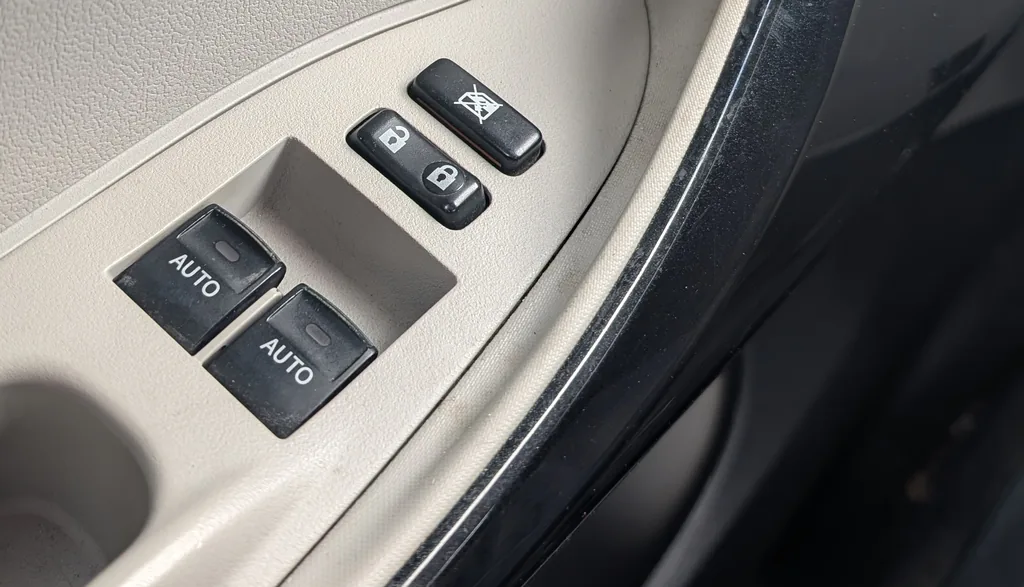
How to Re-initialise Each Window
- Pull and hold the switch UP until the window is fully closed, then keep holding for about a second after it stops.
- Press and hold the switch DOWN until the window is fully open, then hold a moment longer.
- Release, then check one-touch AUTO now works both up and down.
- Repeat the procedure for the passenger window.
Frequently Asked Questions
Why did my iQ windows lose one-touch?
The motor stores its fully-open and fully-closed positions. Losing 12 V power — a flat or disconnected battery, or a blown fuse — erases that memory, so one-touch stops working until you re-teach the limits.
One-touch still won’t work after re-initialising.
Repeat the hold-closed then hold-open cycle a couple of times. If it still fails, check the window fuse and that the glass moves smoothly in its runs.
For related fault codes, see autodtcs.com.
Independent guide — not affiliated with Toyota. Always follow your official service manual and safety precautions. Read our full disclaimer.