These instructions apply to the Toyota RAV4 Mk5 (XA50) 2019-Present.
For other models, please choose your vehicle here.
The Toyota RAV4 (Mk5/XA50, 2019–Present) — petrol, hybrid and plug-in — uses Smart Entry and push-button start across almost the whole range. When the fob coin cell dies you’ll see a “Key not detected” or “Smart Key system” message and the START button won’t respond. The good news: the XA50 keeps a simple backup that gets you moving in under a minute. Here’s the procedure.
Start the RAV4 With a Dead Fob
Even with a flat battery, the car can read the chip inside the fob at close range. You hold the fob to the button rather than rely on the radio link.
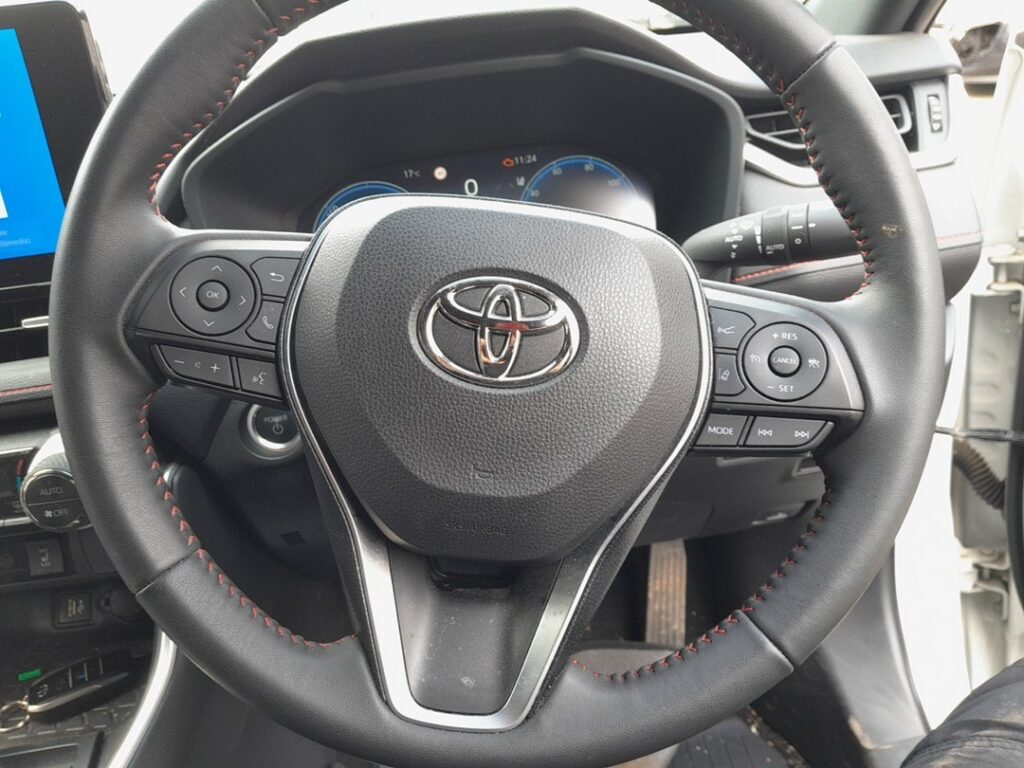
- Get in first (mechanical-key steps below) and sit in the driver’s seat with the door shut.
- Press the brake pedal fully and hold it.
- Touch the fob flat against the START/STOP button — badge face to the button. Hold it there until you hear a beep and the button’s ring changes colour (it often turns green).
- With the brake still pressed, push START. The RAV4 starts (or, on hybrids, powers up to READY).
If the first try does nothing, reposition the fob so its badge sits squarely over the button, or try the opposite face — the antenna behind the button only reaches a centimetre or two.
Unlock With the Hidden Mechanical Key
A dead fob won’t pop the doors by radio, so the RAV4 hides a metal blade inside the Smart Key.
- Slide the catch on the fob and pull the mechanical key out.
- At the driver’s door, the lock cylinder is concealed behind a cap at the rear of the handle. Lever the cap off with the blade tip to expose the keyhole.
- Insert the key and turn to unlock. The alarm may sound; starting the car (above) silences it.
Why Touching the Fob to the Button Works
There is a short-range induction antenna behind the start button. It energises and reads the passive immobiliser transponder built into the key — a chip that needs no battery because the antenna powers it. The flat coin cell only kills the longer-range radio used for hands-free unlocking and detection; the immobiliser handshake right at the button still completes. That is exactly why Toyota fits this fallback to every Smart Key RAV4.
Replace the CR2032 Coin Cell
The XA50 fob runs on a single coin cell that lasts roughly two to three years.
- Pull out the mechanical key to expose the case seam.
- Twist a coin or small flat screwdriver in the slot to part the two halves.
- Lift out the old battery. The RAV4 Mk5 fob takes a CR2032 3V lithium coin cell. Fit the new one positive (+) face the same way the old one sat.
- Hold the cell by its edge to avoid greasing the contacts, then click the case shut.
Stand next to the car and press lock once; hands-free entry should be back to normal.
Frequently Asked Questions
My XA50 RAV4 still won’t start after touching the fob to the button. Make sure you wait for the green ring / beep before pressing START, and that the brake is fully down. If there’s no beep at all, try the other face of the fob, or rest it in the console tray and press START — some XA50s read a second antenna there.
How do I know my hybrid RAV4 has started? The green READY light and a fully-lit display confirm it. The petrol engine may stay off at first in hybrid mode — that is normal.
Where exactly is the door keyhole? Behind a removable cap at the rear of the driver’s door handle; the other doors have no barrel.
Could a weak 12V battery cause the same warning? Yes. If a new coin cell doesn’t restore keyless operation, or the car cranks slowly, suspect the main 12V battery (boot-mounted aux on hybrids).
Can the metal key start the engine? No — it only unlocks the driver’s door. There is no ignition barrel; starting is always via the button.
If a warning light stayed on after you got going, you can look up the exact fault code on our sister site autodtcs.com to see whether it concerns the smart-key system or something else.
Independent guide — not affiliated with Toyota. Always follow your official service manual and safety precautions. Read our full disclaimer.