These instructions apply to the Vauxhall Mokka Mk2 (P2QO) 2020-Present.
For other models, please choose your vehicle here.
The Vauxhall Mokka Mk2 (2020–present) — Opel Mokka — learns a reference set of tyre pressures, so after you inflate or change a tyre you re-initialise it from the touchscreen. Here’s how to clear the warning.
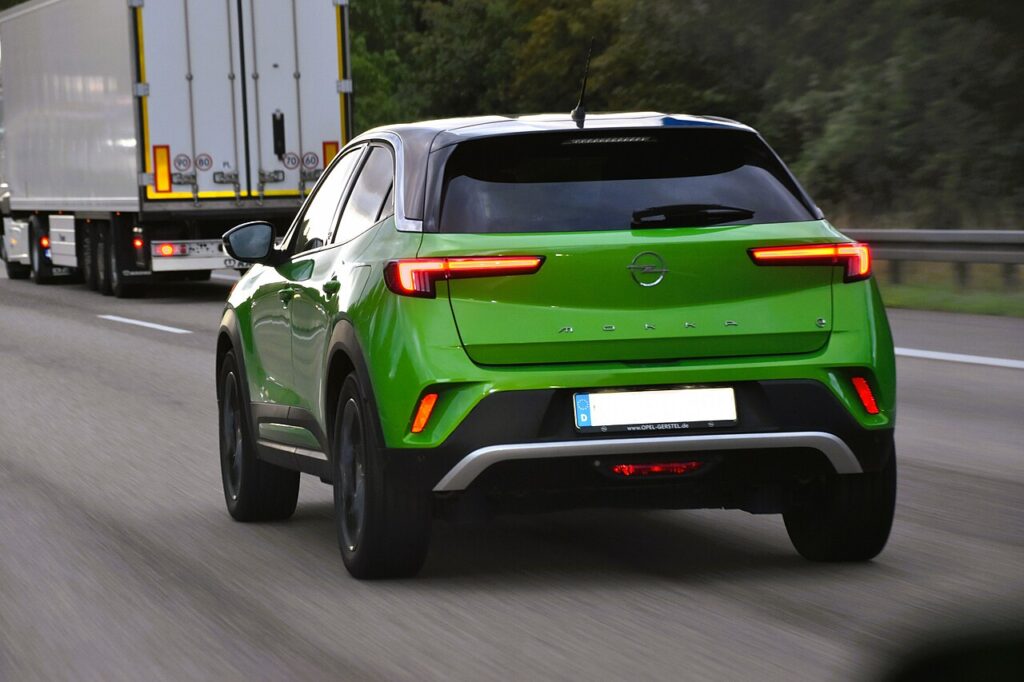
The amber tyre symbol on the Mokka is an alert rather than a fault: it means the system has seen a pressure drop below the reference it has stored, or that it has lost that reference after a wheel change. It is a safety feature doing its job. Once you correct the pressures and store a fresh reference from the menu, the warning clears — there is nothing broken to fix.
How the Mokka TPMS Works
The Mokka Mk2 uses an indirect-style monitor that watches each wheel through the car’s existing sensors and compares them against a stored baseline. Because it works from a reference rather than reading an absolute pressure from inside the wheel, it has no way of knowing you have re-inflated a tyre until you tell it. That is why you set the pressures first and then re-initialise: the drive that follows teaches it what “correct” now looks like.
Set the Pressures First
Inflate all four tyres cold to the figure on the driver’s door-pillar label, then store the new reference.
Getting Ready
- Check and set pressures cold — before driving, or after a few hours parked.
- Match the front and rear figures on the door-pillar label; a laden or full-load setting may be higher.
- Set the tyre that triggered the alert too — one soft corner keeps the warning on.
- Switch the ignition on and apply the parking brake before you open the menu.
- Re-fit every valve cap to keep the valves clean and sealed.
How to Reset the Mokka TPMS
- Park the car and apply the parking brake, ignition on.
- On the touchscreen, open ‘Driving functions’ (driver assistance).
- Select ‘Tyre pressure’, then ‘Initialise’.
- A confirmation message appears — the system stores the current pressures as the reference.
If the Light Stays On
- Re-check every tyre with a reliable gauge — one low corner keeps the warning on.
- Always re-initialise after inflating or a wheel change — the system needs the new baseline.
- Drive after initialising. An indirect system confirms the baseline over a few minutes of normal driving, not the instant you press the button.
- Just fitted the space-saver? Its smaller size can trigger the alert until the correct wheel is back on and the system is re-initialised.
- Suspect a slow puncture? If one tyre keeps dropping over a day or two, the alert is genuine — look for a nail or a leaking valve.
- Cold weather lowers pressure by roughly 1 psi per 5 °C, so top up to the label figure when cold and re-initialise.
What Happens Next
Once you have initialised and driven a short distance, the amber symbol goes out and stays off for the trip and beyond. If it returns after a day or so, treat it as a real low-pressure warning rather than a glitch and check for a slow leak. Re-initialising is a normal part of any tyre top-up or wheel swap on the Mokka, so it is worth knowing where the menu lives.
Frequently Asked Questions
How do I reset the tyre pressure light on a Vauxhall Mokka?
Set the pressures, then on the touchscreen go to Driving functions → Tyre pressure → Initialise. A confirmation message tells you the current pressures have been stored as the new reference. Drive normally for a few minutes afterwards so the system can confirm the baseline and the warning clears.
Do I need a tool?
No — the Mokka stores the reference from its own menu, so a top-up or wheel change only needs the touchscreen and a short drive. A workshop tool would only come into play for hardware faults, not for the routine initialisation you do after inflating your tyres.
Why does the light come on in cold weather?
Pressures drop as temperature falls. Top up to the label figure and re-initialise.
Where is the Initialise option on the screen?
It sits under Driving functions (the driver-assistance area), then Tyre pressure. Menu wording can vary slightly by software version, but the path follows the same logic: find the tyre-pressure page, then choose the option that stores or initialises the current values as the reference.
It came on after a wheel change — why?
The reference moved. Re-run the initialisation so the new pressures become the baseline.
Do I have to re-initialise every time I check my tyres?
Only when you actually change a pressure — after inflating, deflating, rotating or swapping wheels. If you simply check the pressures and they are already correct, there is nothing to re-store. Re-initialise whenever you have altered a tyre so the baseline matches reality.

If a fault code is stored, look it up on autodtcs.com. To clear a service reminder, see our Mokka Mk2 service reset.
Independent guide — not affiliated with Vauxhall. Always follow your official service manual and safety precautions. Read our full disclaimer.