These instructions apply to the Nissan Note E12 (2013 - 2017). For other models, please choose your vehicle here.
The Tyre Pressure Monitoring System (TPMS) in the Nissan Note (also known as the Versa Note) monitors tyre pressures and alerts the driver if one or more tyres are underinflated. After adjusting or replacing tyres, the system must be reset so it can correctly monitor the new pressures.
When a Reset Is Required
- After checking or adjusting tyre pressures
- After replacing tyres or wheels
- After rotating tyres
Reset Procedure
- Set all tyres to the recommended cold inflation pressure.
- Switch the ignition ON (do not start the engine).
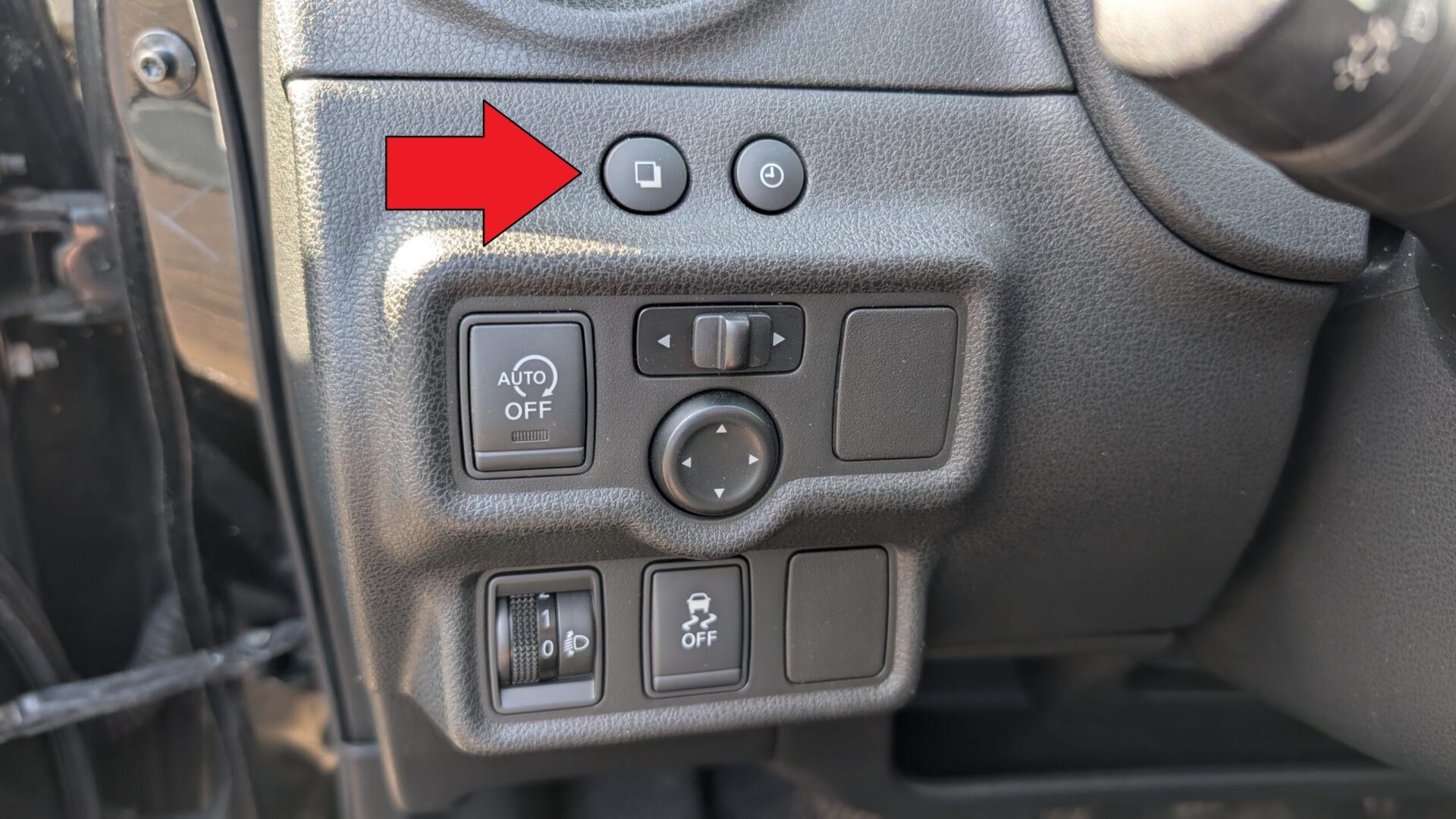
- Locate the Trip computer mode switch, positioned on the left side of the steering wheel (for LHD models).
- Press the switch repeatedly until the TPMS screen appears on the display.
- Press and hold the switch until the tyre pressure warning light blinks three times, then release it.
- Start driving at a speed above 25 km/h (15 mph) for at least 2 minutes.
- The system will automatically calibrate and store the new pressures.
Troubleshooting & Tips
- If the warning light remains on after the reset, recheck tyre pressures and repeat the procedure.
- Perform the reset only after setting all tyres to the correct cold inflation pressure.
- If the light still stays on, one or more TPMS sensors may be faulty and should be inspected by a professional.
Disclaimer: This guide is for general information. Always follow your vehicle’s official service information and safety instructions. Perform repairs at your own risk.
Disclaimer: The information on this page is provided for general guidance only. Always follow your official service manual and safety precautions when working on your vehicle. We are not responsible for errors, omissions, or any damage resulting from the use of this information.
This website is an independent resource and is not affiliated with, endorsed by, or sponsored by Nissan. All trademarks and brand names belong to their respective owners.