These instructions apply to the Toyota Verso Mk1 (AR20) 2009-2018.
For other models, please choose your vehicle here.
If the Toyota Touch screen in your Toyota Verso (AR20, 2009–2018) freezes, goes black, loses sound or stops responding to taps, a soft reset usually fixes it in seconds — and it does not erase your settings, presets or paired phones. Here is how to reboot it, and what to try if that is not enough.
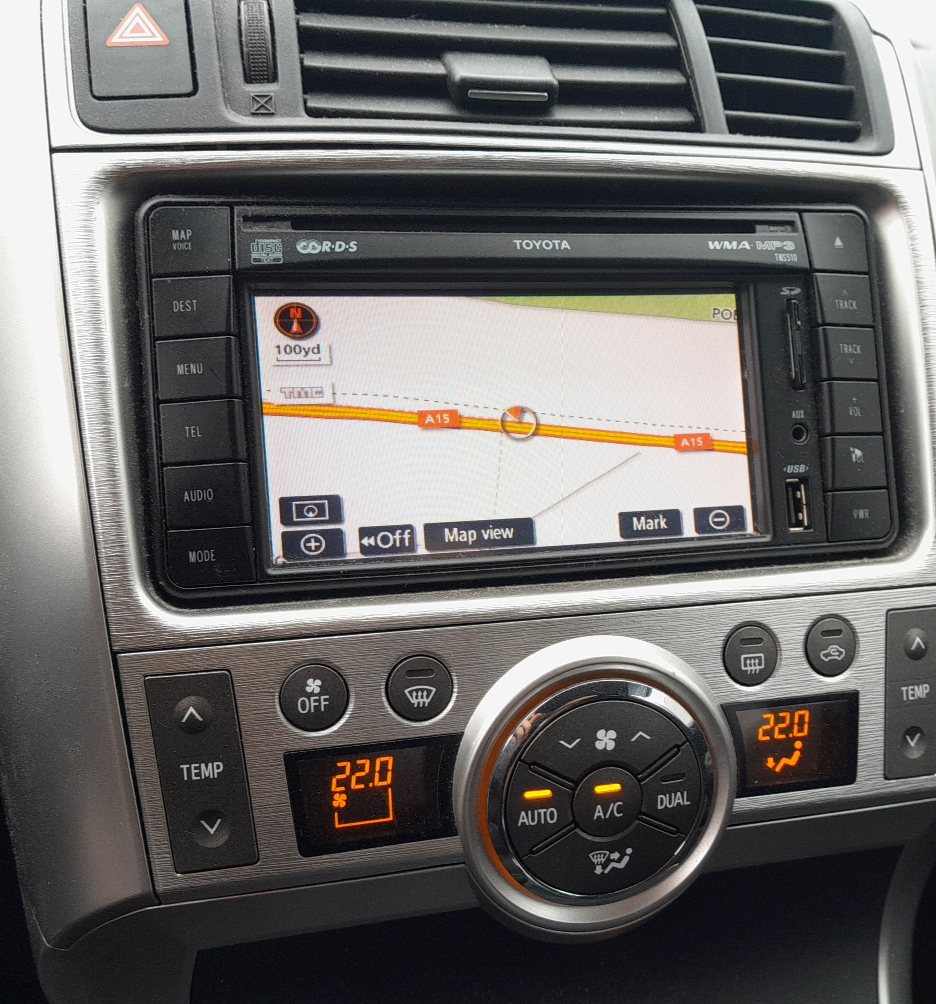
Soft reset (reboot the screen)
- With the ignition on, find the power/volume knob — the round knob at the bottom-right (or side) of the head unit, marked PWR·VOL.
- Press and hold that knob for about 10–12 seconds.
- The screen goes dark and the Toyota logo reappears as the system restarts.
- Let it finish booting — your radio, navigation and Bluetooth return with settings intact.
This clears the vast majority of freezes, laggy maps and app glitches.
If the soft reset does not help
- Power-cycle the car: switch the ignition fully off, open and close the driver’s door, wait a minute, then restart.
- Check a blown audio fuse if the unit is completely dead — see the fuse chart in your handbook.
- Full power-down: disconnecting the 12 V battery for around 10 minutes forces a complete reset of the head unit (you will then need to re-enter the clock). See our battery disconnect guide.
When to use each
Start with the knob-hold soft reset — it is quickest and keeps your data. Only move to a battery power-down if the screen is genuinely locked and repeated soft resets fail.
Frequently asked questions
How do I reset a frozen Toyota Verso screen?
Press and hold the power/volume knob for about 10–12 seconds until the Toyota logo reappears. The system reboots without losing your settings.
Will a reset delete my radio presets or paired phone?
No. A soft reset only reboots the software. Presets, navigation data and Bluetooth pairings are kept. Only a full battery power-down clears the clock.
My screen is black but the radio still plays — what now?
Try the knob-hold reboot first. If the display stays black afterwards, it points to a backlight or display fault rather than a software freeze.
Does this work on the navigation (Toyota Touch & Go) version too?
Yes — the power/volume knob reboot is the same across the Verso’s Toyota Touch systems.
If a dashboard warning light is behind the glitch rather than the screen itself, read the code — see our OBD-II port guide and decode it on autodtcs.com.
Independent guide — not affiliated with Toyota. Always follow your official service manual and safety precautions. Read our full disclaimer.