These instructions apply to the Renault Captur Mk2 (XJB) 2020-Present.
For other models, please choose your vehicle here.
If the tyre-pressure warning is showing on your Renault Captur Mk2 (XJB, 2020–present) after you’ve set the pressures or changed wheels, the car needs to store the new values. As on the Clio, you do it from the dashboard menu with the wiper-stalk buttons, then drive a short way to finish. A light after topping up a soft tyre, rotating the wheels, or fitting a winter set is normal — the Captur is still measuring against the old reference and just needs to adopt the corrected pressures. It is a quick confirmation step, not a fault. Here’s the method.
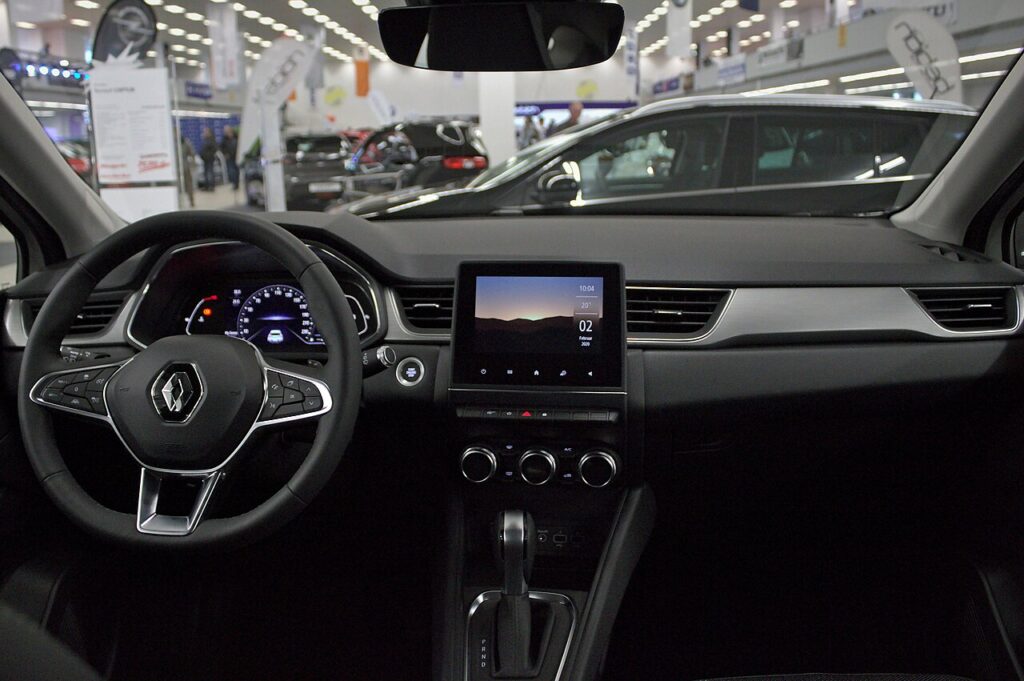
How the Captur’s System Works
The Captur watches each tyre’s pressure and flags a low corner. Once you’ve corrected the pressures you confirm them in the ‘Tyre pressure’ menu so the system adopts them as the reference, then it relearns on the move. Because the store step tells the car “these pressures are correct,” it is important the tyres really are set properly before you confirm — otherwise you simply teach it the wrong figures.
Before You Start
- Set the pressures cold — first thing in the morning, or after the car has stood a couple of hours. Warm tyres read high and store a false reference.
- Use the label in the driver’s door opening. The Captur often lists a higher rear figure for a full load, so match your setting to how the car is loaded.
- Check all four corners, plus the spare if yours is a monitored full-size wheel.
- Turn the ignition on so the instrument display is awake and the stalk buttons respond.
- Give yourself a short, uninterrupted drive afterwards — the relearn finishes on the move.
How to Reset the Captur Mk2 TPMS
- Set all four tyres to the correct cold pressure — the figures are on the label in the driver’s door opening (the Captur often runs a higher rear figure when loaded).
- Turn the ignition on.
- Use the scroll button (1) to reach the ‘Vehicle’ menu and confirm with button (2)/(3).
- Select ‘Tyre pressure’ and hold ‘OK’ for at least 5 seconds — a confirmation appears.
- Drive for a few minutes to complete the procedure; the warning then clears.
If the Light Stays On
- Re-check every tyre with an accurate gauge, the spare too if it’s a monitored full-size wheel — a single corner a few psi low will hold the light on.
- You stored the pressures without driving — the Captur finishes the relearn on the move, so give it a few minutes of rolling.
- Cold weather overnight can drop pressures below the threshold; top up to the door-label figure and store again.
- One corner keeps dropping — suspect a slow puncture, a weeping valve, or a nail; the system is doing its job.
- After a wheel change or rotation you must re-store; a set without sensors or a space-saver will not clear by menu alone.
- A steady flash rather than a solid light points to a sensor fault — a flat sensor battery or an unmatched sensor — that needs a tyre shop’s tool.
What to Expect After
With the pressures corrected, stored, and a few minutes of driving done, the warning clears and stays off for the journey. The Captur then only warns you again if a tyre genuinely falls below the reference you set, so treat a light that comes back on a later trip as a real prompt to check the pressures rather than another reset.
Frequently Asked Questions
Where is the tyre-pressure reset on the Captur Mk2?
In the dashboard menu, reached with the wiper-stalk buttons: Vehicle → Tyre pressure → hold OK for 5 seconds → drive. Scroll to the Vehicle menu, open Tyre pressure, and hold OK until the confirmation appears, then drive a few minutes to finish. Set the tyres correctly before you store, or the wrong figures become the reference.
Do I need a tool?
Not for a normal reset — set the pressures, store them in the menu, and drive. The Captur reads its own sensors and relearns on the move, so no garage equipment is needed. A tool only comes into it if the sensors were replaced or swapped between wheels and their IDs need matching to the car.
Why did it trigger in cold weather?
Tyre pressure falls as the air inside cools, so a tyre that was fine in mild conditions can read low on a cold morning. This is one of the most common reasons the light appears overnight. Top the tyres up to the door-label figure while cold, store the new values, and drive briefly to clear it.

It keeps flashing — low pressure?
A persistent flash usually means a sensor fault, not low pressure — have the sensors checked. A short flash at start-up is normal, but a light that flashes for about a minute and then stays solid is flagging a system problem such as a sensor with a flat battery or one that has not been paired to the car after a wheel change.
Do I have to drive to finish the reset?
Yes. Storing the pressures in the menu is only the first half; the Captur completes the relearn while the wheels are turning. A few minutes at normal road speed is usually enough. If you store the values and then leave the car parked, the warning can linger until you next drive it.
Should I reset after rotating the tyres?
It is good practice. Moving the wheels between corners changes which pressure sits where, so setting the tyres and storing them again keeps the reference accurate. If the sensors are tied to specific positions, a tyre shop may also need to re-learn their locations for the display to read each corner correctly.
If a fault code is stored, look it up on autodtcs.com. To clear a service reminder, see our Captur Mk2 service reset guide.
Independent guide — not affiliated with Renault. Always follow your official service manual and safety precautions. Read our full disclaimer.