These instructions apply to the Renault Captur Mk2 (XJB) 2020-Present.
For other models, please choose your vehicle here.
Need to disconnect the 12 V battery on your Renault Captur Mk2 (XJB, 2020–present) — to replace it or work on the electrics? It’s an engine-bay job that any owner can do, as long as you let the car settle first and disconnect in the right order. You’ll usually be doing it for battery renewal, electrical or bodywork repairs, long-term storage, or to give the electronics a clean restart after a flat. Here’s the safe routine and what to set again afterwards.
Where the Battery Is
The 12 V battery lives in the engine compartment, under a cover. Lift the cover to reach the two posts: the negative (−, black) post carries the earth lead, and the positive (+, red) post sits under a plastic flap. The E-Tech full-hybrid Captur also has a high-voltage traction battery — leave anything with orange cabling to a workshop; only the engine-bay 12 V is an owner part, and it’s handled exactly like any conventional car battery.
Getting Ready
- Switch the ignition off and take the key or card right out of the car.
- If you’ve just been driving, wait for the cooling fan to stop before you reach in.
- Turn off the lights, climate and media so nothing is drawing power.
- Wait around 5 minutes for the control units to power down — and if you’ll be near airbags or seat-belt pretensioners, let those pyrotechnic circuits discharge during that wait.
- Have a 10 mm spanner, gloves and eye protection to hand.
Disconnecting
- Confirm the ignition is off and the key/card is out of the car, and that the cooling fan has stopped.
- Wait around 5 minutes for the electronics to power down.
- Undo the negative (−, black) terminal first and move the lead aside so it can’t spring back onto the post.
- If you’re lifting the battery out, undo the positive (+, red) next, then release the clamp and lift the battery out squarely.
Reconnecting & Restoring
- Reconnect positive (+) first, then negative (−) last; nip both clamps up and refit the cover.
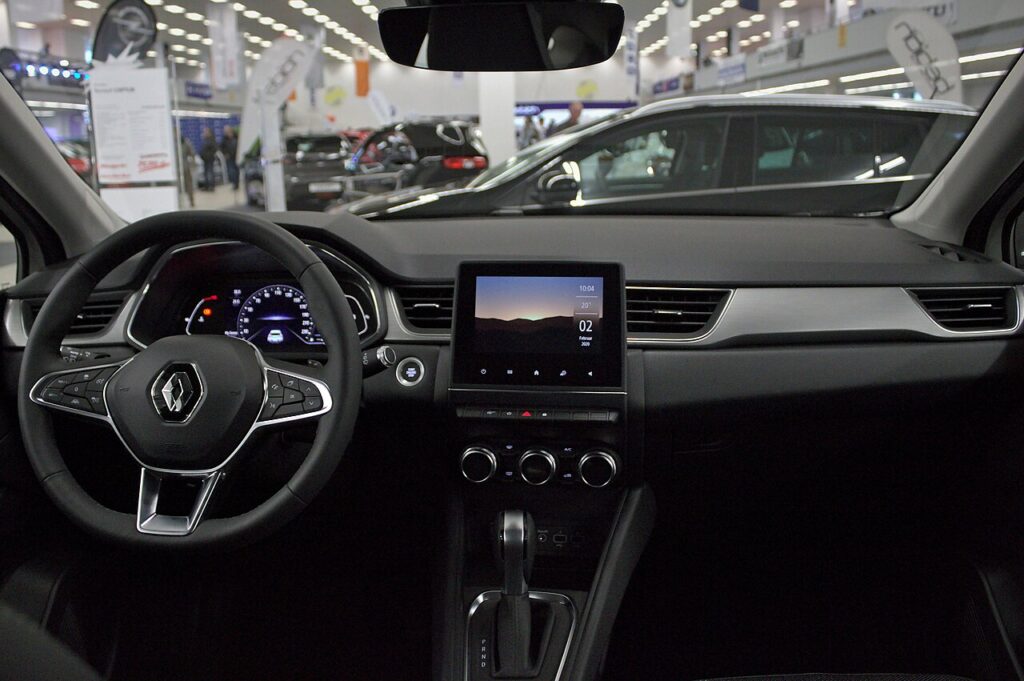
- Reset the clock and date, then check your driver profile and EASY LINK settings.
- Re-store the tyre pressures and, if needed, re-teach the one-touch windows after the power cut.
The Captur doesn’t need the new battery coded, and its media system isn’t code-locked, so the radio comes back by itself — you’re really just resetting the clock and a few preferences.
What You’ll Need to Reset Afterwards
- Clock and date on the instrument cluster and EASY LINK screen.
- Driver profile and media settings — check your saved profile, radio presets and connectivity came back.
- One-touch windows — re-teach the auto-up/down function if it stopped working after the power cut.
- Tyre-pressure monitor — re-store the current pressures so the warning clears.
- To clear the service reminder, use our Captur Mk2 service reset guide rather than relying on the disconnect.
If a Warning Light Stays On or the Car Feels Off
- Recheck both clamps are tight — a loose earth is the usual reason for lingering electrical faults.
- Take a short drive so the modules can relearn; many lights clear on their own.
- Re-teach the one-touch windows if auto-up has stopped or the anti-pinch is over-sensitive.
- If it cranks slowly or won’t wake up, the 12 V may simply be flat or worn — have it tested.
- Read any stored code so you can tell a genuine fault from a leftover of the power cut.
Frequently Asked Questions
Where is the 12 V battery on the Captur Mk2?
It’s in the engine compartment, under a cover. On the E-Tech hybrid there’s also a high-voltage traction battery, but that’s a workshop item — the 12 V in the engine bay is the one owners work on, just like any normal car battery.
Negative or positive first?
Disconnect negative (−) first and reconnect it last — that stops a slipped spanner shorting on the body and sparking near the battery.
Why wait for the cooling fan?
It can run on for a while after the engine stops. Waiting keeps your hands clear of the fan and gives the control units time to sleep before you pull the power.
Will I lose the radio?
No — the Captur Mk2’s media isn’t code-locked, so it comes back on its own. You’ll just need to reset the clock and check your driver profile and EASY LINK settings.
Does the battery need registering or coding?
No — the Captur doesn’t require battery coding. Fit a like-for-like 12 V battery, reconnect in the right order, reset the clock, and you’re done.
Can I jump-start it instead?
If it’s just flat, a jump-start gets you moving without touching the terminals. Disconnecting is for renewal, electrical work or storage. If a jump-start won’t hold charge, the 12 V is likely at the end of its life.
If a warning light stays on, look it up on autodtcs.com. To clear the service reminder, see our Captur Mk2 service reset guide.
Independent guide — not affiliated with Renault. Always follow your official service manual and safety precautions. Read our full disclaimer.