These instructions apply to the Toyota RAV4 Mk5 (XA50) 2019-Present.
For other models, please choose your vehicle here.
When the maintenance (spanner) reminder or a “Maintenance Required” message appears on your Toyota RAV4 Mk5 (XA50, 2019–present) — petrol, hybrid or plug-in — the service interval has elapsed. You clear it from the multi-information display in a few seconds. This guide shows how; do the service first.
What the Maintenance Reminder Means on the RAV4 Mk5
The spanner symbol and “Maintenance Required” message on a fifth-generation RAV4 are the vehicle’s service reminder, not a fault. The car keeps a countdown based on the distance driven and the time passed since the reminder was last reset, and once it reaches the preset limit it prompts you that a service is due. It is a scheduling timer — it does not read the actual condition of the oil, so it is telling you when maintenance is planned, not that anything has gone wrong.
The reminder works the same across the range — petrol, hybrid and plug-in-hybrid RAV4 models all display it in the multi-information display and reset through the same menu. Because it is a distance-and-time counter, it will keep reappearing each time you start the car until the service is done and the reminder is reset so the count starts again from the top.
First, a Few Checks
Only reset the reminder after the maintenance it is asking for has been carried out — oil, filter and any listed checks. The counter cannot tell whether fresh oil is in the engine; clearing it early just hides the message while the oil and filters keep ageing.
- Park on level ground with the parking brake applied.
- Put the car in ignition-on mode — on the hybrid, press POWER twice without your foot on the brake so the dash wakes but the car stays in “ready off”.
- No tools or diagnostic gear are required; the reset is done entirely from the steering-wheel controls.
- Bring the multi-information display up on the driving-data view first, so the menu responds to the buttons.
Reset Only After the Service
The reminder just tracks distance and time since the last reset. Clearing it early hides the prompt while the oil and filters keep ageing.
How to Reset the RAV4 Mk5 Maintenance Reminder
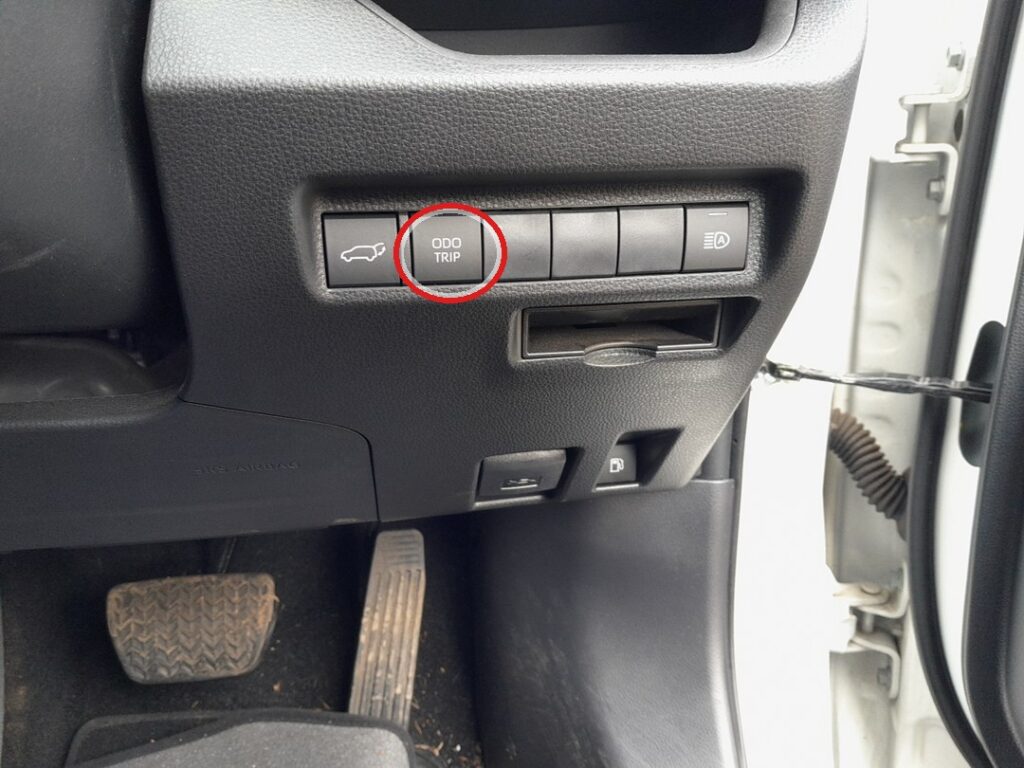
- Turn the ignition on (on the hybrid, press POWER twice without your foot on the brake so the dash powers up but the car stays in “ready off”).
- Using the multifunction steering-wheel controls, scroll the display to the ‘Vehicle settings’ menu.
- Select ‘Maintenance schedule’.
- Follow the on-screen instructions to confirm.
- ‘Reset completed’ appears — the reminder is cleared.
If the Reset Doesn’t Work
If the spanner is still showing after you go through the menu, check these before assuming a problem:
- Wrong menu item — make sure you are in Vehicle settings → Maintenance schedule, not the trip or fuel-economy screens.
- Confirmation not completed — you have to follow the on-screen prompt all the way to ‘Reset completed’; backing out early leaves the count untouched.
- Dash powered down — the display needs to stay in ignition-on/“ready off” mode; if it sleeps mid-menu, wake it and start again.
- Engine/system running — do the reset with the dash on and the car not in “ready”; don’t bring the system to ready mid-reset.
- It reappears at start-up — the confirmation wasn’t completed; repeat to ‘Reset completed’.
- A different warning is on — that’s a fault, not the maintenance timer, and won’t clear this way.
Once the Reset Is Done
The maintenance countdown returns to full and the spanner symbol and “Maintenance Required” message disappear. The display then counts the distance and time down again from the start until the next service is due. The reset only affects the maintenance reminder — it changes no other setting and will not clear a genuine fault light if one is present.
Reset Frequency
Reset the reminder once, after each scheduled service is done. Toyota sets the distance and time limits between services, and they can differ by market, engine and hybrid type, so rather than give a single mileage here, follow the interval in your owner’s handbook or service booklet. Let the display prompt you, complete the work, then reset so the count restarts from full.
Frequently Asked Questions
Does the engine need to run to reset the RAV4 maintenance light?
No — on a hybrid you don’t even need the system “ready”; just power the dash up and use the menu.
Where is the Maintenance schedule option?
In the cluster’s Vehicle settings menu, reached with the steering-wheel controls.
Will resetting change anything else?
No — it only restarts the maintenance countdown.
The light stays on after resetting — why?
If it’s the maintenance reminder, the confirmation wasn’t completed. A different warning is a fault needing diagnosis.
Is the reset the same on the RAV4 hybrid and plug-in?
Yes — petrol, hybrid and PHEV models all use the same Vehicle settings menu and the same Maintenance schedule reset.
Does resetting it record the service in the car’s history?
No — the reminder reset and your service record are separate. Keep your own note of the work and any receipts for warranty and resale purposes.
If a warning light appeared with the maintenance message, look it up on autodtcs.com. After battery work, see our RAV4 Mk5 battery guide.
Independent guide — not affiliated with Toyota. Always follow your official service manual and safety precautions. Read our full disclaimer.