These instructions apply to the Honda Jazz Mk4 (GR) 2020-Present.
For other models, please choose your vehicle here.
If the tyre-pressure warning is on in your Honda Jazz Mk4 (GR, 2020–present) after adjusting pressures or changing wheels, you need to recalibrate. The Jazz uses Honda’s Deflation Warning System — it works from the ABS wheel sensors rather than valve sensors — so you calibrate it and then drive. Seeing the light after topping up a soft tyre, rotating the wheels, or fitting a different set is normal: the system stores a fresh “all tyres correct” baseline each time you calibrate, and until you do that it is still comparing against the old one. It is a routine step, not a fault. Here’s how.
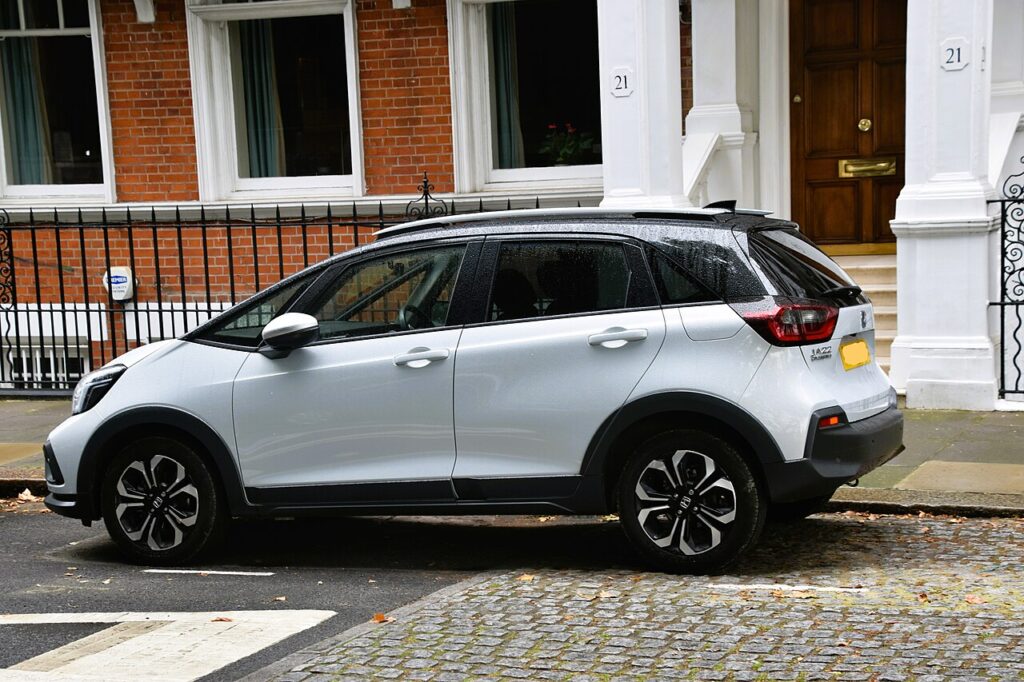
How the Jazz’s System Works
Instead of a sensor in each wheel, the Jazz compares how fast the wheels turn. A softer tyre is fractionally smaller and turns faster, and the car flags it. Because it’s comparing wheels, you must calibrate after any pressure change — and because it never reads a psi figure directly, the Jazz cannot tell you which tyre is low or by how much. That is why setting every corner correctly by hand before you calibrate matters so much.
Before You Start
- Set the pressures cold — before driving, or after the car has stood a couple of hours. Warm tyres read high and skew the baseline.
- Use the figures on the label in the driver’s door opening, not the maximum stamped on the tyre sidewall.
- Get all four corners spot on first — because the system has no true reading, calibrating with one tyre wrong teaches it a lopsided baseline.
- Only calibrate when the tyres are actually correct; the button does not fix a soft tyre, it just re-references the current state.
- Plan a short drive afterwards, ideally at steady speed, so the calibration can complete.
How to Recalibrate the Jazz Mk4 TPMS
- Set all four tyres to the correct pressure cold — the figures are on the label in the driver’s door opening.
- On the touchscreen, select ‘Home’ → ‘Settings’ → ‘Vehicle’ → ‘TPMS’ → ‘Calibrate’ (or hold the TPMS button if your car has one until the light flashes twice).
- Drive normally — the system finishes calibrating over the next stretch and the warning clears.
If the Warning Stays On
- Re-check every tyre with an accurate gauge, including the spare if it’s a monitored full-size wheel — the Jazz cannot point to the low one, so measure them all.
- You calibrated before setting the pressures — correct all four first, then calibrate again; the baseline is only as good as the tyres at that moment.
- Calibration needs driving to finish — if you tapped Calibrate and parked, take it for a few miles at steady speed.
- A cold morning can drop pressures below the trigger overnight; top up to the door-label figure and recalibrate.
- One tyre noticeably low — look for a slow puncture or leaking valve; the system is doing its job.
- It flashes then stays on — a flashing TPMS light points to a system fault rather than low pressure; have it scanned.
What to Expect After
Once you’ve corrected the pressures, calibrated, and driven a short stretch, the warning goes out and stays off for the trip. The Jazz then flags a tyre only when it starts turning noticeably faster than the others — its way of spotting a deflating corner — so a light that returns is worth checking with a gauge rather than simply recalibrating over it.
Frequently Asked Questions
How do I reset the tyre pressure light on a Honda Jazz?
Set the pressures, then calibrate — on the touchscreen go to Settings → Vehicle → TPMS → Calibrate (or hold the TPMS button until the light flashes twice) and drive. The calibration finishes over the next stretch of road and the warning clears. Always correct the tyres first, because the system re-references whatever pressures are set when you calibrate.
Do I need a tool?
No — it’s a deflation-warning system, so you calibrate in the menu and drive. There are no valve sensors to match and no garage equipment involved. That also means there is nothing to replace when a sensor battery dies, because there are none; any persistent fault is usually in the ABS wheel sensors the system borrows to do its job.
Why did the light come on in the cold?
Pressure drops as temperature falls, so a tyre that was fine in milder weather can sit low enough overnight to trip the warning. Because the Jazz reads wheel speed rather than pressure, even a small even drop across the tyres can shift things. Top up to the door-label figure while cold and recalibrate.

The light keeps flashing — is that a fault?
A persistent flash usually means a system fault rather than low pressure — have it diagnosed. A brief flash when you start the car is normal, but a light that flashes for around a minute and then stays lit is signalling a problem the deflation-warning system has detected, often in the wheel-speed sensors it relies on. A scan will pin it down.
Why can’t the Jazz show me individual tyre pressures?
Because it has no sensor inside each wheel. The Deflation Warning System infers a soft tyre from how fast each wheel spins, so it can warn you that something is low but not display a psi figure per corner. To find the culprit you check all four by hand with a gauge, then correct and recalibrate.
Do I have to recalibrate after rotating the tyres?
Yes. Rotating the wheels changes their relative rolling speeds slightly, which is exactly what the system measures, so it needs a fresh baseline. Set the pressures to the door-label figures, run the calibration, and drive a short way. Skipping this can leave the warning on or make the system over-sensitive after the swap.
If a fault code is stored, look it up on autodtcs.com. To clear a service reminder, see our Jazz Mk4 service reset guide.
Independent guide — not affiliated with Honda. Always follow your official service manual and safety precautions. Read our full disclaimer.