These instructions apply to the Mercedes C-Class Mk5 (W206) 2021-Present.
For other models, please choose your vehicle here.
After adjusting the tyre pressures or changing a wheel on your Mercedes-Benz C-Class W206 (2021–present), you store the new values as the reference through the MBUX menu. Here’s how to clear the tyre-pressure warning. Seeing the warning after a top-up, a seasonal wheel swap, or a cold morning is normal — the system is comparing the current pressures against a stored reference, and until you re-store it will keep flagging the difference rather than indicating a fault.
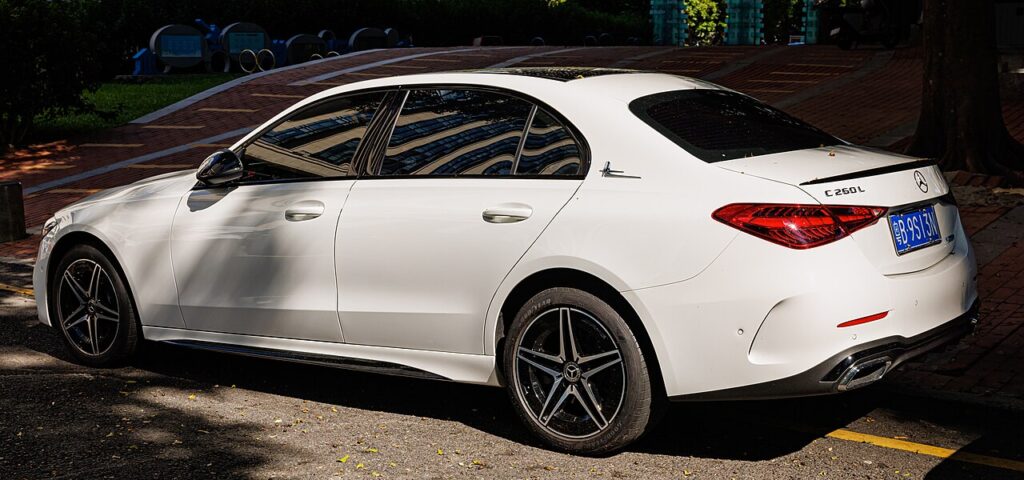
How the W206’s System Works
The W206 monitors tyre pressure and, when you confirm the reference in MBUX, it takes the current readings as the baseline and watches for any drop below them. Because it’s a store-and-compare system, the pressures must be correct before you confirm — whatever is in the tyres at that moment becomes the target. The warning then clears once the car has verified the readings on a short drive.
Set the Pressures First
Park on level ground and inflate all four tyres cold to the figure on the driver’s door-pillar label, then store the reference.
Before You Start
- Check pressures cold — first thing, or after the car has stood; warm tyres read high and give a false baseline.
- Read the door-pillar label and pick the loaded values if you’ll be carrying passengers or luggage.
- Set all four corners with an accurate gauge before opening the menu.
- Switch the ignition on so MBUX is awake and responsive.
- Plan a short drive afterwards so the system can confirm the readings.
How to Reset the W206 TPMS
- Adjust the pressures, then switch the ignition on.
- On the MBUX touchscreen (or the instrument-cluster menu via the steering-wheel controls), open ‘Vehicle’.
- Go to ‘Tyre pressure’ and select ‘Restart’ / ‘Confirm tyre pressures’.
- Confirm — the system stores the new pressures as the reference and begins monitoring against them.
The warning then clears once the car has confirmed the readings while driving.
If the Light Stays On
- Re-check every tyre — one low corner keeps the warning on.
- Always re-store after inflating or a wheel change — the system needs the new baseline.
- Give it a short drive — confirmation happens on the move, not the instant you press the button.
- It came on in the cold — top up to the label figure, then re-store; falling temperature alone can drop a tyre below the threshold.
- One tyre keeps dropping — look for a slow puncture or leaking valve rather than a system glitch.
- A persistent warning with a wheel/sensor symbol can mean a sensor fault and needs a tyre shop’s tool.
What to Expect After
Once you’ve stored the reference and driven a few minutes, the warning clears and the current pressures become the monitored target for the rest of the trip and beyond. If it returns within a day or two, a tyre is losing air slowly and should be checked. Expect the light to reappear on the first cold morning of the season — that’s a genuine pressure drop; top up and re-store.
Frequently Asked Questions
How do I reset the tyre pressure light on a Mercedes C-Class W206?
Set the pressures, then in MBUX go to Vehicle → Tyre pressure and choose Restart/Confirm to store the new values.
Do I need a tool?
No — the W206 stores the reference from its own menu; a tool is only needed if a sensor was replaced.

Why does the light come on in cold weather?
Pressures drop as temperature falls. Top up to the label figure and re-store.
It came on after a wheel change — why?
The reference moved. Re-run the store so the new pressures become the baseline.
Where do I find the tyre-pressure menu in MBUX?
It sits under the Vehicle area of the MBUX display, with a Tyre pressure entry offering Restart or Confirm. You can also reach an equivalent readout through the instrument-cluster menu using the steering-wheel controls; exact wording varies slightly by software version.
Do I need to reset after rotating the tyres?
If the pressures are correct and unchanged, a straight rotation doesn’t strictly need a new store, but it’s sensible to confirm each corner against the door label and re-store if you altered anything. That keeps the monitored baseline matched to what’s actually in the tyres.
If a fault code is stored, look it up on autodtcs.com. To clear a service reminder, see our W206 service reset.
Independent guide — not affiliated with Mercedes. Always follow your official service manual and safety precautions. Read our full disclaimer.