These instructions apply to the Vauxhall Mokka Mk2 (P2QO) 2020-Present.
For other models, please choose your vehicle here.
When the spanner and a service message show on your Vauxhall Mokka Mk2 (2020–present) — Opel Mokka in Europe — the maintenance counter has reached zero. This is a routine service reminder rather than a fault: the car keeps count of the distance and time since the last reset, and when the interval is used up it lights the spanner to prompt the next oil and filter change. Nothing has broken and the car drives normally — it just wants the scheduled maintenance done and the counter zeroed again. You reset it with the SET/CLR button on the dash — no garage tool needed. Do the oil and filter change first.
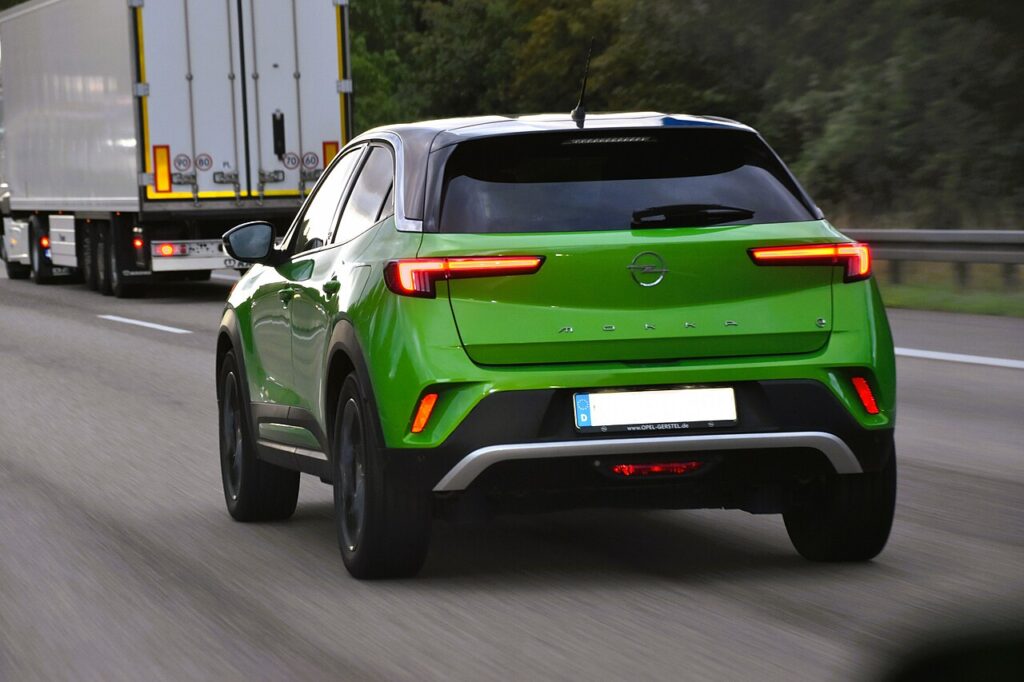
What the Service Light Means
On the Mokka Mk2 the spanner is the service-due indicator. It is driven by a counter that tracks distance and elapsed time from the last reset, counting down towards zero. When it gets there, the spanner lights and a maintenance message appears, usually on switch-on. Because it is an interval counter rather than a live measurement of the oil, it has no way of telling whether the oil has actually been changed — it only knows the interval has run out. Resetting simply restarts that count for the next service; it does nothing to the oil itself, which is exactly why the reset should follow the maintenance and not replace it.
The precise distance and time limits vary by engine and market, including the electric Mokka-e which follows its own schedule, so use the reminder as the prompt to have the service done and check your Vauxhall or Opel handbook for the intervals that apply to your car.
Getting Ready
Reset the indicator only after the service is finished, so the next reminder arrives at the right time. Resetting early only hides the message while the oil keeps ageing. Before you begin:
- Park on level ground with the parking brake applied.
- The procedure below starts with the ignition off and the SET/CLR button held — you then bring the ignition on with the engine off.
- Locate the SET/CLR trip/info button on the indicator stalk or dash.
- No tools or scan equipment are required — this is done entirely from the dashboard.
Reset After the Service Only
The counter just measures distance and time. Reset it once the work is done, or the next reminder will be wrong.
How to Reset the Mokka Mk2 Service Indicator
- Turn the ignition off.
- Press and hold the ‘SET/CLR’ button (the trip/info button on the indicator stalk or dash).
- Keeping it held, turn the ignition on.
- The spanner/maintenance symbol appears and counts down — keep holding.
- When the display shows ‘=0’ and the spanner disappears, release the button.
- Turn the ignition off — the system is reset.
If It Doesn’t Reset
If the spanner is still showing, work through these points before assuming anything is wrong:
- You released too early — hold the SET/CLR button until the countdown reaches ‘=0’ and the symbol clears; letting go early cancels the reset.
- Button not held from the start — press and hold SET/CLR before you switch the ignition on, then keep holding right through.
- Engine started — you want the ignition on with the engine off; if the engine fired up, switch off and begin again.
- A different warning is lit — that’s a fault, not the service counter, and it won’t clear with this procedure.
- Still stuck? Switch off, wait a few seconds, and repeat the whole sequence from the start.
What Happens Next
Once the display reaches ‘=0’ and the spanner disappears, the reminder is cleared and the counter has restarted for the next interval. The next time you switch on, the service message should not reappear. If it stays clear through a few ignition cycles and a short drive, the reset has held; if it comes back at once, the countdown probably didn’t finish.
How Often It Comes Up
Reset the indicator after every service, each time the oil and filter are changed or the scheduled maintenance is carried out. As the Mokka Mk2 uses a distance-and-time interval, the reminder returns whenever the next limit is reached, whichever comes first. For the exact figures, follow the maintenance schedule in your Vauxhall or Opel owner’s handbook rather than a fixed number, since petrol, diesel and Mokka-e variants differ.
Frequently Asked Questions
How do I reset the service light on a Vauxhall Mokka?
Ignition off, hold the SET/CLR button, turn the ignition on, and keep holding until the display shows ‘=0’.
Do I need a diagnostic tool?
No — it’s done with the dashboard SET/CLR button.
Which button is it?
The SET/CLR trip/info button on the stalk or dash.
The message came back — why?
The countdown wasn’t completed. Repeat and hold until ‘=0’ shows and the spanner clears.
Does the engine need to run?
No — the ignition must be on with the engine off. Starting the engine stops the reset from completing.
Is the reset the same on an Opel Mokka?
Yes — the Vauxhall Mokka and Opel Mokka are the same car, and the SET/CLR reset works the same way.
If a warning light appeared with the service message, look it up on autodtcs.com. After battery work, see our Mokka Mk2 battery guide.
Independent guide — not affiliated with Vauxhall. Always follow your official service manual and safety precautions. Read our full disclaimer.