These instructions apply to the Hyundai Bayon Mk1 (BC3) 2021-Present.
For other models, please choose your vehicle here.
The Hyundai Bayon (2021–present) has an Idle Stop & Go (ISG) system that switches the engine off when you come to a standstill and starts it again as you pull away, trimming fuel use and emissions in town. The little green ‘A’ that appears when the engine cuts out is not a fault — it is the system working as intended. If you’d rather keep the engine running — in slow traffic, on a hot day, or before working in the engine bay — you switch ISG off with one button.
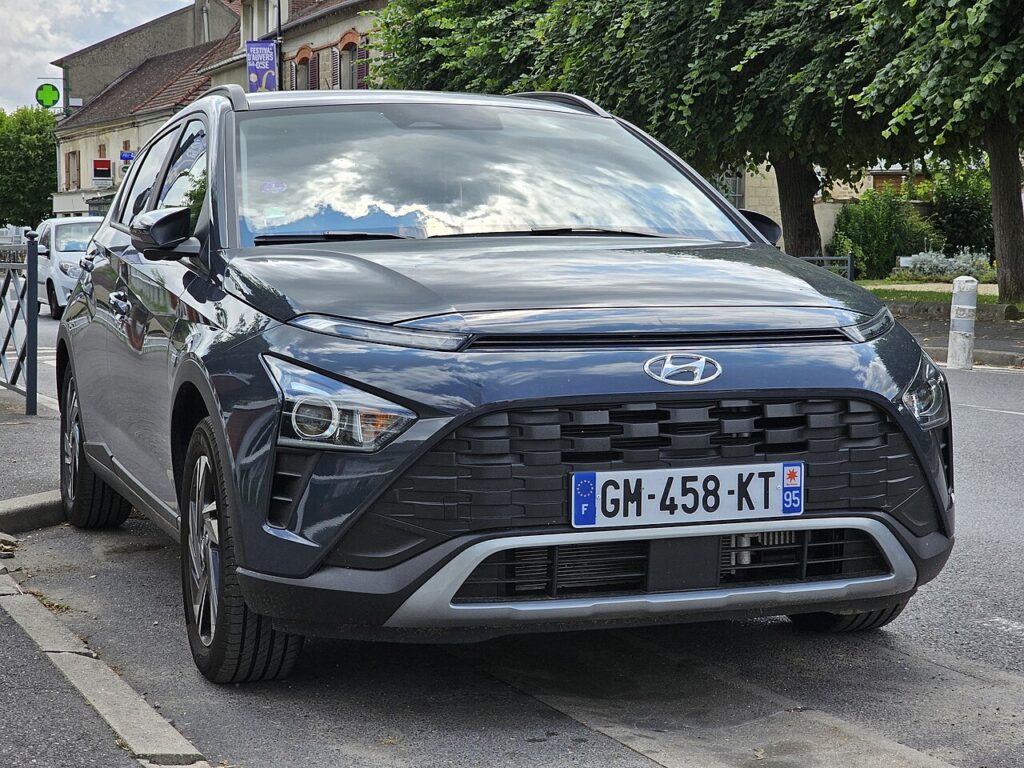
How ISG Works on the Bayon
ISG only stops the engine once several conditions are met: the car is fully stopped with your foot on the brake, the engine has reached normal operating temperature, the 12 V battery has enough charge, and the cabin climate demand is satisfied. A dedicated battery sensor keeps watch so the system never leaves you unable to restart. When any condition isn’t met, the Bayon simply keeps idling — so it is completely normal for auto-stop to work one minute and not the next depending on temperature, battery state and how hard the heater or air-conditioning is working.
First, a Few Checks
- You can press the button with the ignition on or the engine running — no need to be moving.
- Locate the ‘A OFF’ switch first so you aren’t hunting for it in traffic.
- Deciding to switch it off for engine-bay work? Do it before you open the bonnet, so the engine can’t auto-restart on you.
- Remember the setting is per-journey — there is nothing to save.
How to Turn Off Idle Stop & Go
- Find the ‘A OFF’ (ISG) button on the dashboard, usually near the steering wheel or switch bank.
- Press it once — the indicator confirms ISG is off, and the engine will keep running when you stop.
It Resets Every Drive
Like nearly every car with this feature, the Bayon re-enables ISG each time you switch the ignition off and on. There is no permanent factory ‘off’ — press the button once per journey if you don’t want it.
If the Engine Won’t Auto-Stop
If auto-stop has gone quiet even with ISG switched on, run through the everyday reasons before assuming a fault:
- A tired or ageing 12 V battery — short trips and cold starts leave it under-charged, and the system holds the engine running to protect it. This is the single most common cause.
- The cabin isn’t at temperature yet — strong heating or cooling demand keeps the engine turning until the interior settles.
- A cold engine — on the first few minutes of a cold morning the coolant is below the threshold, so no auto-stop.
- You’re not fully stopped or brake pressure is light — roll to a firm halt with steady pressure on the pedal.
- Steep gradient or a very short stop — the system may skip a stop it judges pointless.
- Bonnet released or a recent battery disconnect — the sensor needs a few charge cycles to relearn the battery’s state.
Once It’s Done
With ISG switched off, the green ‘A’ changes to the crossed-out ‘A OFF’ indicator and the engine idles normally at every stop for the rest of the trip. Nothing else changes — fuel economy will be slightly worse in town, but stop-go driving is smoother. Next time you start the car, ISG quietly switches itself back on.
Frequently Asked Questions
How do I turn off auto stop/start on a Hyundai Bayon?
Press the A OFF (ISG) button on the dashboard, usually near the steering wheel or in the switch bank. The dash indicator changes to confirm the system is off, and the engine will keep idling every time you stop until you next switch the car off.
Can I disable ISG permanently on the Bayon?
No. There is no menu setting or button hold that makes the ‘off’ state stick — ISG resets to on at every ignition cycle by design. The only workaround is to press the button once at the start of each journey. Some owners simply make it the first thing they do after starting the engine.
Why did ISG come back on by itself?
It didn’t come on mid-drive — it re-enabled when you last switched the ignition off and on. The button only controls the current journey, so after any stop where you turned the car fully off, ISG returns to its default on state ready for the next trip.
Why won’t the engine stop at junctions even with ISG on?
The Bayon only auto-stops when the battery has charge, the engine is warm, and the cabin climate demand is met. A cold engine, a hot or cold cabin still being brought to temperature, or a weak 12 V battery will all hold the engine running. That is normal protective behaviour, not a fault.
Does turning ISG off harm the engine or use more fuel?
It does no harm at all — the engine simply idles as any older car would. You may see marginally higher fuel use and emissions in stop-start traffic, but on the open road there is virtually no difference because ISG only acts when you are stationary.
Could a warning light mean the ISG system has failed?
If you see a dedicated ISG fault message rather than the normal green indicator, the usual culprit is a 12 V battery that can no longer support a restart. Have the battery and its sensor checked first. If a stored trouble code is present, you can look it up on autodtcs.com.
If an ISG fault light shows instead of the normal indicator, a tired 12 V battery is the usual cause — see our Bayon battery guide.
Independent guide — not affiliated with Hyundai. Always follow your official service manual and safety precautions. Read our full disclaimer.