These instructions apply to the Fiat Panda Mk3 (319) 2012-present.
For other models, please choose your vehicle here.
After adjusting pressures or changing a wheel on your Fiat Panda (319, 2012–present), you reset the tyre-pressure monitor so it relearns the correct baseline. The warning showing at this stage is normal rather than a fault — the system is still comparing against the old reference. It’s done from the dashboard buttons, no tool needed, and the steps below cover the reset plus what to check if the light stays on.
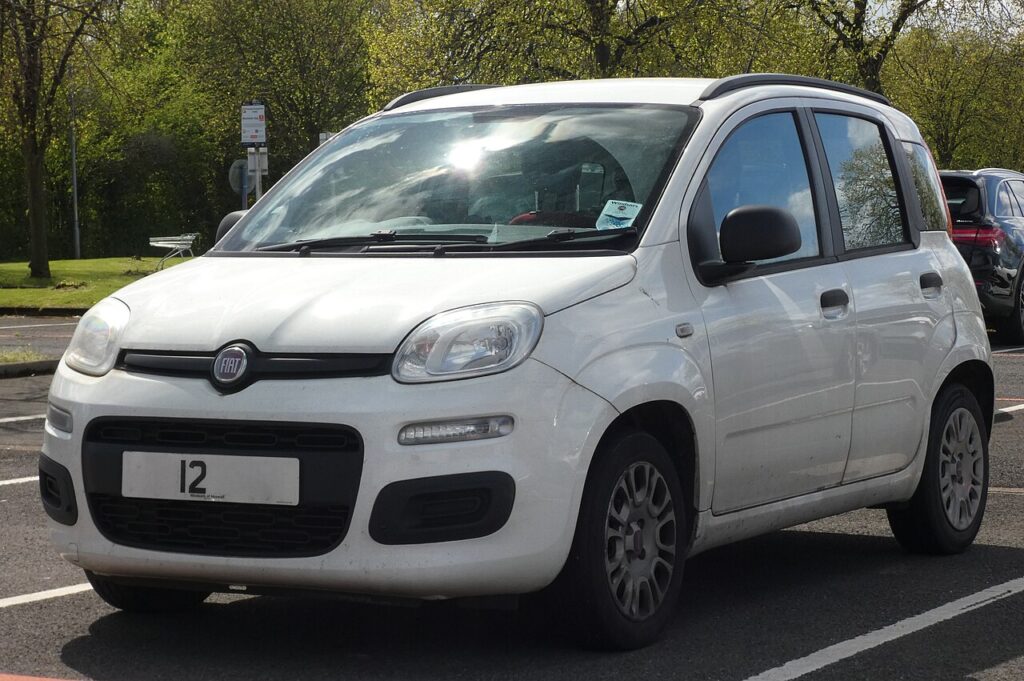
How the Panda Watches Your Tyres
Many Panda models use an indirect monitor: instead of a sensor inside each tyre, it watches how fast each wheel turns through the ABS sensors. A tyre losing pressure gets slightly smaller and spins a fraction faster than the rest, and the system flags that difference. Because it judges wheels against a stored baseline, it has to be told what ‘correct’ is after any pressure change or wheel swap — which is exactly what the reset and the follow-up drive achieve.
Set the Pressures First
Inflate all four tyres cold to the door-pillar / fuel-flap label figures, then reset — the system takes whatever is in the tyres at reset time as ‘correct’.
Before You Begin
- Check pressures cold — before driving, or after under a mile — for a true reading.
- Match the label figures exactly; front and rear, and laden versus light, may differ.
- Reset only once all four are correct — resetting on a low tyre stores a wrong baseline.
- Have the ignition at MAR (on) so the trip menu responds to the buttons.
- Plan a short route where you can safely hold a steady speed for the calibration drive.
Resetting via the Dashboard
- With the vehicle stopped, turn the ignition key to the ‘MAR’ (on) position.
- Briefly press the ‘SET’ button, then use the menu button to step through — repeat 2–3 times until ‘RESET’ appears.
- Briefly press ‘SET’, select ‘YES’, and press ‘SET’ again — ‘Confirm’ shows.
- Drive for about 20 minutes at a steady speed where safe, so the system calibrates.
If the Light Stays On
- Recheck every tyre — one low corner triggers it, even if it looks fine by eye.
- Complete the drive cycle — the calibration needs a proper run after the reset; short town hops may not finish it.
- A genuine slow puncture keeps the warning on — inspect the tyre and valve before resetting again.
- Cold weather lowers pressure — a chilly morning can dip a set tyre below the threshold, so top up cold and reset.
- Space-saver spare fitted — a temporary wheel of a different size confuses a wheel-speed system, so expect the warning until the proper wheel is back on.
- If it returns at once with all pressures correct, have it checked — a fault code may be stored rather than a real low tyre.
After the Reset
Once the reset is confirmed and the steady drive is done, the warning clears and stays off. The system now treats your set pressures as the reference and will only warn again when a wheel starts spinning noticeably faster — the sign of a real drop. If that happens, check the tyres properly rather than just resetting the light again.
Frequently Asked Questions
How do I reset the tyre pressure light on a Fiat Panda?
Ignition to MAR, use the SET/menu buttons to reach ‘RESET’, confirm with ‘YES’, then drive ~20 minutes to calibrate. The baseline only stores once that steady drive is finished, so the light won’t always go out the moment you press confirm.
Is a tool needed?
No — the Panda resets from the dashboard buttons and a drive cycle. Because the monitor reads the wheels through the ABS sensors rather than a sensor inside each tyre, there’s nothing for a workshop tool to program during a routine reset.
Why did it light up in cold weather?
Cold air lowers pressure; top up to the label figure and reset. A tyre set correctly on a mild day can read low after a cold night, so this is often just a seasonal top-up — though it’s always worth a quick check for a slow puncture.

It lit after a wheel change — normal?
Yes — reset and drive the calibration cycle so the new wheel becomes the reference. Any change to the wheels or tyres shifts the baseline the system compares against, so a warning straight after a swap is expected until you re-store and drive.
Do I have to land exactly on ‘RESET’ in the menu?
Yes — stepping with the menu button and pressing SET repeatedly is how you reach the RESET entry, then YES confirms it. If you overshoot, keep cycling; the menu loops around, so you won’t get permanently stuck on the wrong item.
Can I do the calibration drive around town?
It works better on an open road where you can hold a steady speed for a while. Constant stops and low speeds give the system less clean data, so a stretch of steady driving helps it finish the relearn and drop the warning more reliably.
Got a TPMS fault code rather than a low-pressure warning? Look it up on autodtcs.com. Changing the battery too? See our Panda battery guide.
Independent guide — not affiliated with Fiat. Always follow your official service manual and safety precautions. Read our full disclaimer.