These instructions apply to the Fiat Panda Mk3 (319) 2012-present.
For other models, please choose your vehicle here.
Renewing a flat battery or disconnecting for other work on your Fiat Panda (319, 2012–present)? Whether you’re fitting a fresh battery, recovering the car after it has been left standing over a long holiday, sorting out electrical or bodywork jobs, or simply isolating the electrics before a repair, the task itself is straightforward. The Panda runs a conventional 12 V electrical system, so there is no high-voltage hazard to worry about — and provided you take the terminals off and put them back in the correct order, the car wakes up, relearns its settings and drives normally. This guide walks through where the battery lives, how to disconnect and reconnect it safely, and the handful of things you may need to reset once the power is back on.
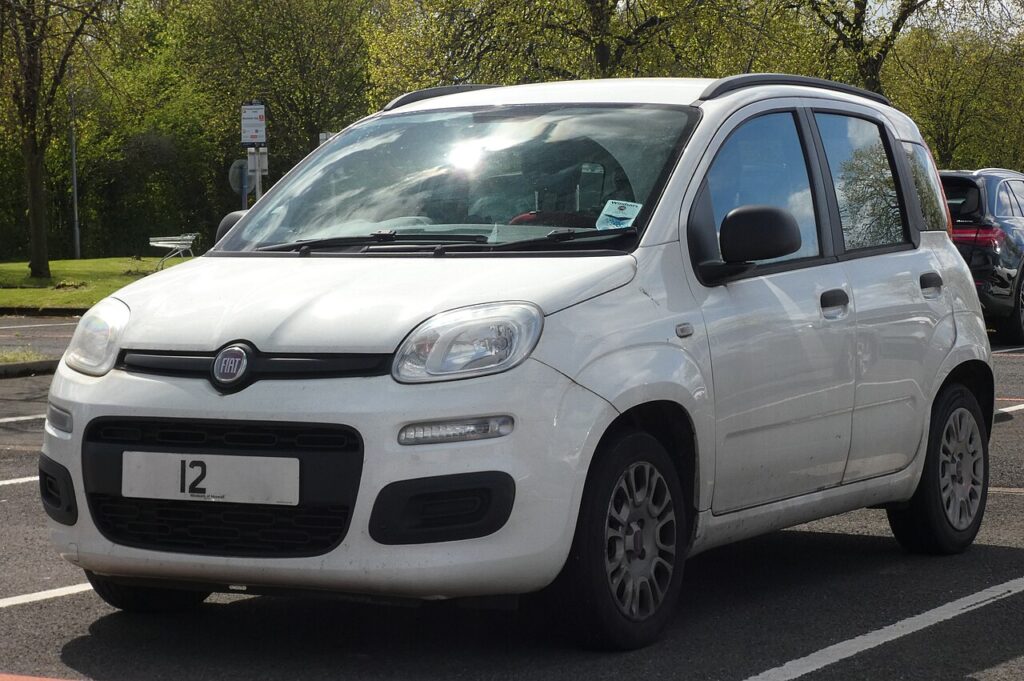
Where the 12 V Battery Is
Open the bonnet — on the Panda the 12 V battery sits in the engine bay. It may be partly hidden by a plastic cover or trim that lifts or unclips away, so clear that first to get clean access to both terminals. Identify the two posts before you touch anything: the negative (−) terminal usually wears a black cap or clamp and connects to the body/earth, while the positive (+) terminal is normally covered by a red flap and carries the main supply. Knowing which is which matters, because the order you work in is what keeps things safe. The petrol and mild-hybrid Panda have no orange high-voltage traction system, so there is nothing on this car that is off-limits to an owner.
This is a common job that most owners can manage with a single spanner.
First, a Few Checks
- Make sure the ignition is fully off, all lights and electrical loads are switched off, and the doors are as you want them — the central locking will be dead once power is gone.
- Take the key well away from the car so it can’t wake anything up.
- If your radio or infotainment uses a security code, dig it out now — it may ask for it once power returns.
- Wait a couple of minutes after switching off so the control modules power down and go to sleep before you pull a terminal.
- Have the right spanner ready (typically a 10 mm), plus gloves and eye protection — a battery can vent gas and the terminals carry a heavy current.
Disconnecting the Battery
- Switch everything off, remove the key and wait a couple of minutes for the modules to settle.
- Slacken the clamp on the negative (−, black) terminal first, ease it off the post and tuck it aside so it can’t spring back and touch metal.
- Only if you are actually removing or replacing the battery, release the positive (+, red) clamp next; for most jobs isolating the negative alone is enough.
- If you’re lifting the battery out, undo the hold-down bracket and lift it straight up, keeping it upright.
Reconnecting the Battery
- Refit the battery and its hold-down bracket if it was removed, making sure it sits square.
- Fit the positive (+, red) terminal first and nip the clamp up.
- Fit the negative (−, black) terminal last and tighten it firmly — a loose earth is the most common cause of odd electrical faults afterwards.
- Switch the ignition on, pause for a few seconds to let the systems boot, then start the engine.
What You’ll Need to Reset Afterwards
Cutting the power wipes a few short-term memories, so expect to redo a few small things:
- Reset the clock and re-enter your radio presets (and the security code if the set asks for one).
- Re-store the tyre-pressure baseline — see our guide to reset the tyre-pressure monitor once the pressures are correct.
- Let the engine idle and drive gently for the first few minutes so the electronic throttle and idle settings relearn.
- Any warning lights that come on at first often self-clear after a short drive once the systems have re-initialised.
If a Warning Light Stays On or the Car Feels Off
- Re-check that both clamps are properly tight — a loose or dirty terminal mimics all sorts of faults.
- Give the car a short, steady drive so the engine and transmission adaptations can settle back in.
- If the tyre-pressure light stays lit, re-run the TPMS reset with the tyres at the correct cold pressures.
- If the battery was very flat or is simply old, it may not be holding charge — rule out a tired battery before chasing electrical gremlins.
- If a light refuses to clear, read the stored fault code to see what the car is actually complaining about.
Frequently Asked Questions
Where is the battery on a Fiat Panda?
It’s in the engine bay, a standard 12 V battery. Open the bonnet and look for it under any plastic cover, then identify the black negative (−) and red positive (+) terminals before you start work.
Which terminal comes off first?
Take the negative (−) terminal off first when disconnecting, and put the positive (+) on first when reconnecting, tightening the negative last. Working in that order avoids any accidental short against the bodywork.
What resets when I disconnect the battery?
Mainly the clock, your radio presets and the tyre-pressure baseline. The engine also relearns its idle and throttle settings over the first few minutes of driving, and any warning lights that pop up usually clear on their own soon after.
Does a new battery need coding on a Fiat Panda?
For a like-for-like replacement the Panda needs no coding to run normally — refit it in the correct order and drive. If your car has a start-stop battery-management setup, a generic battery reset can help the charging adapt, but everyday running doesn’t depend on it.
Will disconnecting the battery clear my fault codes?
It can clear some temporary codes and turn off certain warning lights, but a fault that is still present will simply return once the car powers back up. Disconnecting is not a fix — if a light comes straight back, read the code and deal with the underlying cause.
Can I jump-start it instead of disconnecting?
Yes — if the battery is just flat you can jump-start from a healthy 12 V source rather than removing anything. Only disconnect when you’re renewing the battery or need the electrics fully isolated for other work.
Take your time, keep the order right, and the Panda relearns cleanly. If a warning light stays on afterwards, check the code on autodtcs.com.
Independent guide — not affiliated with Fiat. Always follow your official service manual and safety precautions. Read our full disclaimer.