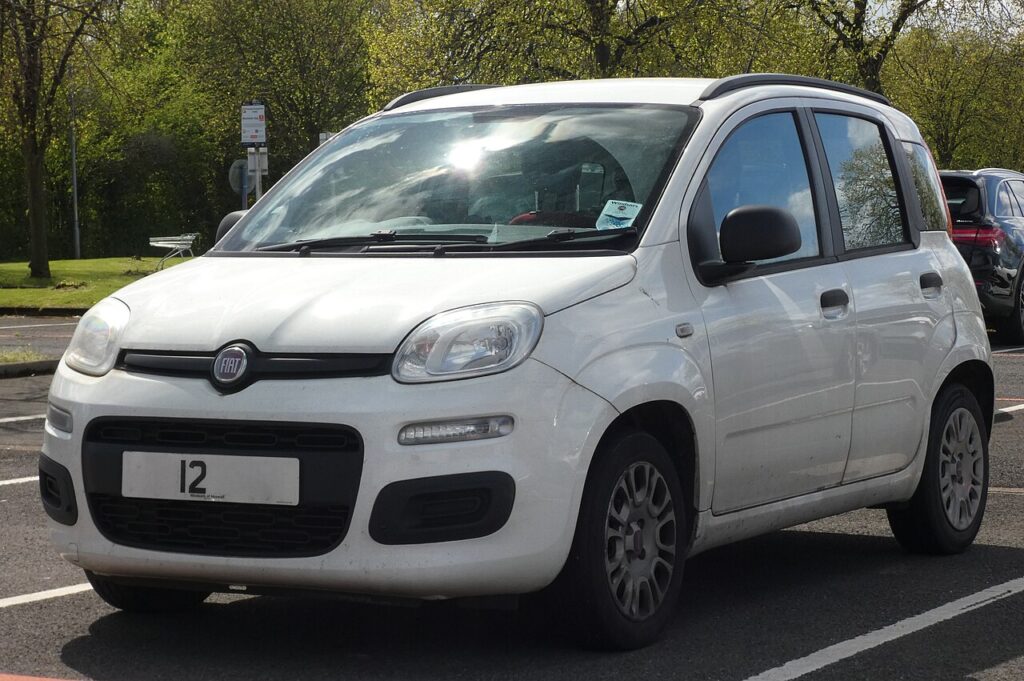
These instructions apply to the Fiat Panda Mk3 (319) 2012-present.
For other models, please choose your vehicle here.
When the remote on a Fiat Panda (319, 2012–present) stops locking the car from across the car park, needs a second or third press, or has gone silent, the culprit is almost always the coin cell inside the key rather than anything on the car. The third-generation Panda was sold with a few different keys: a plain mechanical key with no buttons on the most basic trims, and — on versions with remote central locking — a one-piece remote whose metal blade flips out from the body. All the button remotes take the same battery, but the case opens in one of two ways depending on which moulding your key has. Here is how to tell a flat cell from a real fault, the exact battery to buy, and both opening methods so you can match yours.
How to Tell the Fob Battery Is Dying
- Shrinking range. You have to be right beside the Panda — or almost touching the door with the key — before it locks or unlocks. This is the classic first sign and it usually creeps in gradually.
- You have to press twice. The car responds only on the second or third jab of the button, or the lock command doesn’t reach all the doors first time.
- Worse in the cold. A coin cell that is already weak loses voltage on a frosty morning, so a fob that just about works in summer can drop out completely in winter.
- Nothing at all. No response from any button, even up close — but the mechanical blade still unlocks the door by hand, which tells you the car is fine and the fob is dead.
A coin cell in a Panda remote typically lasts two to four years. If yours is around that age and showing any of the above, fit a fresh cell before you start suspecting the receiver or the immobiliser.
The Battery You Need
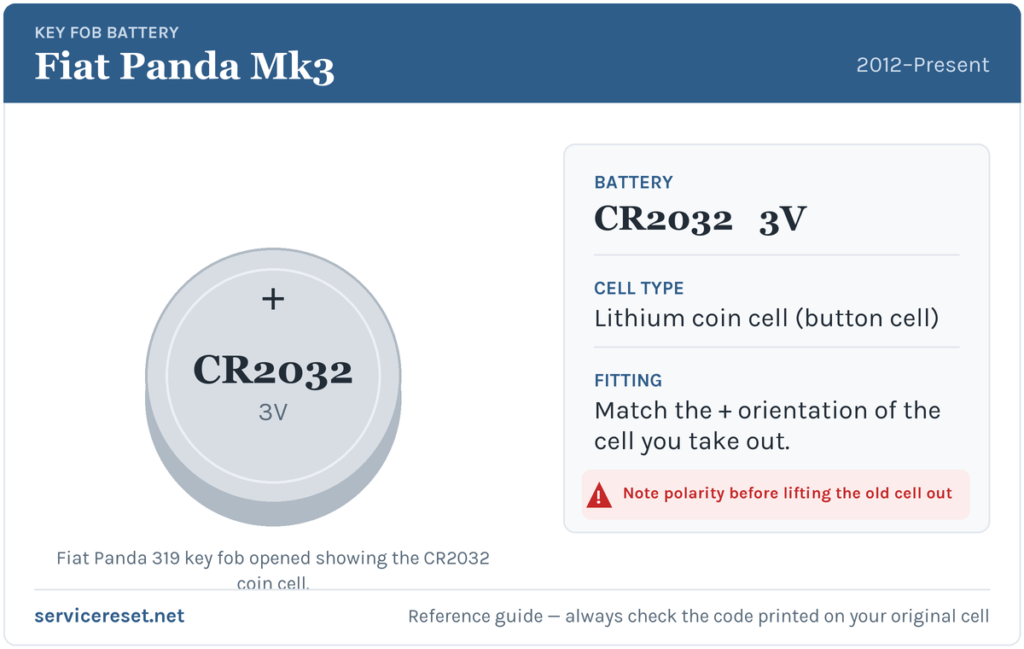
The Panda 319 button remote uses a single CR2032 — a 3-volt lithium coin cell about 20 mm across, the most common fob battery there is and sold in any supermarket, hardware shop or pharmacy. Buy a good branded cell (Panasonic, Duracell, Varta or similar): cheap unbranded coins sag under the short, sharp current the transmitter draws and can give poor range even when brand new. As a rule the cell you lift out will have its size stamped on the flat face — if for any reason yours reads differently, match the code printed on the old cell rather than assuming.
Method 1 — Screw-and-Drawer Key (flip-out blade)
This is the most common Panda remote. The metal blade folds out of the plastic body, and a small battery drawer is held by a screw.
- Press the release button on the side and let the metal blade flip out, so the key is easier to hold and the screw is exposed.
- With the blade out, find the small cross-head screw in the recess at the top of the housing and undo it with a fine Phillips screwdriver. Keep the screw safe — it is tiny.
- Slide the battery drawer (tray) out of the body. The CR2032 sits in this little carrier.
- Note which way the old cell faces, lift it out, and drop the new CR2032 in the same way — the positive (+) face upward, marked side visible. Don’t swap the + side over.
- Slide the drawer back into the housing, drive the screw back in snugly but gently (the case is plastic — don’t strip it), fold the blade away and test every button.
Method 2 — Split-Case Key (no screw)
Some Panda 319 keys have no screw at all. Instead the body is in two clip-together halves, with the Fiat badge on one side.
- Hold the key with the badge side facing you. The half without the badge is the one that comes off.
- Find the seam that runs around the edge of the case. Slip a thin flat tool — a small flat-head screwdriver, a coin edge or a plastic prying tool — into the seam near a corner.
- Gently twist to pop the back cover off. It is only clipped, so it should release with light pressure — work round the seam rather than forcing one spot.
- Ease the old CR2032 out of its holder. Fit the new one the same way up, positive (+) face toward you as the old one was; if there is a quarter-turn retaining clip, seat the cell under it.
- Line the two halves up and press them back together until the clips click all the way round, then test the buttons.
⚠️ Keep the polarity the same. Fiat’s own guidance is simply not to swap the side with the + symbol — a cell fitted upside down won’t power the transmitter and can flatten itself, so always copy the orientation of the cell you removed.
Make Sure It Took
Stand back a few metres and lock, then unlock, the car. Full range should return straight away and the buttons should respond first time. If the doors flash and lock as normal from across the car park, the job is done — there is no reset or pairing step after a simple battery change on the Panda.
If a Fresh Cell Doesn’t Fix It
- Re-check seating and polarity. The commonest mistake is a cell not pressed fully home under its clip, or fitted the wrong way up. Refit it with the + side matching the old one.
- Wipe the contacts. Finger grease or light corrosion on the terminals is enough to cause dropouts — clean them with a dry cloth or cotton bud.
- Try the other button. If lock works but unlock doesn’t, the fault is a worn button contact, not the battery — the transmitter is clearly still powered.
- Rule out the car. If the remote is fine but the car is slow to wake or locking is erratic, a tired 12 V car battery can mimic key trouble — the fix is then under the bonnet, not in the key.
New Key or Spare — Why It’s a Dealer Job
Changing the coin cell keeps the fob’s existing coding, so the remote and immobiliser transponder keep working with no reprogramming. Cutting and coding a new key is a different matter: the Panda’s immobiliser has to be accessed with diagnostic equipment, and a blank key must be ordered and matched to the car. That makes adding a spare or replacing a lost key a job for a Fiat dealer or an auto-locksmith rather than a driveway fix — so it is worth keeping the battery in your spare key fresh too, and never letting yourself get down to a single working key.
Frequently Asked Questions
What battery does a Fiat Panda 319 key take?
A single CR2032 3-volt lithium coin cell. It is the same battery whether your key opens with a screw-in drawer or by popping the case apart.
How do I open the Panda key to get at the battery?
Two designs exist. On the screw type, flip out the metal blade, undo the tiny cross-head screw and slide out the battery drawer. On the clip type there is no screw — prise the back half (the side without the Fiat badge) off with a thin flat tool. Check which one you have before reaching for a screwdriver.
Which way up does the cell go?
Positive (+) face the same way the old one sat — on most Panda remotes that is + side up in the drawer. The safe rule is simply to copy the orientation of the cell you took out and never flip the + side over.
Do I need to reprogram the key after changing the battery?
No. A battery swap doesn’t touch the coding, so the remote works immediately. Only a brand-new key needs programming to the car.
How long should a Panda key battery last?
Usually two to four years. Frequent locking and unlocking, or leaving the key where it gets knocked and pressed in a pocket or bag, will shorten that.
Can I still get into the Panda if the fob is completely dead?
Yes. Use the mechanical blade in the key to unlock the driver’s door by hand, then start the car as normal — the transponder in the key body works without the coin cell, so a flat remote battery won’t leave you stranded.
If the remote stopped working suddenly rather than fading — for example right after the car battery was disconnected — the cause is more likely a wake-up or pairing quirk than the cell, and it may have logged a fault code. You can look up what any stored code means on autodtcs.com.
Independent guide — not affiliated with Fiat. Always follow your official service manual and safety precautions. Read our full disclaimer.