These instructions apply to the Alfa Romeo Giulietta Mk1 (940) 2010-2020.
For other models, please choose your vehicle here.
If the tyre-pressure warning has come on in your Alfa Romeo Giulietta (2010–2020) after you’ve adjusted the pressures or changed a wheel, you need to store the new pressures as correct. On the Giulietta that’s a button press followed by a short drive. Here’s how. Seeing the warning after a top-up, a seasonal wheel change, or a cold snap is normal — the system simply hasn’t been told the current pressures are the ones to monitor against, so it flags a difference until you re-store and drive.
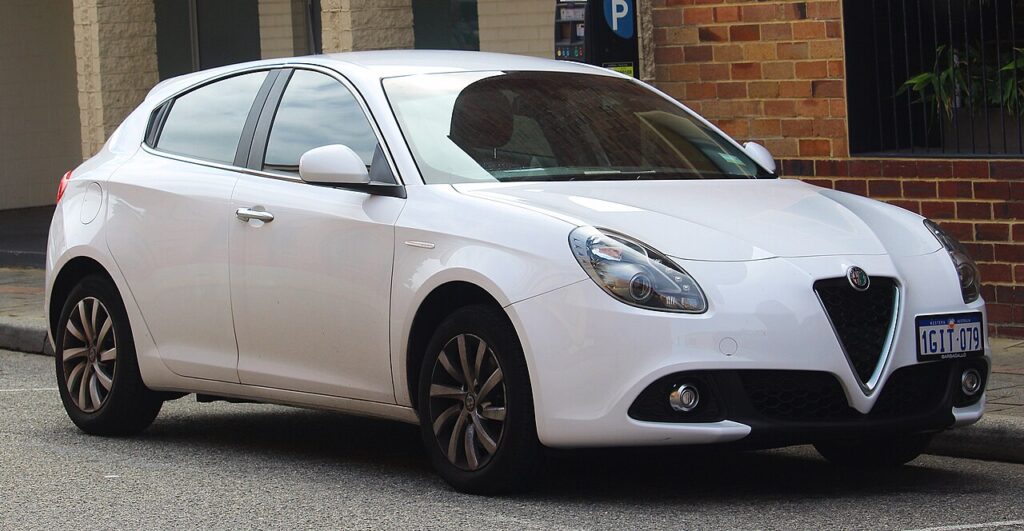
How the Giulietta’s System Works
The Giulietta stores a reference set of pressures and watches for a drop away from it. Because it’s a store-and-compare setup, you tell the car “these are correct” with the reset button, then confirm it on the move — and it needs a genuine motorway-speed run, not just a crawl round the block, to finish the relearn. Whatever pressures are in the tyres when you press the button become the new baseline, so it’s essential the pressures are right first.
When to Reset
- After checking or adjusting the tyre pressures.
- After changing one or more wheels or tyres.
First, a Few Checks
- Set the tyres cold — before driving or after standing a few hours, so the reading isn’t inflated by heat.
- Use the door-shut placard figures, choosing the loaded values if you’ll be carrying passengers or luggage.
- Do all four corners with a trusted gauge before you touch the button.
- Have a motorway or fast A-road handy — the relearn needs sustained speed to complete.
- Switch the ignition on but you don’t need the engine running to start the store.
Resetting the System
- Set all four tyres to the correct cold pressures (placard in the driver’s door shut) — the system stores whatever is set.
- Switch the ignition on.
- Press and hold the TPMS reset button for 2 seconds until ‘RESET SAVED’ appears on the display.
- Drive the car for about 20 minutes at a steady speed above 80 km/h (about 50 mph) to complete the relearn.
If the Warning Stays On
- Recheck every tyre — one below spec keeps the warning on and blocks the relearn.
- Do the motorway-speed drive — the Giulietta needs the higher speed (80 km/h+) to finish, unlike some cars.
- Confirm you saw ‘RESET SAVED’ — if the message didn’t appear, the store didn’t take; hold the button again.
- It came on in cold weather — top up to the placard figure, then re-store; a cold morning alone can drop a tyre below the threshold.
- One tyre keeps falling — suspect a slow puncture or a weeping valve rather than the system.
- Still showing with correct pressures? A sensor may have a flat battery or fault — look up the code on autodtcs.com.
Once It’s Done
Once ‘RESET SAVED’ has shown and you’ve completed the steady high-speed drive, the warning goes out and stays off — the current pressures are now the baseline. If it reappears within a day or two, one tyre is losing air and needs checking. Remember the light will naturally return after any future top-up or wheel change until you re-store, so keep the button routine in mind whenever you touch the pressures.
Frequently Asked Questions
How do I reset the tyre pressure warning on an Alfa Giulietta?
Set the pressures, switch on, hold the TPMS button 2 seconds until ‘RESET SAVED’ shows, then drive about 20 minutes above 80 km/h.
Why does it need such a fast drive?
The Giulietta completes the relearn at higher speed (80 km/h+), so a motorway run finishes it best.
Why won’t the warning clear?
Usually a tyre still below spec, or not enough steady high-speed driving after the button press.
Do I need a tool?
No for a normal reset; a tool is only needed when a sensor is replaced and must be calibrated.

Where is the TPMS reset button?
It’s a dedicated reset control accessed with the ignition on; if you can’t find a physical button, check the menu on the instrument display, as trim and year affect the exact layout. Consult your handbook for the precise location on your car.
Do I need to reset after just rotating the tyres?
If the pressures are already correct and unchanged, a rotation on its own doesn’t require a new store. But it’s good practice to confirm each corner against the placard afterwards and re-store if you adjusted anything while the wheels were off.
If the warning came on with other lights, decode the code on autodtcs.com.
Independent guide — not affiliated with Alfa Romeo. Always follow your official service manual and safety precautions. Read our full disclaimer.