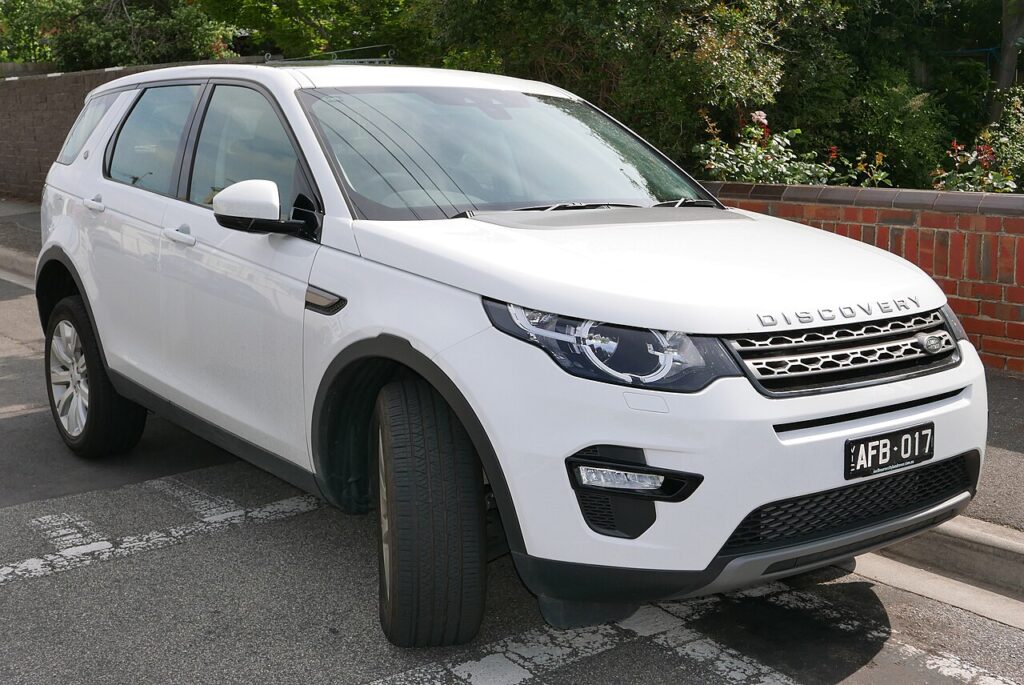
These instructions apply to the Land Rover Discovery Sport Mk1 (L550) 2015-Present.
For other models, please choose your vehicle here.
If the smart key for your Land Rover Discovery Sport (2015–present) has started forcing you to stand beside the car to lock it, or the keyless door handles have turned temperamental, the odds are overwhelming that the coin cell inside the fob is on its way out rather than any part of the car failing. The Discovery Sport uses a single keyless smart key across its life — the two-piece fob with a concealed emergency blade — so there is just one procedure to master. Here is how to recognise a tired cell, the precise battery to buy, the correct way to prise the case apart, and the reason a duplicate key is strictly a franchised job.
How to Tell the Fob Battery Is Dying
- Shrinking range. The Discovery Sport that used to unlock from the far side of a car park now needs the fob almost against the handle. That steady loss of reach is the earliest warning.
- Keyless entry becomes unreliable. Pulling a door handle no longer wakes the car every time, and the start button occasionally holds out until you bring the key nearer.
- A low-key message shows. The instrument cluster displays a “Smart Key battery low” warning once the cell weakens — treat it as a couple of weeks’ notice, not a breakdown.
- Cold weather finishes it off. A cell that is nearly spent sags further when temperatures drop, so a fob that scraped by all summer can die on the first cold morning.
A Discovery Sport fob cell typically gives two to three years of service. If yours is around that age and behaving like any of the above, fit a fresh battery before you start blaming the receiver aerials or the immobiliser.
The Battery You Need
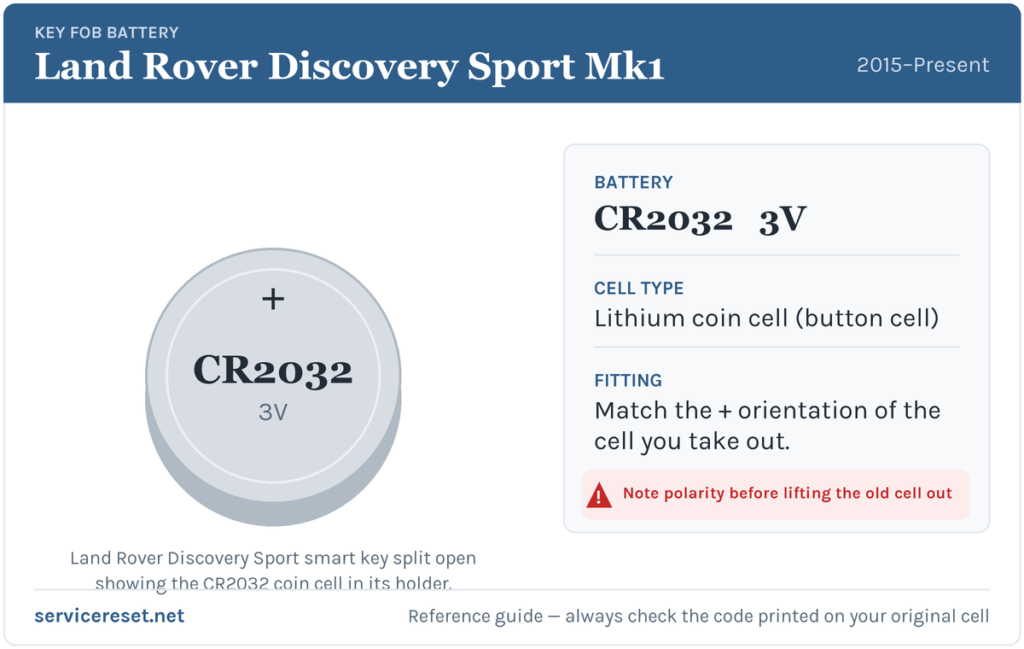
The Discovery Sport smart key uses one CR2032 — a 20 mm, 3-volt lithium coin cell stocked almost everywhere. Buy a quality branded cell; cheaper ones may test as full but sag under the momentary current the transmitter pulls, so range stays poor even with a “new” battery. Resist the urge to fit a CR2025 you happen to have: it is the same diameter but thinner (2.5 mm rather than 3.2 mm), and it will rattle loose and lose contact.
How to Change the Discovery Sport Key Battery
- Release the emergency blade. Slide or press the catch on the side of the fob and draw the metal emergency key straight out. That blade doubles as the tool for the next step and as your way into a locked car if the fob is completely dead.
- Split the case. Feed the tip of the emergency blade (or a slim plastic pry tool) into the seam running around the fob and twist gently to pop the two halves apart. Ease it round the join rather than levering hard on one spot, so the internal clips survive.
- Take out the old cell. Note the face that is showing, then lift the coin cell from beneath its clip. Handle the replacement by its rim only — oil from your fingertips can corrode the contacts and shorten the new battery’s life.
- Fit the new CR2032 positive (+) up. The lettered face points outward, exactly as the old cell sat. Push it fully under the retaining clip.
- Reassemble. Press the halves together until they click flush all the way round, slide the emergency blade back until it latches, and test lock, unlock and tailgate from a few metres.
⚠️ Get the polarity right. A CR2032 inserted upside down will not power the fob, and if left reversed it can slowly discharge against the wrong contacts. If you are unsure, simply match the orientation of the cell you took out.
Confirm It Worked
Move back several metres and lock, then unlock, the Discovery Sport. Full range should return straight away. Any low-battery message on the dash normally clears once the car has read a healthy key a time or two — sometimes only by the end of your next drive rather than the moment you shut the door.
If a Fresh Cell Doesn’t Fix It
- Re-check seating and polarity. An upside-down or half-clipped cell is by far the commonest reason a new battery appears flat. Reopen the fob, confirm the + face is up, and make sure the cell lies flat under its clip.
- Clean the contacts. Wipe the holder terminals with a dry cloth; a smear of grease or a trace of corrosion is enough to cause intermittent dropouts.
- Try passive start. If the buttons stay dead but the car still starts when you hold the fob to the reader point inside, the transponder is fine and only the remote circuit or cell is weak.
- Check the vehicle’s 12 V battery. A tired car battery can make the Discovery Sport slow to wake and impersonate a key fault; if the vehicle itself feels sluggish to respond, look there before condemning the fob.
New Key or Spare — Why It’s a Dealer Job
Renewing the battery leaves the fob’s coding intact, so nothing needs reprogramming once it is back together. A replacement or extra key is a different proposition entirely: the Discovery Sport’s encrypted immobiliser has to be accessed with manufacturer-level diagnostic gear, and a blank smart key must be ordered and paired to the car’s VIN with proof of ownership. That keeps lost-key and spare-key work with a Land Rover dealer or a trusted auto-locksmith — so keep the cell in your second fob fresh as well, and you will never be down to one working key.
Frequently Asked Questions
What battery does a Land Rover Discovery Sport key take?
A single CR2032 3-volt lithium coin cell — the standard 20 mm size sold in supermarkets, hardware shops and petrol stations.
Which way round does the battery sit?
Positive (+) side up, lettered face outward — the same as the cell you remove. Fitted the wrong way, the key will not transmit.
Will I need to reprogram the fob afterwards?
No. Changing the cell does not affect the coding, so the key works the moment it is reassembled. Only a brand-new key needs pairing to the car.
How long should a Discovery Sport fob battery last?
Generally two to three years. Storing the fob right next to the car so it wakes repeatedly, or heavy button use, shortens that.
The key still won’t respond with a new battery — is it faulty?
Usually not. Re-seat the cell the correct way up and clean the contacts first. If keyless start works but the buttons do not, the remote circuit may have failed — but that is uncommon next to a flat or reversed cell.
Can I drive the Discovery Sport with a dead fob?
Yes. Use the hidden emergency blade to open the driver’s door, then hold the fob against the start reader inside as the handbook shows; the car recognises it and starts even with a flat cell.
If your Discovery Sport flashed a warning or slipped into a reduced-function mode at roughly the same time the remote quit — rather than the fob simply fading over weeks — the two problems may be unrelated, and a stored fault code will reveal which system is genuinely at fault. You can look up any logged code on autodtcs.com.
Independent guide — not affiliated with Land Rover. Always follow your official service manual and safety precautions. Read our full disclaimer.