These instructions apply to the Subaru Legacy Mk6 (BN) 2014-2019.
For other models, please choose your vehicle here.
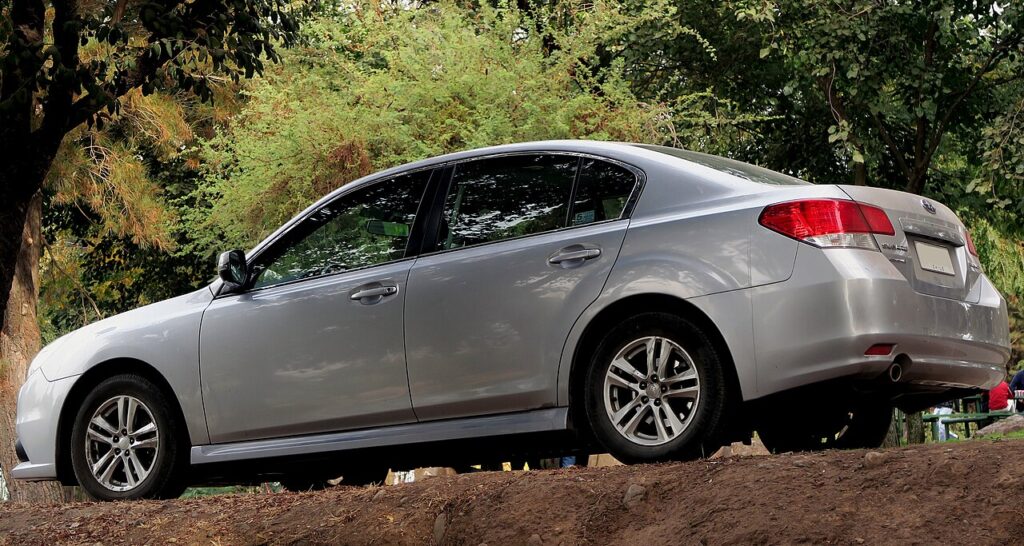
A Subaru Legacy (sixth generation, BN/BS, 2014–2019) that’s suddenly making you jab at the fob from inches away, or throwing a key warning on the dash, has almost certainly just run its coin cell flat. This generation of Legacy saloon came with keyless-access smart entry as standard on most trims — the pocketable fob that unlocks the car as you approach and starts it on the button — while entry-level cars used a plainer remote key. Neither needs a workshop: the battery lives behind a case that separates by hand, and the whole job takes a couple of minutes. Below is the exact cell, the clean way to open each fob, and the honest line on why a spare key still means a trip to the dealer.
How to Tell the Fob Battery Is Dying
- Range falls away. Needing to stand right at the door where the Legacy used to answer from across the driveway is the earliest, surest symptom.
- A key-battery alert shows. Keyless cars display a low-key-battery warning in the combination meter and may ask you to touch the fob to the start switch before the engine will turn over.
- The LED goes quiet. The fob’s indicator should flash on every press; a cell too weak to transmit generally can’t light it either.
- Cold weather brings it on. Lithium chemistry loses voltage when it’s cold, so a marginal cell tends to fail on frosty mornings and perk up later.
Plan on two to four years per cell. A keyless fob parked next to the car overnight keeps waking to look for it, which quietly eats into that lifespan.
The Battery You Need
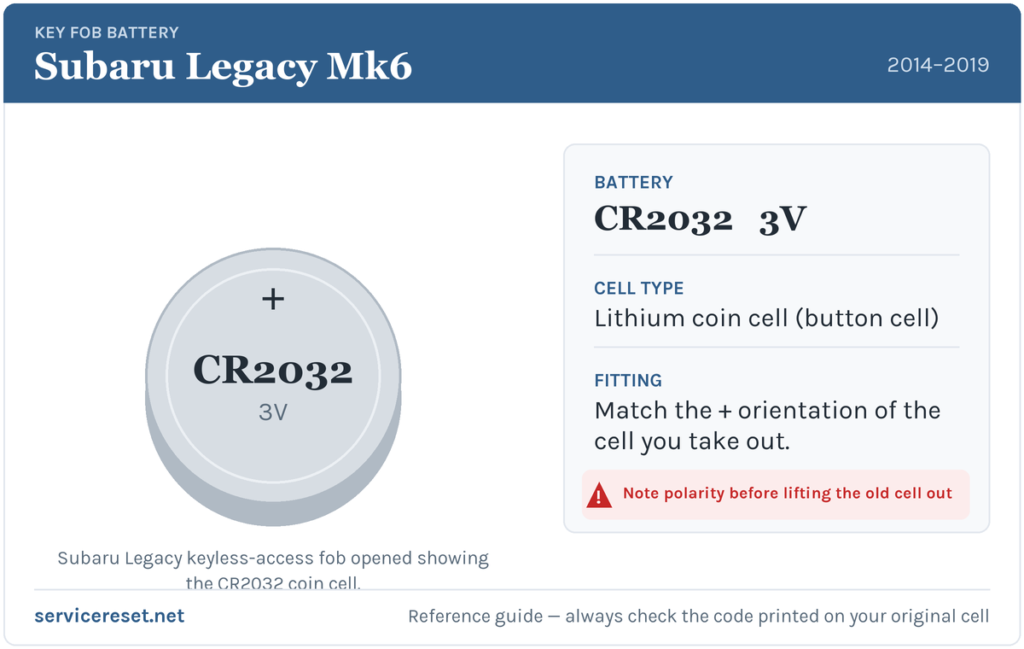
The Legacy fob — smart or basic remote — takes one CR2032, the ubiquitous 3-volt, 20 mm lithium coin cell sold everywhere from supermarkets to petrol stations. Choose a good branded cell over a cheap multipack: the transmitter draws a quick burst of current on each press, and a low-quality battery can slump under that load and give short range straight out of the wrapper.
Method 1 — Keyless-Access Smart Fob
- Slide the release catch on the side of the fob and withdraw the emergency key blade. It doubles as your backup door key and as the lever for opening the case.
- Work a flat plastic tool — or the blade itself — into the recess the blade left, or into the seam around the fob, and twist gently to split the two halves. Very little force is required.
- Lift out the tired CR2032 and set the new one in place positive (+) side up, facing the back cover.
- Close the shells until they click evenly all round, then slide the emergency blade back in until it latches.
Method 2 — Base Remote Key
- Inspect the back of the fob for a retaining screw. If present, remove it with a fine cross-head driver; if absent, there’s a seam to prise.
- Run a flat plastic tool round the joint to free the clips and lift the case apart.
- Note the old cell’s orientation first, remove it, and fit the fresh CR2032 the same way up.
- Reassemble, refit the screw without over-tightening the plastic, and press each button to confirm.
⚠️ Get the polarity right. A CR2032 inserted the wrong way won’t drive the fob and can bleed itself flat while it sits there mis-connected. The smart fob wants the plus face up; when in any doubt, replicate the direction of the cell you took out.
Check It Worked
Step back a few metres and lock, then unlock, the Legacy. Full range should return at once and the LED should flash sharply. A low-key warning clears once the car reads a healthy fob again — sometimes instantly, sometimes only after the next drive cycle.
If a Fresh Cell Doesn’t Fix It
- Reseat the cell. It must sit flat and firm under its clip against clean metal; a battery that stands slightly proud makes intermittent contact.
- Clean the terminals. Finger grease or a whisper of corrosion on the contacts can smother the signal — a dry cloth clears it.
- Look at the 12 V battery. A weak or ageing main battery can produce key-detection faults; if the Legacy is slow to wake, sort that before blaming the fob.
- Try the other fob. If both remotes act the same after new cells, the car’s receiver is the more likely culprit than either key.
New Key or Spare — Why It’s a Dealer Job
Renewing the battery leaves the fob’s coding as it was, so nothing needs reprogramming — the remote is live the moment the case shuts. A brand-new key is a different proposition entirely: the Legacy’s immobiliser has to be paired with the new fob using diagnostic equipment, and blank smart fobs are ordered against the VIN and cut to match. That keeps new-key and spare-key work with a Subaru dealer or an equipped auto-locksmith — all the more reason to keep the battery in your second fob fresh, so you’re never reliant on just one.
Frequently Asked Questions
What battery does a Subaru Legacy key fob take?
A single CR2032 3-volt lithium coin cell, used by both the keyless-access smart fob and the base remote key on the 2014–2019 Legacy.
Which way does the battery face?
On the keyless fob, positive (+) side up, toward the rear cover. On the base remote, match the way the old cell sat. Reversed, the key stays dead and the cell drains.
Will the key need reprogramming after the swap?
No. A battery change doesn’t alter the coding, so the fob pairs with the car straight away. Only a genuinely new key needs programming.
How long does a Legacy fob battery last?
Typically two to four years. A keyless fob kept beside the car wakes more often to search for it and can flatten a little sooner.
New battery fitted and still nothing — is the fob dead?
Probably not. Recheck the polarity and seating, then wipe the contacts. If the LED still won’t light with a battery you know is good, the transmitter may have failed — unusual compared with a flat or upside-down cell.
Can I drive the Legacy with a completely dead fob?
Yes. Open the driver’s door with the emergency blade, then hold the fob against the push-button start so the car reads it by proximity, and press the brake to start. A flat cell won’t strand you.
If the remote quit abruptly right after the 12 V battery was disconnected — rather than fading slowly — the pairing is a likelier cause than the cell, and there may be a stored code behind it worth decoding on autodtcs.com.
Independent guide — not affiliated with Subaru. Always follow your official service manual and safety precautions. Read our full disclaimer.