These instructions apply to the Renault Captur Mk2 (XJB) 2020-Present.
For other models, please choose your vehicle here.
Renault Captur (Mk2, 2020–Present) uses Renault’s hands-free keycard with push-button start, and there is no dashboard card slot on this generation. The card’s starting chip is passive, meaning it needs no battery to start the engine, so a flat keycard battery is an inconvenience rather than a breakdown. You simply present the card to the START button by hand instead of relying on the car detecting it from your pocket or bag.
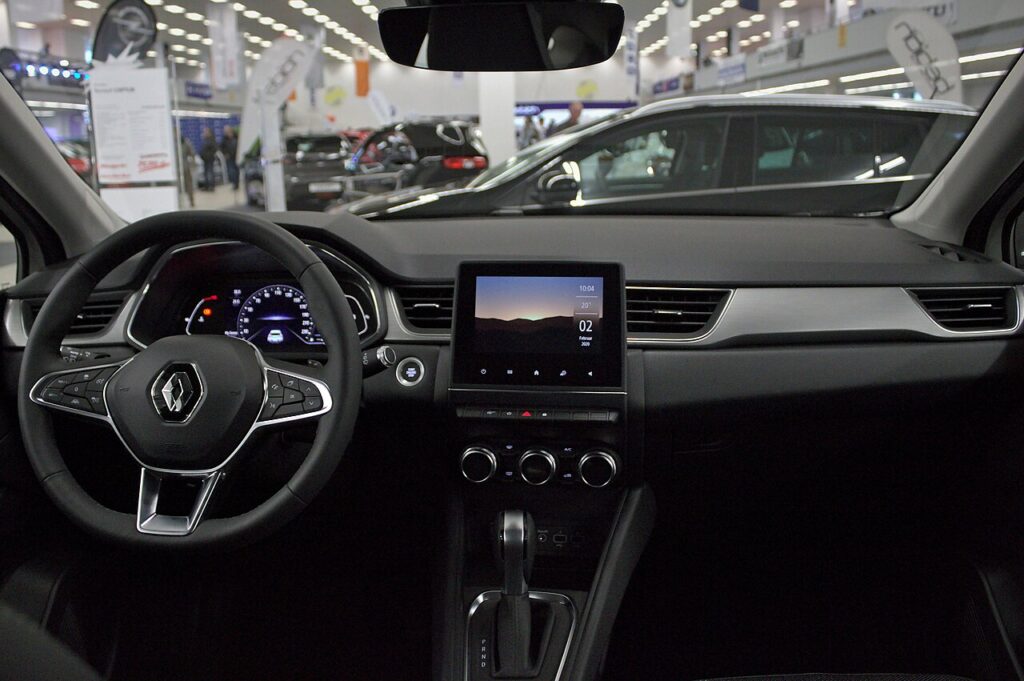
You will usually get a “Keycard battery low” message on the driver display before the card fully stops working. Use it as your cue to fit a fresh cell rather than waiting for a dead card.
Starting the Captur Mk2 with a dead keycard
- Unlock and enter the car using the emergency key (see below) if the remote will not respond.
- Sit in the driver’s seat with the keycard in hand.
- Press the brake pedal fully and keep it held.
- Hold the keycard flat against the START/STOP button so it makes contact.
- Press the START button. The car’s antenna powers the card chip and the engine starts.
- Leave the engine running until you have changed the battery, since the car may not detect a dead card to restart it.
Unlocking the door with the emergency key
- Slide the catch on the keycard and pull out the integrated metal key blade.
- The emergency lock sits on the front passenger door, under a cap on the rear edge of the handle.
- Remove the cap to expose the lock barrel.
- Insert the blade and turn to unlock. The alarm may sound and will stop once you start the car with the card.
- Push the blade back into the card before driving off.
How the keycard transponder works
The keycard holds a battery-powered radio for the remote buttons and a separate, battery-free transponder chip for the immobiliser. Holding the card on the START button places that chip inside the car’s antenna field, which supplies just enough power to read its security code. That is why a totally dead card still starts the Captur Mk2 yet can no longer lock or unlock it by remote.
Replacing the keycard battery
The Captur Mk2 card uses a single CR2032 3V coin cell.
- Pull out the emergency key blade to release the card cover.
- Unclip the back cover at the tab to reach the battery.
- Remove the old CR2032 and fit the replacement with the polarity shown on the cover.
- Refit the cover and reinsert the blade.
- Stand by the car and press a card button four times to re-sync. The warning clears at the next engine start.
Frequently Asked Questions
The Captur Mk2 has no card slot, so how do I start it? Hold the card flat against the START/STOP button with your foot on the brake, then press the button.
Can the emergency key start the engine? No. The blade only unlocks the door. The card must be at the START button for the engine to start.
What battery does the Captur Mk2 keycard use? A CR2032 3V lithium coin cell.
Where is the emergency door lock? On the front passenger door, under a small cap on the rear edge of the handle.
Why did my card stop working gradually? A weakening cell transmits intermittently as it fades. Replace the CR2032 as soon as the low-battery message appears.
If a fault light or stored code shows up after the keycard goes flat, you can decode it on autodtcs.com.
Independent guide — not affiliated with Renault. Always follow your official service manual and safety precautions. Read our full disclaimer.