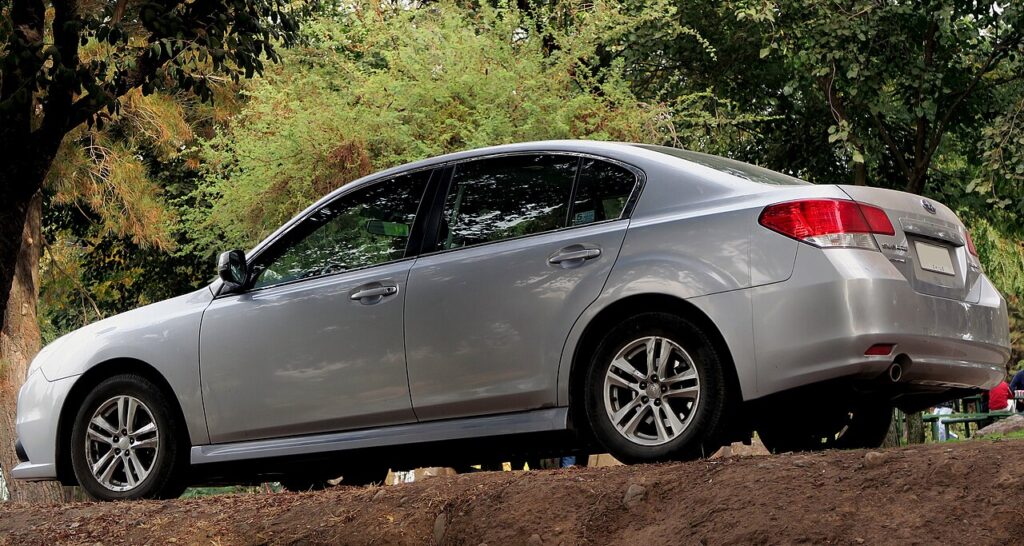
These instructions apply to the Subaru Legacy Mk6 (BN) 2014-2019.
For other models, please choose your vehicle here.
The Subaru Legacy (Mk6/BN, 2014–2019) swapped the old foot-pedal park brake for a fully electronic parking brake (EPB), with a motor-driven spindle inside each rear caliper. Because that spindle screws the piston outward, a rear pad change is impossible until it is wound fully back. This Gen-6 Legacy guide gives the verified method — and confirms the no-tool routes the factory manual actually allows.
What service mode does and why you need it
Setting the EPB drives each rear piston out through a threaded spindle. Push that piston straight back and you fight the screw and the gear train, which is how the actuator motor gets damaged. Brake Maintenance Mode (the factory term) commands the actuators to retract the spindle fully and disables the EPB so it cannot re-apply with the caliper open. The Legacy BN service manual documents the SSM scan-tool function and also lists the windback tool as an alternative, so a scanner is not strictly mandatory on this generation.
Enter service mode — scan tool
- Chock the front wheels, ignition ON, engine OFF, foot off the brake.
- Connect a Subaru-capable bidirectional tool (SSM-III or an aftermarket tool with Subaru EPB support) to the OBD-II port.
- Open the parking-brake / VDC module, select Brake Maintenance Mode, choose Enter, and let the rear motors retract the spindles.
Windback tool (FSM-listed, no scanner)
- Unbolt the caliper and fit a right-hand brake windback tool to the piston face.
- Turn clockwise on both rear calipers — the spindle backs off internally — until the piston stops and is fully seated.
Never force the pistons back by hand
Do not C-clamp the rear pistons in and never press the brake pedal with a caliper open — the piston can pop out. On the Gen-6 Legacy the piston only seats by turning (clockwise) or by electronic retraction. Forcing it straight in ruins the EPB actuator. Open the brake-fluid reservoir cap before seating the pistons so displaced fluid does not trap pressure or push air into the system.
Exit service mode and bed in
Fit the new pads, torque the slider bolts, and reverse your method: with the tool select Exit Maintenance Mode and let the motors extend and run their self-test; if you wound back manually, start the car and pump the pedal firm, then fully apply and release the EPB a couple of times to re-tension against the new pads. Bed in with several moderate 30–40 mph stops, let the brakes cool, and confirm the EPB holds on a slope.
Frequently Asked Questions
Do I need a scan tool for Gen-6 Legacy rear pads? No — the factory manual lists the windback tool as an approved alternative. A scanner is cleaner but not required on this generation.
Which way does the windback tool turn? Clockwise on both rear calipers, with a right-hand-thread tool.
Why does it error on exit / pressure test? The BN Legacy is known for “no brake pressure detected” on exit if a connector is loose or the pedal was not pumped firm first. Re-seat the actuator connectors, pump the pedal, and re-run Exit.
Will pressing the EPB switch retract the pistons? No — the switch applies or releases the brake; it does not wind the spindle back for a pad change.
Is the brake light meant to stay on while I work? Yes — that is service mode disabling the EPB. It clears when you exit and re-initialise.
If a VDC or parking-brake warning stays on after the job, read the stored fault first at autodtcs.com to tell a simple re-initialisation apart from a genuine actuator fault.
Independent guide — not affiliated with Subaru. Always follow your official service manual and safety precautions. Read our full disclaimer.