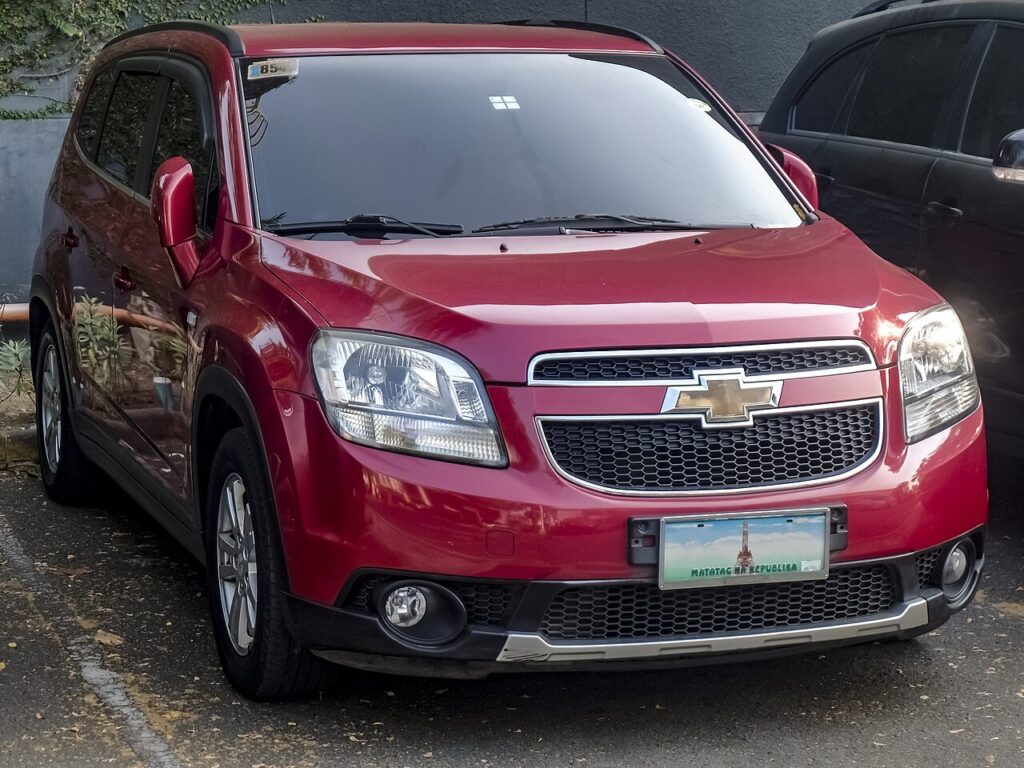
These instructions apply to the Chevrolet Orlando (J309) 2011-2018.
For other models, please choose your vehicle here.
If the remote for your Chevrolet Orlando (J309, 2011–2018) has started needing two or three presses to lock the car, only works with the fob almost touching the door, or has gone silent completely, the culprit is nearly always the little coin cell inside — not the alarm, the receiver or the immobiliser. The Orlando was sold across Europe, Canada, South Korea and other markets with GM’s folding “flip” remote key, the same compact design shared with the Aveo and Cruze of the era, and swapping its battery is a genuine five-minute job on the kitchen table. Below is the exact cell it takes, how to crack the case open cleanly, and why cutting a fresh key is the one part you’ll have to leave to a professional.
How to Tell the Fob Battery Is Dying
- The range keeps getting shorter. You find yourself standing right next to the Orlando, or pressing the fob against the glass, to get it to answer. That creeping loss of distance is the earliest and clearest sign.
- The button light fades. The small LED on the remote gets dim or stops flashing on a press — an easy way to confirm it’s the fob running out of power rather than a car-side fault.
- Response turns intermittent. The remote works one minute and not the next, which is a near-flat cell that can’t reliably deliver the brief burst of current the transmitter needs.
- Cold mornings make it worse. Lithium cells lose punch in the cold, so a battery that’s on its way out will often fail first thing on a frosty day.
A CR2032 in an Orlando remote typically gives two to four years of service. If yours is older and misbehaving, fit a new cell before you go chasing more expensive faults.
The Battery You Need
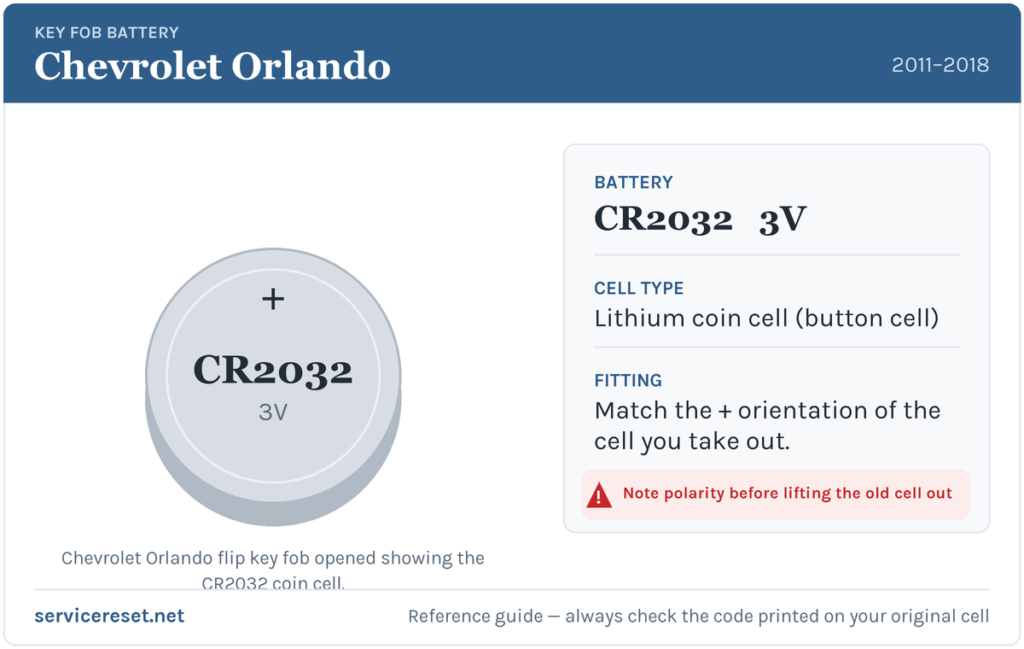
The Orlando’s flip remote uses a single CR2032 3-volt lithium coin cell — 20 mm wide, 3.2 mm thick, and stocked by virtually every supermarket, petrol station and hardware shop. It is the most common key-fob battery there is. Buy a good branded cell rather than the cheapest multipack; low-grade coin cells can sag under load and give poor range even straight out of the packet.
How to Change the Battery
- Press the chrome release button so the metal key blade flips out, then fold it closed again — it simply gives you a steadier grip on the fob while you work.
- Look for the fine seam that runs around the edge of the case where the two shells meet. Insert a small flat-blade screwdriver or a plastic pry tool into the seam near the hinge.
- Twist gently to unclip the halves. The case is meant to separate along this joint; ease it apart rather than forcing a single point, and work round the edge if a corner holds on.
- Take note of how the old cell sits, then lift it out with a fingernail or the tip of the tool.
- Fit the new CR2032 with the positive (+) face upward, toward the back cover, matching the orientation you just removed.
- Press the two halves firmly back together until they click all the way round, and test each button.
⚠️ Get the polarity right. A coin cell fitted upside down sits against the contacts the wrong way and will quietly discharge while leaving the remote dead — so always copy the way the old cell faced. On this fob the “+” marking sits toward the back cover.
Confirm It Worked
Walk a few metres away and lock, then unlock, the Orlando. The full working range should return at once and the button LED should glow brightly again. There is nothing to reset or relearn after a straightforward battery change — if it responds first time from across the drive, the job is finished.
If a Fresh Cell Doesn’t Fix It
- Double-check polarity and seating. A cell in the wrong way up, or not clipped down firmly against both contacts, is the most common reason a “new” battery seems to do nothing.
- Clean the contacts. Finger grease or a little corrosion on the metal terminals can cause dropouts; a wipe with a dry cloth often restores a solid connection.
- Test with a known-good branded cell. If the LED still won’t light, the transmitter inside the fob may have failed — uncommon, but it does eventually happen on high-mileage remotes.
- Consider the car’s 12 V battery. A weak main battery can make the whole car slow to respond and imitate a key fault; if the Orlando feels generally sluggish to wake, that’s worth ruling out.
New Key or Spare — Why It’s a Dealer Job
Replacing the coin cell leaves the fob’s existing pairing intact, so the remote keeps working the instant the new battery is in — no programming required. A brand-new key is another matter entirely: the blade has to be cut to the car, and the remote has to be coded to the Orlando’s immobiliser with a GM-capable diagnostic tool before the engine will start. That puts adding a spare or replacing a lost key firmly in dealer or auto-locksmith territory, so keep the battery in your second fob fresh too and you’ll never be down to a single working key.
Frequently Asked Questions
What battery does a Chevrolet Orlando key fob use?
A single CR2032 3-volt lithium coin cell. The J309 Orlando’s folding flip remote takes this one common battery across the whole 2011–2018 run.
Which way up does the cell go?
Positive (+) side up, toward the back cover. The reliable method is to note how the old cell is sitting and drop the replacement in exactly the same orientation.
Will I need to reprogram the remote afterwards?
No. Changing the battery doesn’t affect the coding, so the fob works straight away. Only a replacement key that has never been paired to the car needs programming.
How long does an Orlando key battery last?
Usually two to four years. Heavy button use or a poor-quality cell that can’t hold voltage will bring that down.
My Orlando remote still won’t respond after a new battery — is it broken?
Most likely not. Re-check the polarity and seating first, then clean the contacts. If the LED still won’t light with a fresh, known-good cell, the fob’s transmitter may have failed and the remote itself needs replacing.
Can I still drive the Orlando with a dead fob?
Yes. Flip out the mechanical key blade to unlock the driver’s door, then start the car as normal once you’re inside. A flat coin cell won’t leave you stranded.
If the remote quit suddenly right after the battery was disconnected or the car was jump-started — rather than fading slowly — the pairing or a stored fault is the more likely cause than the cell; you can check what any logged code means over on autodtcs.com.
Independent guide — not affiliated with Chevrolet. Always follow your official service manual and safety precautions. Read our full disclaimer.