These instructions apply to the Chrysler 300 Mk1 (LX) 2004-2011.
For other models, please choose your vehicle here.
The Chrysler 300 (LX) shows its compass heading in the Electronic Vehicle Information Center (EVIC) in the instrument cluster. If your 300 points north when you are heading south, or the direction drifts after a jump-start or a battery disconnect, the fix is a quick self-calibration plus setting the correct magnetic zone. Here is how to do both.
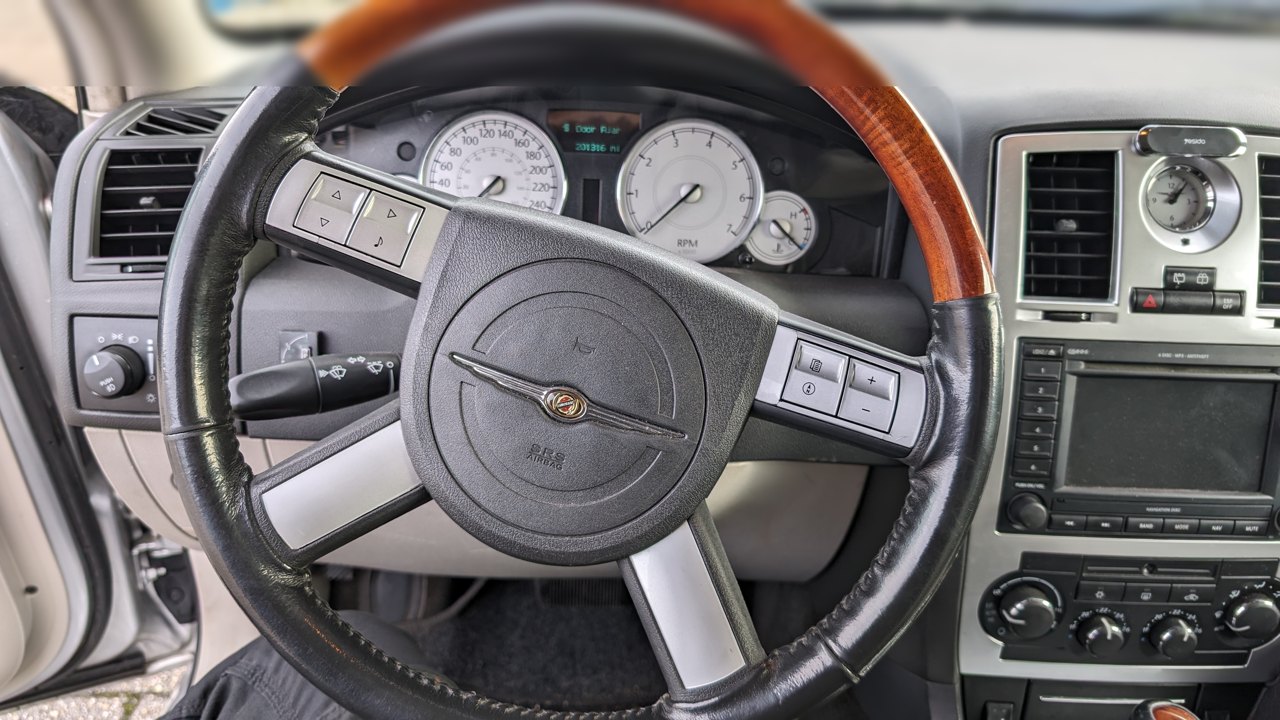
Before you start
- Find an open, level area well clear of large metal structures, buildings, overhead power lines and other parked cars.
- Know roughly which numbered magnetic zone covers where you drive, using the zone map in your owner’s handbook.
- Switch the ignition ON; the engine can be running, as you will need to drive the car slowly for the calibration circles.
Calibrating the Compass — Step by Step
- With the ignition ON, press and hold the COMPASS button (on earlier LX cars) or the steering-wheel MENU button (on later cars) for about two seconds, until the compass and variance calibration menu appears in the EVIC.
- Use the SCROLL button to move through the menu until “Calibrate Compass” is highlighted.
- Press FUNCTION SELECT (the C/S/RESET or steering-wheel select button) to start the calibration.
- Slowly drive the car in one or more complete 360-degree circles, keeping below about 5 mph, in the open area you chose.
- Keep circling until the “CAL” indicator switches off. When “CAL” disappears, calibration is complete and the compass should read correctly.
Setting the Compass Variance (Zone)
The compass also needs to know the magnetic variance for your region. North America is split into numbered zones (roughly 1 to 15) on a map printed in the owner’s handbook; each zone corrects for how far magnetic north differs from true north in that area. Set it through the same EVIC menu:
- Open the calibration menu again by holding COMPASS (or MENU) for about two seconds.
- Use SCROLL to reach the Variance / Set Zone option, then press FUNCTION SELECT.
- Look up your area on the zone map in the handbook, then scroll to that zone number and confirm it with FUNCTION SELECT.
If the Compass Still Reads Wrong
- You parked or started the calibration close to metal fencing, a building or another vehicle — move to a genuinely open space and try again.
- One loop was not enough; drive a second full 360-degree circle so the EVIC can finish learning before “CAL” clears.
- The variance is set to the wrong zone for your region — reset it to the correct numbered zone from the handbook map.
- You recently disconnected or changed the battery, or jump-started the car; simply recalibrate the compass to clear the drift.
Frequently Asked Questions
Why did my compass go wrong after a battery change?
Disconnecting the battery, jump-starting, or driving near a strong magnetic field can leave the 300’s compass reading the wrong heading. It is normal drift, not a fault — running the Calibrate Compass routine and driving a couple of slow circles restores an accurate reading.
What is variance, or the zone number?
Variance is the correction for the difference between magnetic north and true north where you drive. North America is divided into numbered magnetic zones on a map in your handbook; setting the matching zone number keeps the EVIC compass accurate for your part of the country.
My car has a MENU button, not a COMPASS button — is it the same thing?
Yes. Earlier LX 300s use dedicated COMPASS / SCROLL / FUNCTION SELECT buttons, while later cars use the steering-wheel MENU / SCROLL / FUNCTION SELECT controls. The menu and the calibration steps are the same; only the button labels differ.
Do I need to be moving to calibrate?
Yes. After you start the routine with FUNCTION SELECT, the compass only calibrates while the car turns, so you must drive slow, complete 360-degree circles below about 5 mph until the “CAL” indicator goes out.
If a warning light appeared alongside the compass trouble — for example after a battery disconnect — you can look up any stored fault code on autodtcs.com to check whether it is unrelated before you recalibrate.
Independent guide — not affiliated with Chrysler. Always follow your official service manual and safety precautions. Read our full disclaimer.