Service ResetService Reset
  • Home
  • Guides
  • Tools
    • Tire Pressure Calculator
    • Check DTC Codes
    • Request a Guide
    • Wheel Offset Calculator
    • Tire Size Comparison
    • Tire Pressure Converter
    • Torque Converter
    • Coolant & Antifreeze Mix
  • Blog
  • About
  • FAQ
  • Contact Us
  • Home
  • Guides
  • Tools
    • Tire Pressure Calculator
    • Check DTC Codes
    • Request a Guide
    • Wheel Offset Calculator
    • Tire Size Comparison
    • Tire Pressure Converter
    • Torque Converter
    • Coolant & Antifreeze Mix
  • Blog
  • About
  • FAQ
  • Contact Us
Home/Ford/F-150/Mk14 (P702) 2021-present/Replace the Key Fob Battery

Replace the Key Fob Battery

Reviewed by the Service Reset editor · Updated September 27, 2026 · How we verify

These instructions apply to the Ford F-150 Mk14 (P702) 2021-present.
For other models, please choose your vehicle here.

A weak coin cell is the usual reason a 14th-generation Ford F-150 (P702, 2021 onward) smart key loses range or throws a “Key Not Detected” message. The push-button-start fob uses a single CR2450 3V cell (the flip-key remote uses a CR2032 — match whatever you remove). The swap takes about a minute.
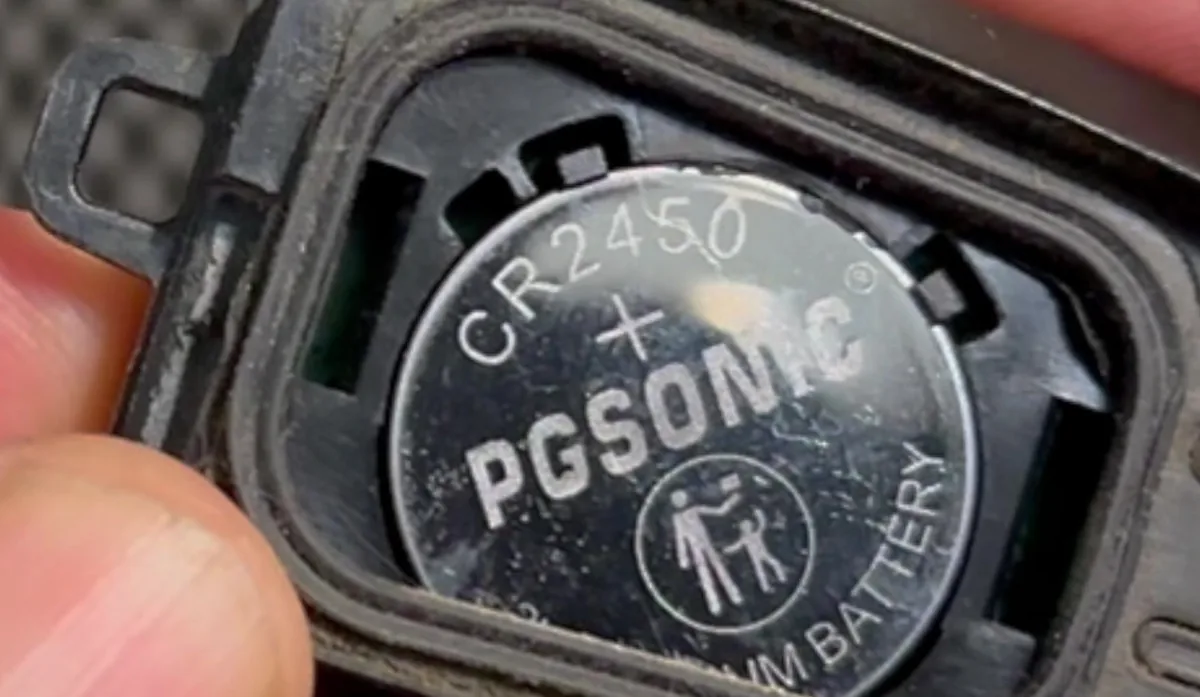
Ford F-150 P702 push-button smart key opened, showing a CR2450 coin cell in the battery bay
The P702 smart key opened at the battery bay – a single CR2450 3V cell. Illustrative frame.
  1. Push the release button on the fob and pull the metal key blade out.
  2. Twist a thin coin in the small tab hidden behind the key-blade head to pop the battery cover off the back of the fob.
  3. Lift out the old CR2450, handling it by the edge — avoid touching the terminals or the circuit board.
  4. Fit the new CR2450 the same way up, press the cover back on until it clicks, and slide the key blade back into place.

Frequently asked questions

CR2450 or CR2032 — which one?

The push-button-start proximity fob uses a CR2450. The flip-key remote (lower trims) uses a CR2032. The safe rule is to fit the same type you take out.

Do I have to reprogram the fob afterwards?

No. Changing the battery does not erase the fob — it keeps its programming.

The fob is dead and the truck won’t detect it — how do I start?

Place the fob in the backup slot inside the center console, keep your foot off the brake, and press the START/STOP button; then press it again with the brake to start.

If a warning message appears after the swap, check the stored codes on autodtcs.com before assuming a fault.

Independent guide — not affiliated with Ford. Always follow your official service manual and safety precautions. Read our full disclaimer.

Related Articles
  • Disable the Auto Start-Stop System
  • Replace the Cabin Air Filter
  • Reset the Tire Pressure Monitoring System
  • Reset the Oil Life

On This Page: [hide]

Frequently asked questions

CR2450 or CR2032 — which one?

Do I have to reprogram the fob afterwards?

The fob is dead and the truck won’t detect it — how do I start?

Service Reset

Independent step-by-step car reset & maintenance guides – not affiliated with any manufacturer. All trademarks belong to their respective owners.

© 2026 ServiceReset.net. All rights reserved.

POPULAR BRANDS
Toyota · Volkswagen · BMW · Ford · Audi · Mercedes · Nissan · Kia
EXPLORE
  • Guides
  • Blog
  • About
  • Contact
TOOLS
  • Dashboard Warning Lights
  • Tire Pressure Calculator
  • Tools
  • FAQ
  • Request a Guide
LEGAL
  • Privacy Policy
  • Terms of Use
  • Disclaimer
  • YouTube
  • Pinterest