These instructions apply to the Ford Fiesta Mk8 (2017-2023).
For other models, please choose your vehicle here.
If the tyre-pressure warning is on in your Ford Fiesta Mk8 (2017–2023) after setting the pressures or changing wheels, you need to tell the car the current pressures are the new reference. The Fiesta uses a direct system (a sensor in each wheel), and the reset is a quick step in the cluster menu. A steady amber tyre symbol is a notification that a corner has drifted from the stored target, not a sign of a broken car. Once the pressures are correct and stored, it clears. Here’s how.
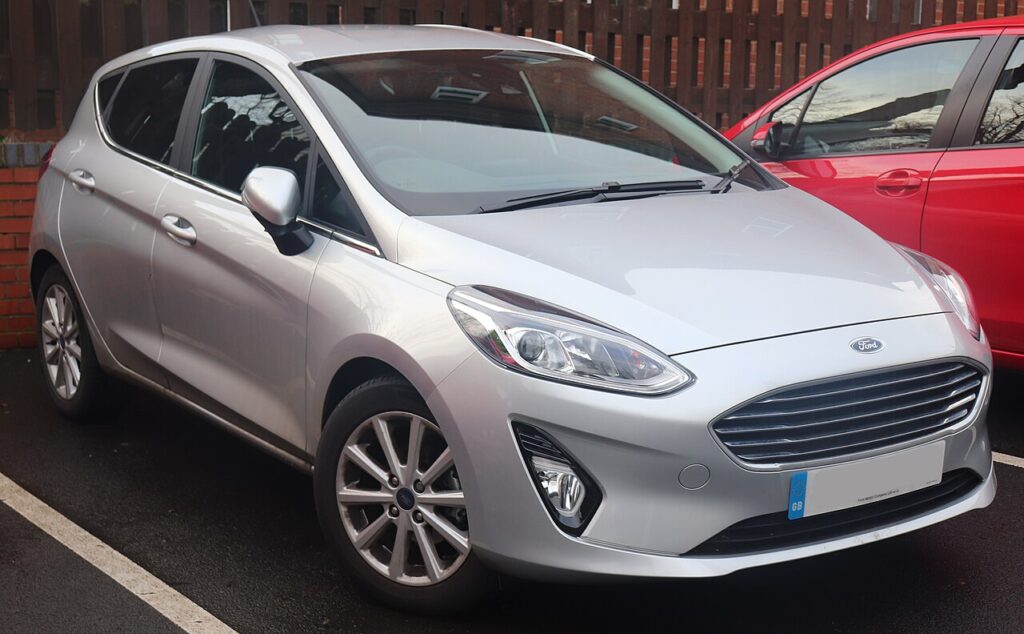
Direct Sensors, Menu Reset
Each wheel reports its own pressure, so the Fiesta can flag a single low corner and react the moment a tyre falls below its threshold. The menu reset doesn’t calibrate the sensors; it takes a fresh snapshot of the current pressures and treats those as the “correct” baseline. That is why you inflate accurately before you store — whatever the tyres read when you hold OK becomes the reference the car judges everything against.
Getting Ready
- Check pressures cold — measure before driving, or after the car has stood a few hours. Warm tyres read higher and will give you a false baseline.
- Use the door-label figures in the driver’s door opening. The Fiesta often lists more than one set; match the pressure to your load and, where shown, to your wheel size.
- Do all four (and check the spare if it’s a monitored full-size wheel) before storing — the reset captures whatever it sees at that moment.
- Have a known-accurate gauge or use the forecourt airline; a cheap pen gauge that reads a few psi out will send you round in circles.
- Ignition on, engine off is enough to reach the cluster menu; you don’t need the engine running to store.
How to Reset the Fiesta Mk8 TPMS
- Set all four tyres to the correct cold pressure — the figures are on the label in the driver’s door opening (the Fiesta often lists a comfort/eco pair; use the right one for your load).
- Turn the ignition on.
- Using the steering-wheel buttons, scroll to ‘Settings’, then the ‘Vehicle setting’ menu.
- Select ‘Tyre pressure’ and press and hold ‘OK’ until it confirms the reset.
If the Warning Stays On
- Re-check every tyre, including the spare if it’s a monitored full-size wheel — one corner a few psi low is enough to keep the light on.
- Confirm you stored after inflating, not before — if you held OK while a tyre was still soft, the car saved the wrong baseline; correct the pressure and store again.
- One tyre keeps dropping — look for a slow puncture, a corroded alloy bead, or a leaking valve; the system is doing its job.
- Cold snap overnight — pressure falls roughly 1–2 psi for every 10 °C drop, so a warning on the first frosty morning is normal; top up and re-store.
- After a wheel swap (winter set, or rotating) the sensor positions change — store again once the correct pressures are set.
- A steady-flashing TPMS light points to a sensor fault (dead sensor battery, or a sensor not matched after a wheel change) and needs a tyre shop’s tool.
What Happens Next
Once you’ve stored the correct pressures, the amber tyre symbol should go out either straight away or within the first minute or two of driving as the sensors report in. It then stays off for the rest of that trip and beyond, only returning if a corner genuinely drops again. A brief flash of the symbol at start-up as the system does its self-check is normal and nothing to worry about.
Frequently Asked Questions
Where is the tyre-pressure reset on the Fiesta Mk8?
In the cluster menu: Settings → Vehicle setting → Tyre pressure → hold OK, using the steering-wheel buttons. Turn the ignition on first, set every tyre to the door-label pressure while cold, then hold OK until the display confirms it has stored the new values.
Do I need a tool?
Not for a normal reset — set the pressures and store them in the menu. A tool is only needed if the in-wheel sensors were replaced or swapped between wheels, because new sensor IDs have to be programmed in before the car will recognise them.
Why did the light come on in the cold?
Pressure drops as temperature falls, roughly 1–2 psi for each 10 °C, so tyres set correctly on a mild day can read low after a cold night. It doesn’t mean anything is leaking. Top each tyre up to the door-label figure and re-store, and the warning should clear.

The light keeps flashing — low pressure?
A persistent flash usually means a sensor fault rather than low pressure — have the sensors checked. Typically the symbol flashes for about a minute at start-up and then stays lit steadily if there is a fault. That pattern points to a dead sensor battery or a sensor that isn’t communicating, neither of which a menu reset will fix.
Do I need to reset after rotating or swapping wheels?
Yes — whenever the wheels move position or you fit a different set, set every tyre to the correct cold pressure and store again through the menu so the car re-references the current values. If the new wheels carry their own sensors, those IDs may also need matching with a tyre shop’s tool.
Can I just ignore the warning if the tyres look fine?
Best not to. The Fiesta can flag a corner only a few psi low, which is hard to see by eye but still hurts grip, braking and economy and lets a slow puncture worsen. Check all four with a gauge, correct any that are low, and store. If they were all fine, a quick re-store clears a stale reading.
If a fault code is stored, look it up on autodtcs.com. To clear a service reminder, see our Fiesta Mk8 service reset guide.
Independent guide — not affiliated with Ford. Always follow your official service manual and safety precautions. Read our full disclaimer.