These instructions apply to the Hyundai i10 Mk2 (IA) 2014-2019.
For other models, please choose your vehicle here.
After an oil change or scheduled service on your Hyundai i10 (IA/BA, 2014–2019), you can clear the maintenance reminder yourself using the cluster’s trip and reset controls—no tools needed, just the ignition and the buttons on the instrument cluster.
Before You Start
- Applies to all i10 (2014–2019) engines and trims with a cluster that shows Service Data in the trip menu.
- Park with the transmission in P (automatic) or Neutral (manual), parking brake on and all doors closed.
- Set the ignition to ON only—do not start the engine.
How to Reset the Service Light on the Hyundai i10
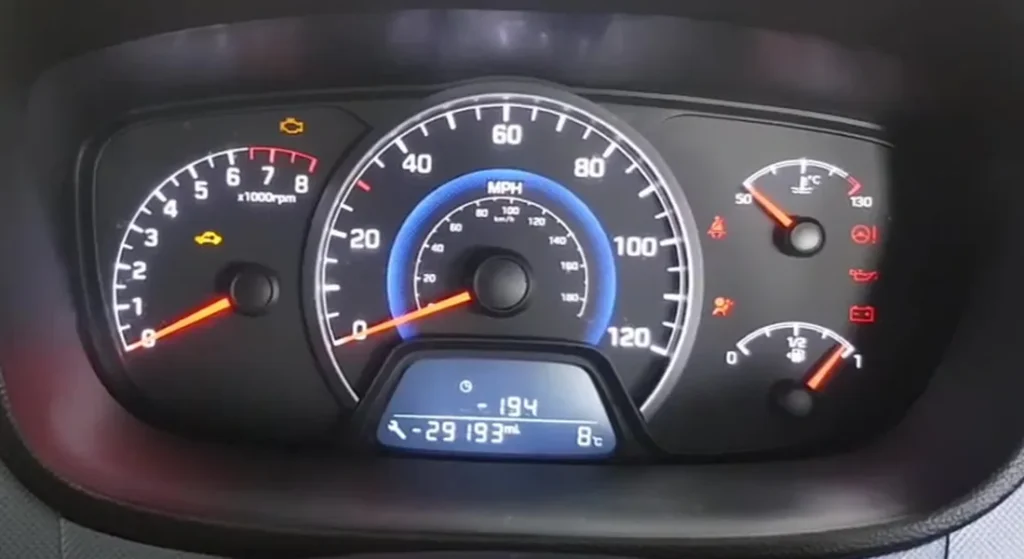
- Switch the ignition to ON (cluster lights up) but do not start the engine.
- Use the TRIP/menu button on the cluster to cycle through screens until you reach Service Data (or a similar maintenance page).
- Press and hold the reset button on the cluster for about 5 seconds until the service interval or remaining distance begins to flash.
- Release the button, then press and hold it again for ~1 second to confirm the reset.
- Switch the ignition OFF. When you next turn it ON, the service reminder should be cleared.
Troubleshooting
- No “Service Data” menu? Some clusters require a brief drive cycle or a different sub-menu. Cycle all trip screens slowly and try again.
- Nothing happens when holding reset: Verify ignition is ON (engine off). Try holding the button longer (6–8 seconds).
- Reminder returns immediately: The interval may be at zero due to mileage/date settings. Repeat the steps and ensure you confirm on the second, shorter press.
- Check-engine light (CEL) still on? The service indicator reset does not clear diagnostic trouble codes. Use a scan tool to diagnose engine warnings.
FAQ
Will this work on all Hyundai i10 models?
The steps apply to most 2014–2019 i10 clusters with a Service Data page. Minor button labels may differ by trim or market.
The service reminder is a mileage-and-time timer, not a fault code. If the amber engine warning light is on instead, that points to a stored diagnostic trouble code — look it up on autodtcs.com.
Independent guide — not affiliated with Hyundai. Always follow your official service manual and safety precautions. Read our full disclaimer.