These instructions apply to the Volvo XC40 Mk1 (536) 2017-present.
For other models, please choose your vehicle here.
Lost the one-touch (auto up/down) on your Volvo XC40 (536, 2017–present) after a flat or disconnected battery? The window motor has simply forgotten its limits. You re-teach them by hand in under a minute — no tools.
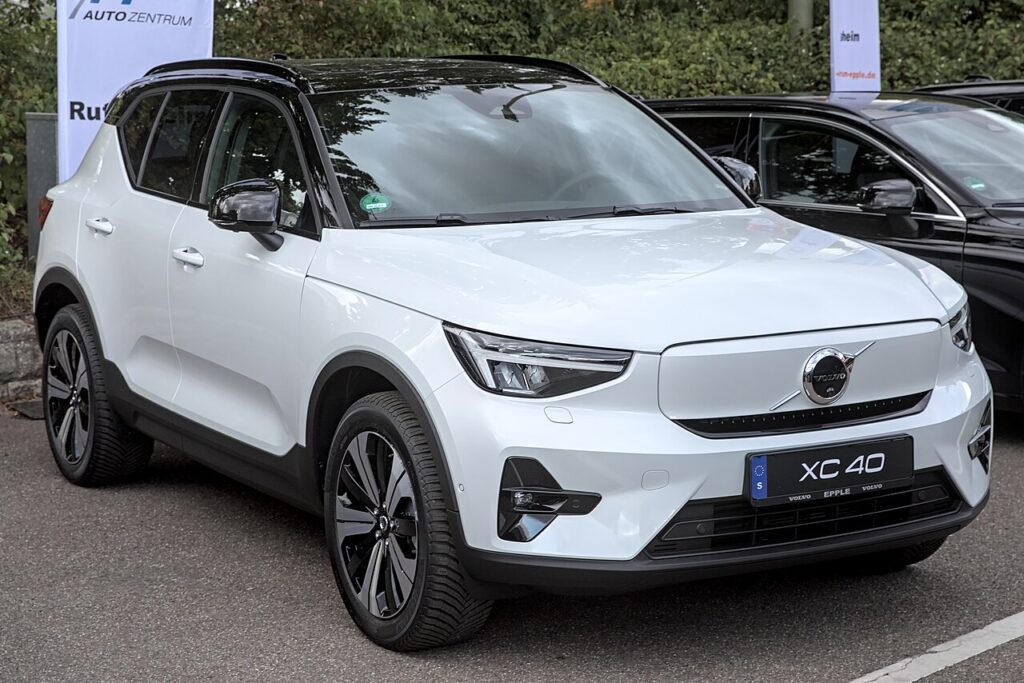
What Happened
All four windows on the XC40 have a one-touch feature: a single tap runs the glass fully up or down on its own, and an anti-trap function reverses the glass if it meets resistance as it closes. For that to work, the door module has to know exactly where the top and bottom of travel sit. It learns those two points and holds them in memory. Losing them is completely normal after a power cut — it is not a sign the motor, regulator or switch has failed.
How It Works on This Model
The window control module tracks glass position by counting motor rotations and monitoring the current the motor draws. When the glass presses into the top seal the current rises, and the module records that as the closed limit — the same reading sets the anti-trap point. Disconnect the 12 V battery, let it discharge, or pull a door fuse and that stored position is wiped. The switch still raises and lowers the glass, but only while you hold it; one-touch and anti-trap stay off until you hand-teach the limits again.
Getting Ready
- Sit in with the door closed so a door-ajar signal can’t interrupt the learn.
- Switch the ignition on (or leave the car running) to keep voltage steady.
- Confirm the 12 V battery is healthy — a weak battery can make the learn drop out.
- Clear the window channel of ice, grit or a lifted seal so the glass reaches its true top and bottom.
- Do one window at a time, from that door’s own switch.
Re-teaching a Window
- Door closed, ignition on.
- Pull the switch up to close the window fully and keep holding ~2–3 seconds past the stop.
- Release, then press down to open fully, pausing at the bottom.
- Pull up again to close fully, holding a couple of seconds at the top.
- Release and check one-touch both ways.
Repeat on each one-touch window from its own switch.
If It Won’t Stay Set
- Hold longer at the top. Releasing the instant the glass stops can leave the closed limit unlearned — keep the switch pulled up for a full 2–3 seconds.
- Do the full down-then-up cycle. The module usually wants to see both extremes in one sequence, not just the top.
- Check the battery. A tired 12 V battery that sags under motor load can abandon the learn part-way through.
- Check the door fuse and loom. A whole door with no one-touch that won’t hold a learn usually points to a blown window fuse or a poor connection in the door hinge loom.
- Cycle the ignition. After a fresh battery reconnect, some modules want an ignition off/on before they will accept and keep the new limits.
- Free the glass. A dry or pinched run channel makes the motor draw high current early, so the module can learn a false top — clean and lubricate the channel and retry.
What Happens Next
With the limits stored, a single tap should again drive the glass fully up or down, and the anti-trap will reverse the window if it meets an obstruction near the top. The setting is permanent until the next power interruption, so you should not need to repeat it in normal use. If one-touch disappears again with no battery work in between, that suggests a switch, wiring or module fault rather than a lost calibration.
Frequently Asked Questions
Why did my XC40 windows stop auto-closing?
A battery disconnect, a flat battery, or pulling a door fuse clears the window module’s stored top and bottom limits. Without them the glass only moves while you hold the switch. Re-initialising each affected window by hand teaches those limits back and restores one-touch and anti-trap on the XC40.
How do I reset the auto window on a Volvo XC40?
With the door shut and ignition on, pull the switch up to close the glass fully and hold it 2–3 seconds past the stop, then press down to open fully, then pull up to close fully again and hold briefly. Release and test one-touch in both directions. Repeat at each door that lost it.
Do I have to do every window?
Only the ones that lost one-touch, and each has to be taught from its own door switch. If a power cut affected the whole car, that can mean all four; windows that still auto-close normally have kept their memory and need nothing. The driver’s door is the most-used and most-noticed.
Does it need any tools or a scan tool?
No. The whole re-initialisation is done at the window switch — no diagnostic tool, code reader or workshop visit is needed. If a window still refuses to learn after several clean attempts, the cause is usually electrical (fuse, switch, wiring) and not something a scan tool would resolve.
Is the anti-trap protection back after this?
Yes. The same stored limits set the anti-trap trigger point, so once the window has relearned its full travel the auto-reverse returns with it. It is worth a gentle test — close the glass onto a soft object such as a rolled cloth and confirm it stops and reverses before relying on it.
Could a low battery cause this again?
Yes. Any interruption to 12 V power — a flat battery, a jump-start, or disconnecting the battery for other work — can wipe the learned limits and disable one-touch. If it keeps recurring on its own, have the battery and charging system checked, as a weak 12 V battery is the most common repeat cause.
This is the most-missed step after battery work — see our XC40 battery guide. For warning lights, look up the code on autodtcs.com.
Independent guide — not affiliated with Volvo. Always follow your official service manual and safety precautions. Read our full disclaimer.