These instructions apply to the Kia Rio (UB, QBR) 2011 - 2018. For other models, please choose your vehicle here.
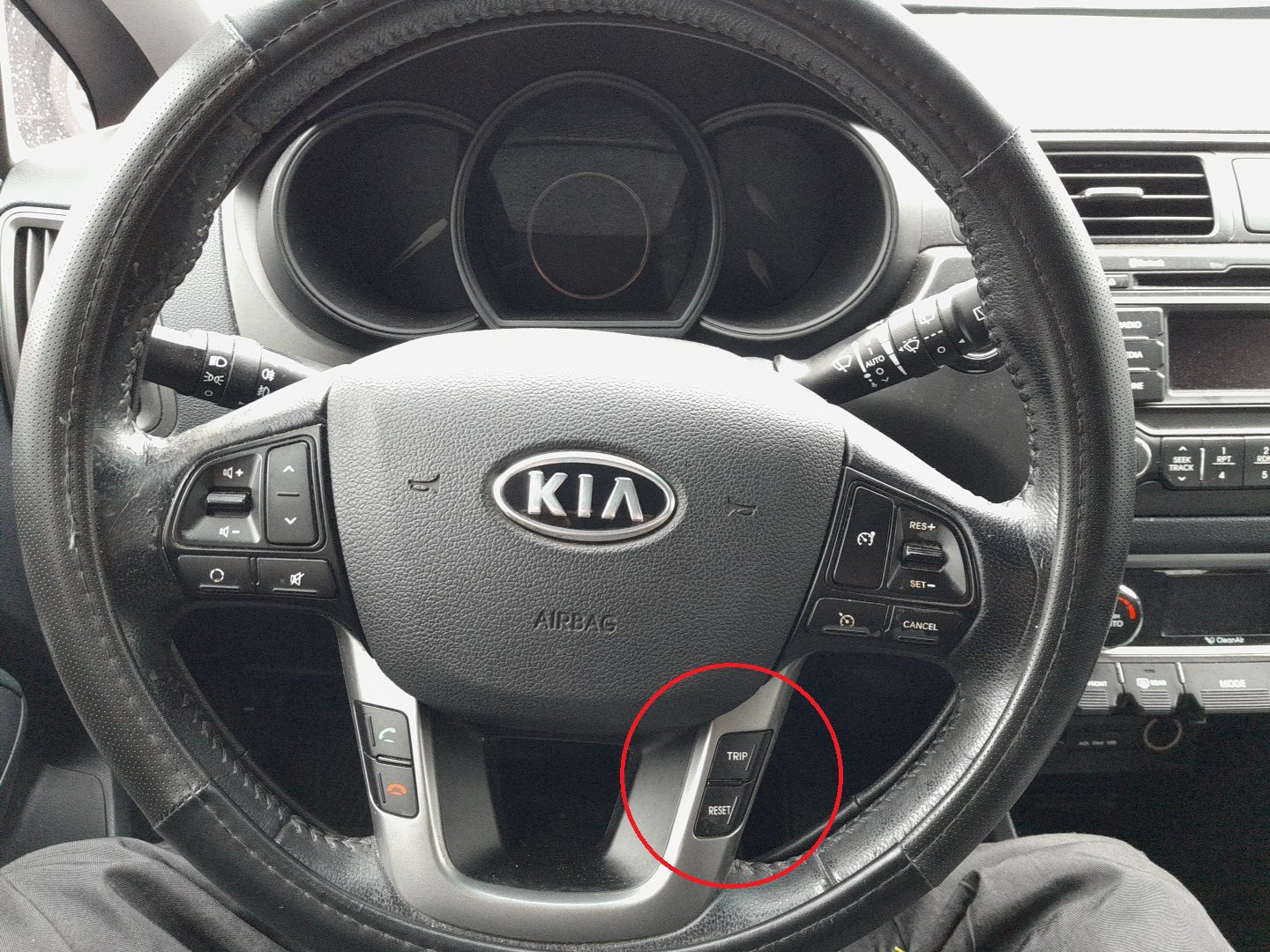
The Kia Rio (2011–2018) shows a service reminder on the instrument cluster when maintenance is due. On this generation, the reset is done using the TRIP and RESET buttons on the cluster (not the steering wheel). Follow the steps below after an oil change or scheduled service.
When to Reset
- After completing an oil and filter change or scheduled service.
- After a battery disconnect/reconnect if the interval was lost.
Buttons You’ll Use
- TRIP button: move/scroll through menu items.
- RESET button: select/confirm and reset.
Service Indicator Reset Procedure
- Switch the ignition to ON (engine not running).
- Press and hold the TRIP button for more than 2 seconds to enter User Setting mode.
- Use the TRIP button to navigate to Maintenance.
- Press the RESET button to select.
- Select the relevant item (e.g., Engine Oil).
- To clear the reminder, press and hold the RESET button for more than 1 second. The display changes to the service message screen and resets.
- Press the TRIP button for >2 seconds to exit, or cycle the ignition and confirm the reminder is cleared.
Troubleshooting
- If the menu doesn’t appear, ensure the ignition is in ON and hold TRIP long enough to enter User Setting.
- If the reminder returns immediately, verify the maintenance schedule setting in the cluster and repeat the reset.
- After reconnecting the battery, also re-initialize features like power windows and (if fitted) sunroof.
Disclaimer: The information on this page is provided for general guidance only. Always follow your official service manual and safety precautions when working on your vehicle. We are not responsible for errors, omissions, or any damage resulting from the use of this information.
This website is an independent resource and is not affiliated with, endorsed by, or sponsored by Kia. All trademarks and brand names belong to their respective owners.