These instructions apply to the Kia Rio Mk3 (UB/QBR) 2011-2018.
For other models, please choose your vehicle here.
The Kia Rio Mk3 (UB/QBR, 2011–2018) runs all its electrics off a single 12 V battery, so at some point you’ll want to disconnect it — whether the battery is due for renewal, you’re working on the wiring, laying the car up over winter, or recovering from a flat. It’s a straightforward engine-bay job. The only things that matter are giving the modules a moment to power down, working in the correct terminal order, and knowing which comfort settings to put back afterwards so the Rio feels normal again on the first drive.
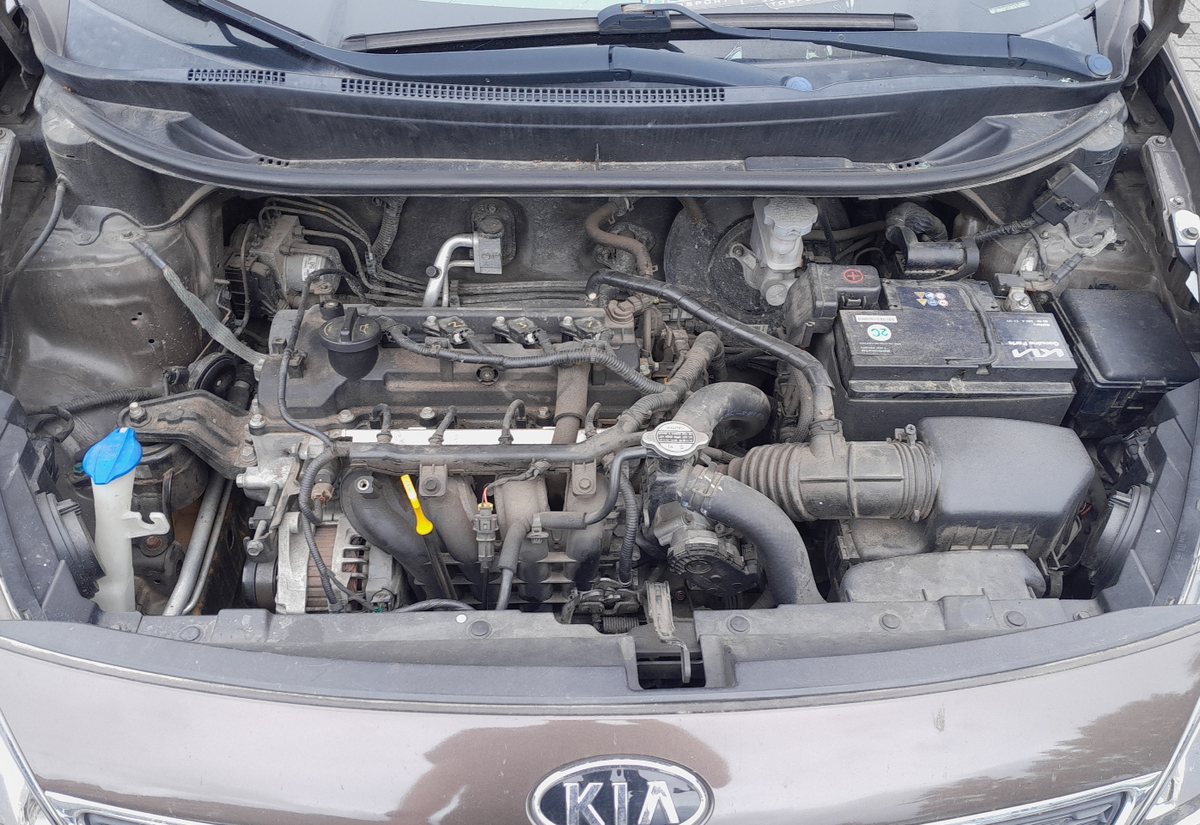
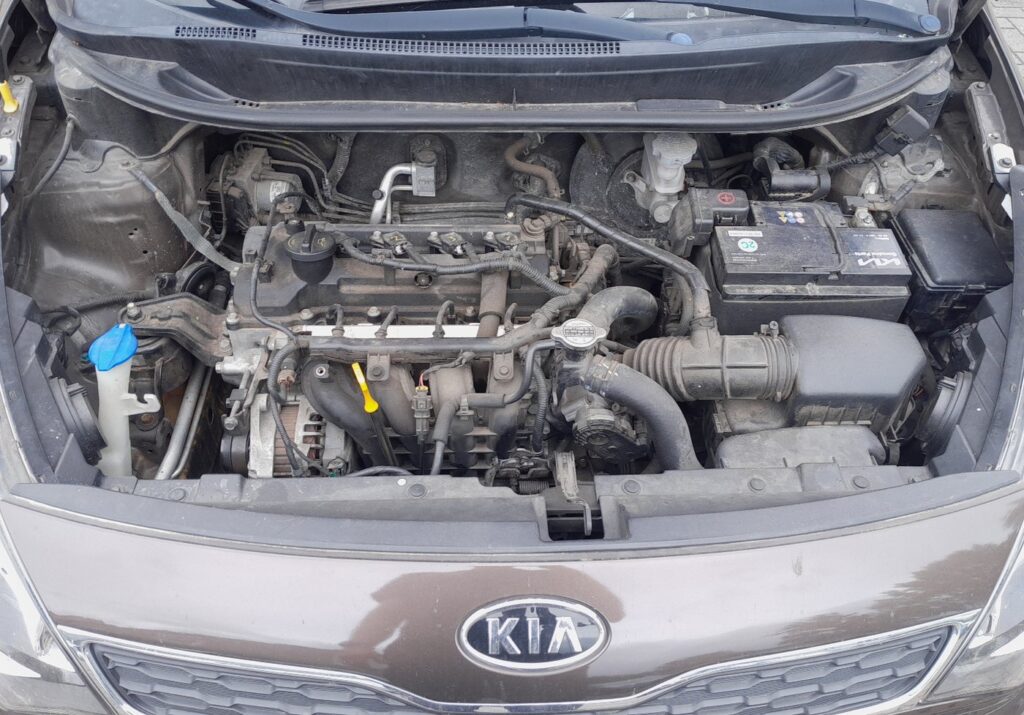
Where the 12 V Battery Is
The battery sits in the engine bay, held down by a bracket at its base. Lift off the protective cover to reach the two posts. Take a second to identify them: the negative (−) post carries the black earth lead, and the positive (+) post carries the red lead beneath a plastic flap. Knowing which is which before you pick up a spanner keeps the job clean and safe.
Before You Begin
- Park on level ground, switch the ignition fully OFF and take the key out of the car.
- Switch off the headlights, blower, radio and any other consumers.
- If your stereo uses a security code, note it down now so you can key it back in later.
- Wait a couple of minutes for the control units to go to sleep before you touch a terminal.
- Have a 10 mm spanner or socket, gloves and eye protection ready.
How to Disconnect the Battery
- Confirm everything electrical is switched off, then lift the terminal cover.
- Loosen the negative (−) terminal clamp first, ease it off the post and tuck the lead aside so it can’t flick back onto the battery.
- Loosen and remove the positive (+) terminal clamp.
- If you’re taking the battery out completely, undo the hold-down bracket and lift the battery out squarely — it’s heavy, so keep it upright.
How to Reconnect the Battery
- Sit the battery back in the tray and secure it with the hold-down bracket.
- Fit the positive (+) terminal first and tighten it securely.
- Fit the negative (−) terminal last and tighten it.
- Refit the protective cover, and wipe a little dielectric grease over the posts if they show any furring.
What You’ll Need to Reset Afterwards
- Re-initialise the power windows so one-touch and auto-up work again after the power cut.
- Re-initialise the sunroof if your Rio has one — it needs its open and close limits taught.
- Reset the service indicator if it was due.
- Reset the clock and re-enter your radio presets (and the security code, if prompted).
- A stray warning light or two may show at first; most self-clear once the car has been driven a short distance.
If a Warning Light Stays On or the Car Feels Off
- Recheck both clamps are properly tight — a loose earth is the usual reason for odd electrical behaviour.
- Take a short drive so the modules can relearn; many warning lights extinguish on their own.
- Re-run the window initialisation if auto-up has stopped working or the anti-pinch is over-sensitive.
- If the Rio cranks slowly or won’t start, have the battery and alternator output tested — the battery may simply be worn out.
- Read any stored code so you can tell a genuine fault from a leftover of the disconnect.
Frequently Asked Questions
Where is the battery on the Kia Rio Mk3?
It’s in the engine bay, secured by a hold-down bracket and usually under a protective cover. Lift the cover to reach the positive (+) and negative (−) terminals; you don’t need to remove anything else to get at the clamps.
Which terminal comes off first?
Always the negative (−) first when disconnecting, and reconnect it last. Working earth-first means a slipped spanner touching bodywork has no live circuit to short against, so you avoid sparks.
What settings will I lose?
Mainly the clock, radio presets, and the learned window (and sunroof) end points. Re-enter the clock and presets, then re-initialise the windows and sunroof. It’s a few minutes of setup, not a workshop job.
Does a new battery need coding on the Rio?
No — a like-for-like 12 V battery on the Mk3 Rio fits without any registration or coding. Reconnect it in the right order and work through the reset list above.
Will disconnecting the battery reset the service light?
Not reliably. A disconnect may clear some temporary codes but it doesn’t properly reset the service reminder, which will usually return. Use the dedicated service indicator reset for that.
Can I just jump-start it instead?
If the battery is only flat, a jump-start gets you moving without touching the terminals. Disconnecting is for renewal, electrical work or storage. If a jump-start won’t hold charge, the battery is likely at the end of its life.
If a warning light stays on after the job, look the code up on autodtcs.com to see whether it’s a genuine fault or just a leftover from the power interruption.
Independent guide — not affiliated with Kia. Always follow your official service manual and safety precautions. Read our full disclaimer.