These instructions apply to the Honda Insight Mk2 (ZE2) 2009-2014.
For other models, please choose your vehicle here.
After an oil change the Honda Insight (ZE2, 2009–2014) shows a Maintenance Minder reminder — a wrench symbol with a service code — until you reset the engine-oil life. It is a quick job done from the driver’s seat with the SEL/RESET and INFO buttons, no tools required.
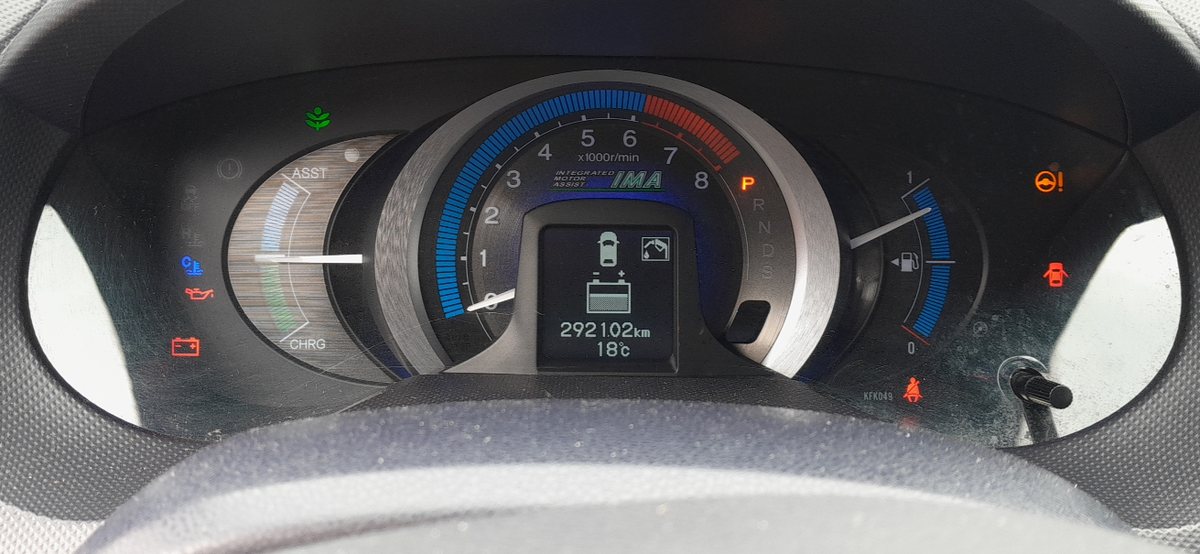
What the Maintenance Minder shows
Honda’s Maintenance Minder tracks remaining engine-oil life as a percentage and displays a wrench with letter/number codes (for example A for an oil change, B for oil plus a fuller check). Reset it every time the oil is changed so the count starts again at 100%.
How to reset the oil life
- Turn the ignition on (one position before start) — do not start the engine.
- Press the SEL/RESET button repeatedly until the engine-oil life (the service display) appears on the multi-information display.
- Press and hold SEL/RESET for more than 10 seconds — the reset mode appears.
- Use the INFO (up/down) button to select RESET.
- Press SEL/RESET again to confirm. The oil life returns to 100% and the maintenance codes clear.
- Turn the ignition off, then start the engine to confirm the wrench has gone.
Frequently asked questions
Which button resets the Honda Insight service light?
The SEL/RESET button (on the steering wheel or stalk), with the INFO button to choose RESET. Hold SEL/RESET for over ten seconds with the ignition on but the engine off.
What do the A and B codes mean?
A is a basic oil-and-filter service; B adds inspections of brakes, fluids and the like. Numbers after the letter (1–6) flag extra items such as air filter or brake fluid.
Does resetting change the oil?
No — it only resets the counter. Always change the oil and filter first, then reset so the interval is measured from the real service.
The wrong menu keeps appearing — what am I doing wrong?
On some years you must already be holding SEL/RESET as you switch the ignition on to land on the oil-life screen. Try that, then hold for ten seconds.
An oil change usually means disconnecting the battery too — see our Insight battery guide (and its hybrid-safety note). If a warning light stays on, decode it on autodtcs.com.
Independent guide — not affiliated with Honda. Always follow your official service manual and safety precautions. Read our full disclaimer.