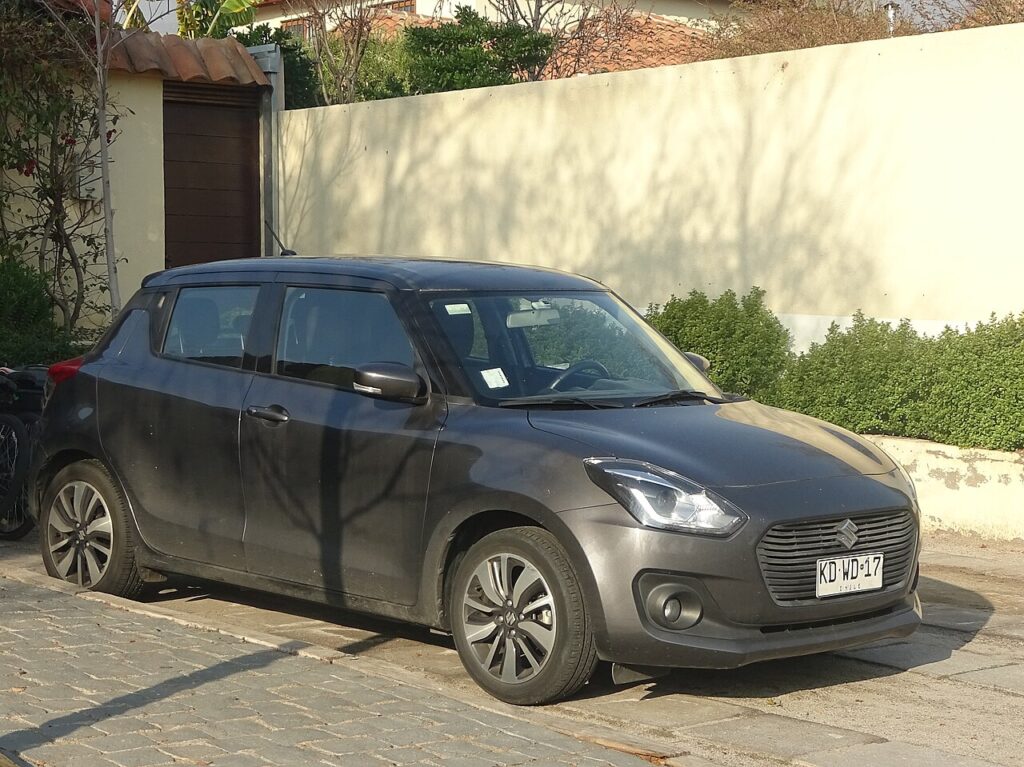
These instructions apply to the Suzuki Swift Mk4 (A2L) 2017-Present.
For other models, please choose your vehicle here.
The Suzuki Swift Mk4 (A2L, 2017–present) has an automatic engine start/stop system that cuts the engine at a standstill to save fuel and trim emissions. When you come to a halt in gear with the clutch up (or with your foot on the brake on the automatic), the engine simply switches off; lift the clutch or release the brake and it fires straight back up. It is doing exactly what it was designed to do — a warning light on the dash confirming the engine has stopped is not a fault. If you’d rather it stayed running — in slow traffic, on a hot day, or before doing any work in the engine bay — you switch it off with a single button.
How It Works on the Swift
The Swift Mk4 is offered as a 12 V mild hybrid on many versions, so a small integrated starter/generator handles the restart rather than a conventional starter motor grinding over — that is why the restart is so quick and quiet. The system leans on the 12 V battery to hold the memory and fire the engine again, so battery health matters more than on an older car. The engine will only auto-stop once a set of conditions are met, and it will stay running (or restart on its own) whenever those conditions aren’t — that is deliberate self-protection, not a glitch.
First, a Few Checks
- You don’t need the engine running to press the button — but you’ll usually do it once you’ve started the car and are ready to drive.
- Locate the A OFF button first; it’s an A inside a circular arrow on the dashboard.
- If you’re about to open the bonnet, switch the system off before you start working, so the engine can’t restart on you.
- Expect to repeat this each journey — there is no factory ‘always off’ setting.
How to Turn Off Start/Stop
- Press the start/stop (A OFF) button on the dashboard.
- The start/stop ‘OFF’ warning light illuminates to confirm the system is disabled.
That’s it — the engine will now keep running when you stop.
If the Engine Still Won’t Auto-Stop (or Won’t Stay Off)
Because start/stop is condition-driven, the engine often keeps running even when you’ve left the system switched on. Before assuming a fault, work through these:
- Cold engine or cold morning — the engine must be near normal operating temperature before it will auto-stop, so the first few minutes rarely trigger it.
- Tired or ageing 12 V battery — the most common reason the function goes quiet. If charge is low, the car keeps the engine running to protect the battery.
- Cabin still heating or cooling — a high demand from the climate control (very hot or very cold day, or max blower) holds the engine on.
- Steering, seatbelt or door — turning the wheel, an unbuckled belt or an open door can inhibit the stop.
- You’ve just re-parked — if you switched the ignition off and on, the button resets to ‘on’ and you’ll need to press it again.
- Windscreen demist active — with the demister running the system may choose to keep the engine going.
Once It’s Done
With the button pressed and the OFF light showing, the Swift will hold the engine running for the rest of that trip — you can pull up at lights and it stays idling. Next time you start the car, the light goes out and start/stop is armed again automatically. Nothing is stored, nothing needs re-coding, and there is no downside to toggling it as often as you like.
Frequently Asked Questions
How do I turn off auto stop/start on a Suzuki Swift?
Press the A OFF button on the dashboard — it’s an A inside a circular arrow. A warning light comes on to confirm the system is disabled, and the engine will then keep running when you come to a stop for the rest of that journey.
Can I disable it permanently on the Swift?
No. Suzuki doesn’t provide a permanent factory setting, so the system re-arms every time you switch the ignition off and on. The simplest routine is to press the A OFF button once at the start of each drive if you consistently prefer the engine to keep running.
Why did the engine stop-start on its own again?
Switching the ignition off and on re-enables the system automatically — that’s the reset behaviour, not a fault. If it also restarts mid-stop, that’s the car reacting to something like the battery charge dropping, the cabin needing heat or cool, or you moving the steering.
Why won’t the engine auto-stop even with the system on?
The Swift only stops the engine once conditions are met: a warm engine, a healthy 12 V battery, a satisfied cabin temperature and a firm brake or raised clutch. On a cold morning, with the demister on, or with a weak battery, it will simply skip the stop — all completely normal.
Is it bad to leave start/stop on?
No — the engine, starter and battery are all designed for it, and on the mild-hybrid versions the restart is handled by the integrated starter/generator for smoothness and durability. Turning it off is purely preference, or a sensible safety step before you work in the engine bay.
Does start/stop drain my battery?
No — it’s the other way round. A weak battery disables start/stop, because the car won’t auto-stop unless there’s enough charge to guarantee a clean restart. If the function has quietly stopped working, a fading 12 V battery is the first thing worth checking.
If a start/stop fault light shows instead of the normal indicator, look it up on autodtcs.com — a tired 12 V battery is the most common cause. See our Swift battery guide.
Independent guide — not affiliated with Suzuki. Always follow your official service manual and safety precautions. Read our full disclaimer.