These instructions apply to the Skoda Octavia Mk4 (NX) 2020-Present.
For other models, please choose your vehicle here.
When the remote on your Škoda Octavia (Mk4, 2020–Present) stops responding and you are standing next to a car that will not unlock, the fob’s coin-cell battery is almost always to blame. The good news: the fourth-generation Octavia is built so you can still get in and drive away on a completely flat fob. The current car leans far more heavily on KESSY keyless operation than earlier Octavias, so the contact-start method below is the one most owners actually need.
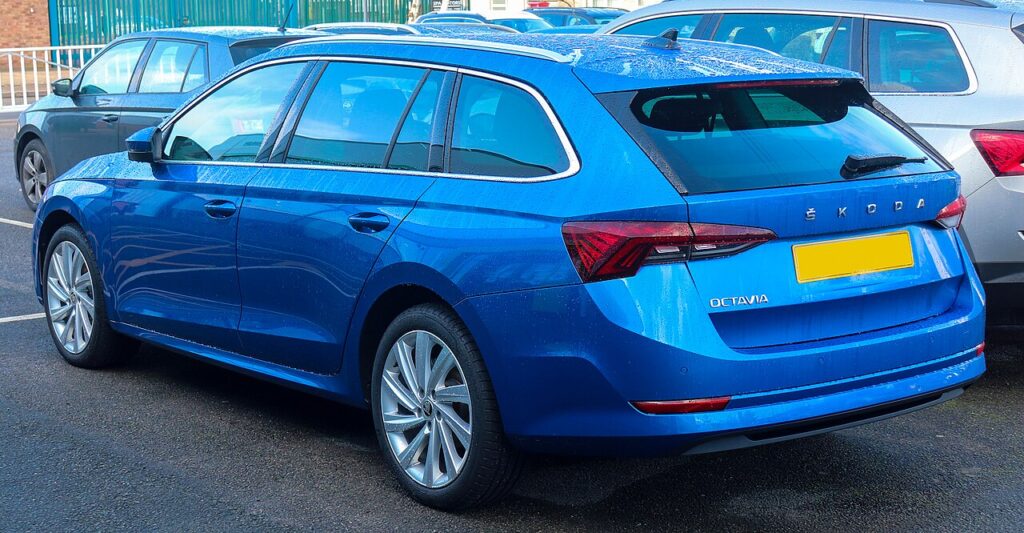
This generation — the liftback and Combi on VW Group’s updated MQB Evo platform, including the vRS — ships with a START/STOP button. There is no twist-barrel ignition to fall back on, which makes knowing the emergency procedure genuinely useful rather than academic.
Start the Keyless Octavia Mk4 With a Dead Fob
The immobiliser reads a passive transponder inside the fob, which does not need the coin cell to work. Get the car moving like this:
- Unlock and climb in using the emergency blade first (next section) — with a flat fob the door buttons and proximity sensing are dead.
- Sit in the driver’s seat, foot firmly on the brake pedal.
- Hold the fob flat against the START/STOP button so the back of the fob touches it directly. The emergency reader coil sits right behind that button.
- Keeping the fob pressed to the button, press the button. The car energises the transponder by induction, confirms it is your key, and releases the immobiliser.
- The engine starts. If nothing happens, slightly reposition the fob and press again — the read field only reaches a centimetre or two.
A “Key not found” or key-symbol message on the digital cluster is the signal to use this method.
Unlock the Octavia Mk4 With the Emergency Key Blade
- Find the small release catch on the fob, slide it, and withdraw the metal emergency blade.
- At the driver’s door handle there is a hidden lock barrel under a plastic trim cap. Insert the blade tip into the slot at the rear of the cap and lever the cap off.
- Put the blade in the exposed barrel and turn to unlock. The car may chirp an alarm because it was opened “manually” — pressing START with the fob inside clears it.
- There is no mechanical ignition on the Mk4, so once you are in, use the contact-start method above.
Why a Flat Battery Doesn’t Lock You Out
The fob holds a passive immobiliser chip that draws its power wirelessly from the car’s reader coil — exactly like a contactless payment card. The dead coin cell only stops the long-range radio that handles keyless approach and button presses. Hold the fob to the START button and the short-range coil powers the chip directly, the immobiliser authenticates it, and the car starts. That is why even a battery-free valet blade can drive the car.
Replace the Key Fob Battery
- Slide out the emergency blade — on the Mk4 fob this frees the rear cover.
- Gently part the case halves with a plastic pry tool along the seam.
- Pop the spent cell out. The Octavia Mk4 fob uses a CR2032 3V coin cell.
- Seat the new cell with the + mark facing the same direction as the original, holding it by the edges.
- Click the case shut, reinsert the blade, and check all buttons work. A fresh cell lasts roughly 2–3 years.
Frequently Asked Questions
Does the Octavia Mk4 have a backup ignition slot? No. Unlike the Mk3, there is no mechanical ignition barrel — the only emergency start is holding the fob against the START/STOP button.
Where is the contact point on the Mk4? Behind the START/STOP button on the dash. Press the flat back of the fob directly onto the button.
How do I get into the car if the fob is totally dead? Pull the emergency blade from the fob and use the hidden door-handle lock on the driver’s side, under the clip-off trim cap.
What battery does the Octavia Mk4 fob use? A single CR2032 coin cell, available almost anywhere.
The alarm went off when I opened the door with the key — is that normal? Yes, opening manually can trip the alarm. Pressing START with the fob inside the cabin authenticates the key and silences it.
If a warning light is still showing once the car is running, decode it on our sister site autodtcs.com.
Independent guide — not affiliated with Skoda. Always follow your official service manual and safety precautions. Read our full disclaimer.