These instructions apply to the Skoda Octavia Mk4 (NX) 2020-Present.
For other models, please choose your vehicle here.
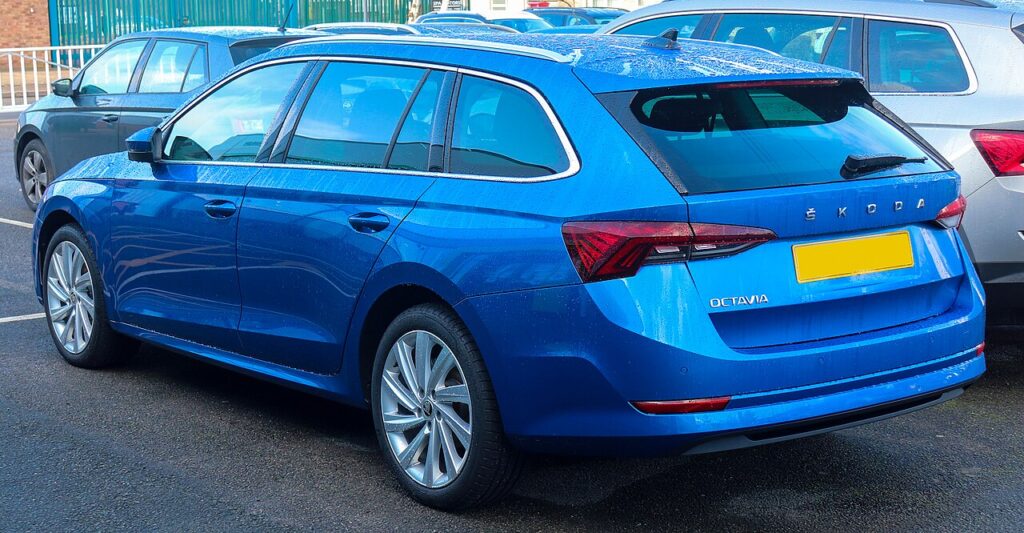
The Škoda Octavia (Mk4, type NX, 2020–present) carries an electromechanical electronic parking brake (EPB) as standard, operated by a small “P” switch on the centre console alongside the Auto Hold button. To change the rear brake pads the screw-driven caliper pistons must be wound fully back, and on this MQB-Evo Škoda that is an electronic-only job. There is no owner button sequence that opens the calipers — you need a diagnostic tool that can put the EPB into service mode.
What service mode does and why you need a tool
Each rear caliper has its own motor and spindle that drive the piston onto the disc to clamp it. Because the piston is screw-actuated, it cannot be pushed back like a front caliper. Service mode commands both motors to wind the spindles fully back, parking the pistons clear of the disc and locking the EPB out so it cannot re-clamp on a raised car. On the Octavia NX you do this with VCDS or ODIS, or equally well with a generic OBD EPB tool such as OBDeleven, Carista or Foxwell.
Retracting the calipers
- Park on level ground, chock the front wheels and select P, engine off.
- Connect a battery charger/maintainer — on the NX the EPB module aborts the routine if voltage drops, so a healthy supply matters.
- Switch the ignition ON without starting the engine, and turn Auto Hold off.
- Plug the OBD tool into the port under the driver’s side of the dash and open the EPB service function (VCDS: address 53 – Parking Brake, Basic Settings; app tools: the “Brake pad replacement” / “Open caliper” routine).
- Run the routine. Both rear motors wind back for roughly 20 seconds — wait for the tool to confirm the action is finished.
- Switch off and unplug. The calipers are retracted, so lift the car, remove the wheels and fit the new pads.
Critical: never force the pistons back by hand
The piston in an EPB caliper is driven by the internal spindle motor. Never push it back with a G-clamp and never use a wind-back tool. Forcing the piston against the motor will strip the spindle, damage the gearbox or shear the motor, turning a routine pad change into a caliper replacement. Always retract electronically with the service-mode routine.
Exiting service mode and bedding in
With the new pads in and the wheels refitted, reconnect the tool, ignition ON, and run the close/reset step so the motors drive the pistons back out to clamp. Start the engine, then apply and release the EPB two or three times and check the warning lamp clears normally. Bed the pads in with 8–10 gentle stops from about 30–40 mph, leaving cooling gaps, and avoid hard braking for the first 100–200 miles so the friction material beds evenly.
Frequently Asked Questions
Is the EPB standard on the Octavia Mk4? Yes — every Octavia NX uses the electronic parking brake with the console “P” switch; there is no manual handbrake variant of this generation.
Can I do the rear pads with no tool? No. Škoda provides no owner button-only service mode on the NX, so you need VCDS, ODIS or a generic OBD EPB tool to retract and then reset the calipers.
Does a budget OBD tool work or do I need VCDS? A cheap OBD tool with a brake-pad-replacement / EPB function does the job on the Octavia Mk4. VCDS and ODIS just give the full dealer menu; the retract-and-reset cycle is identical.
Do I need to switch Auto Hold off first? Yes, turn Auto Hold off and leave ignition on with the engine stopped while the routine runs, so the system does not interfere.
The brake-pad warning light is still on afterwards — why? The reset step probably did not finish, often due to low voltage. Reconnect the charger, re-run the reset and cycle the EPB; if a code stays stored, scan before driving.
If a warning light or stored fault code appears during the job, you can look up what it means on autodtcs.com.
Independent guide — not affiliated with Skoda. Always follow your official service manual and safety precautions. Read our full disclaimer.