These instructions apply to the Hyundai i10 Mk1 (PA) 2008-2013.
For other models, please choose your vehicle here.
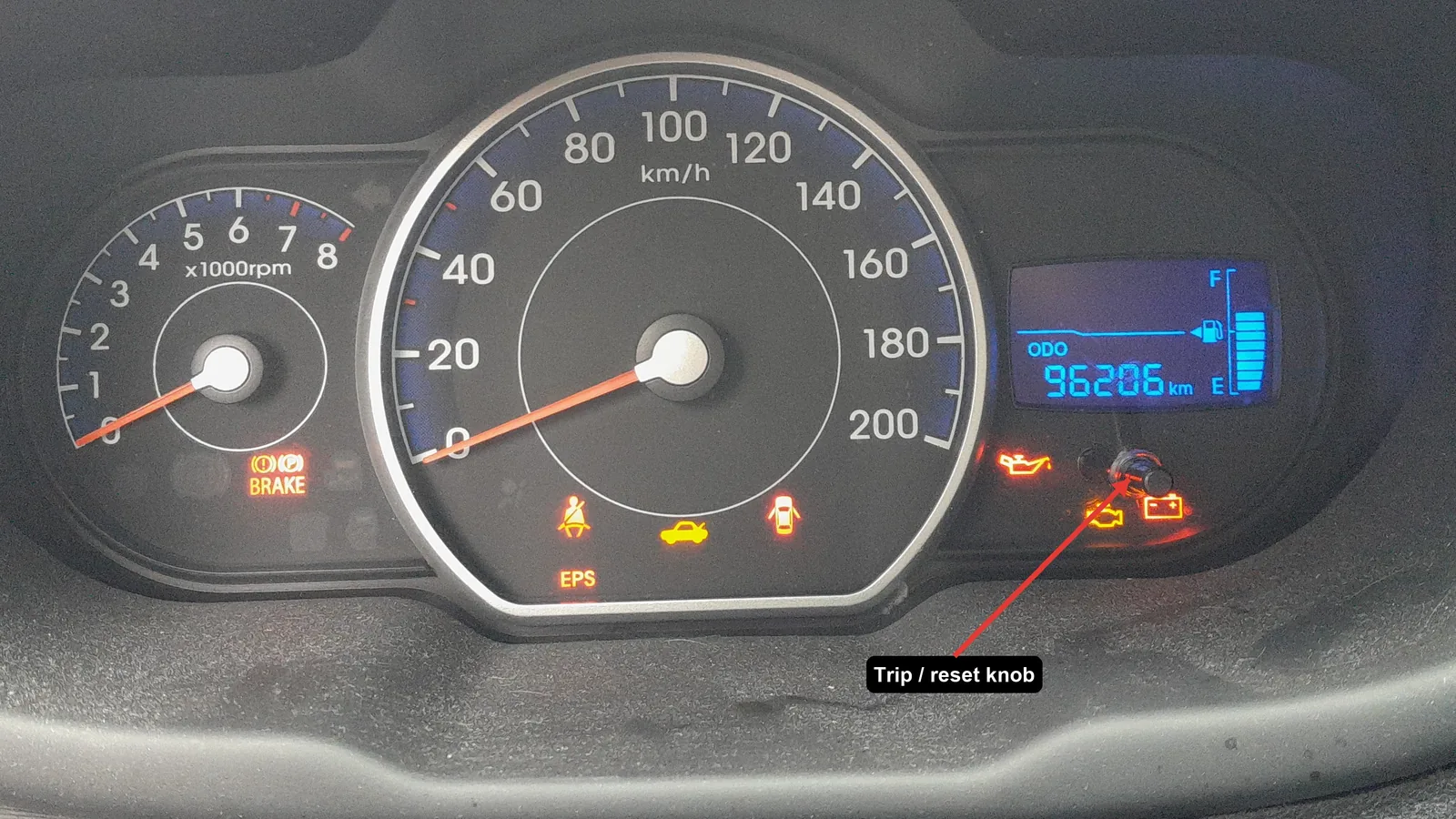
After a service the Hyundai i10 (PA, 2008–2013) shows a service reminder on the instrument display until you reset it. It is a quick job from the driver’s seat using the trip/reset button beside the instruments — no tool needed.
What the reminder tracks
On the i10 the service indicator counts down to the next scheduled service (typically every 10,000 km / 12 months on the petrol engines). Reset it after every service so the countdown starts again from the correct point.
How to reset the service reminder
- Turn the ignition on — do not start the engine.
- Press the trip button (the small stalk/button by the instrument cluster) repeatedly until the service display is shown.
- Press and hold the reset button until the value resets (back to the full interval, e.g. 10,000 km).
- Release the button and turn the ignition off. The reminder is cleared.
Check it worked
Switch the ignition back on: the service display should now show the full interval again and any “service due” message should be gone. If it still shows, repeat, making sure you held the reset button until the figure changed.
Frequently asked questions
Which button resets the Hyundai i10 service light?
The trip/reset button next to the instruments — the same one that switches the trip meter. Cycle to the service display, then hold reset until it returns to the full interval.
Does resetting the reminder change the oil?
No. It only resets the counter. Do the oil and filter change first, then reset so the interval is measured from the real service.
My i10 doesn’t show a service figure — is that normal?
Basic trims on a fixed schedule may not display a countdown at all; there is then nothing to reset — just keep to the service intervals in the handbook.
Do I need to hold the brake or start the engine?
No — ignition on with the engine off is enough. Starting the engine can take you out of the service display.
A service usually means disconnecting the battery too — see our i10 battery guide. If a warning light stays on, look the code up on autodtcs.com.
Independent guide — not affiliated with Hyundai. Always follow your official service manual and safety precautions. Read our full disclaimer.