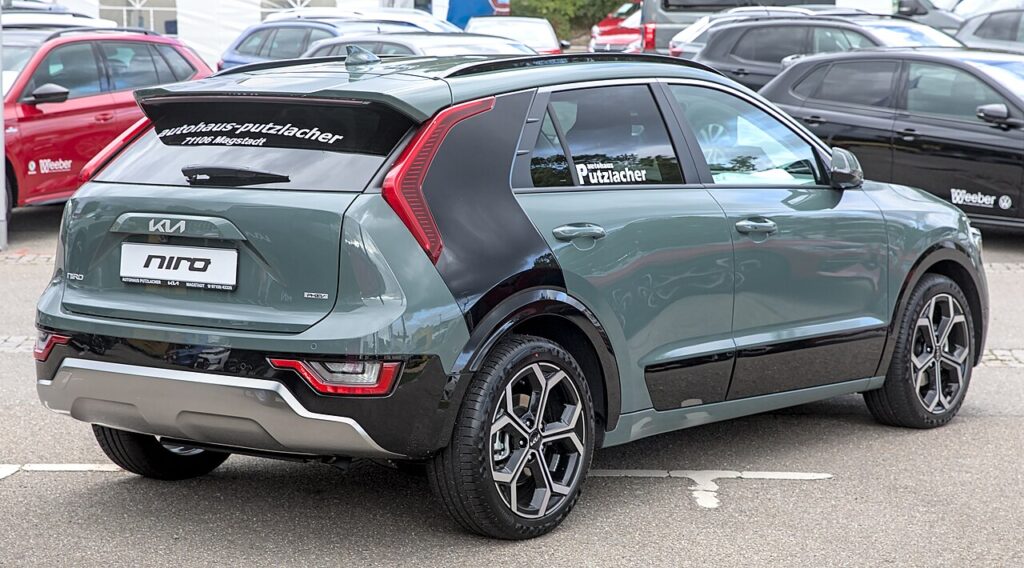
These instructions apply to the Kia Niro Mk2 (SG2) 2022-Present.
For other models, please choose your vehicle here.
The Kia Niro Mk2 (SG2, 2022–present) is a hybrid, so it carries two completely separate electrical systems. This guide covers only the 12 V auxiliary battery — the small conventional battery that wakes the car, runs the lights, locks, alarm and computers, and that you can safely work on at home. The high-voltage traction battery that actually drives the wheels is never an owner job. You would disconnect the 12 V side to renew a tired auxiliary battery, before bodywork or electrical repairs, ahead of long-term storage, or to reset the car’s electronics after a glitch. Done in the right order, the Niro powers back up and relearns its settings cleanly — the only things you have to expect are a reset clock and a couple of features that need a quick re-teach.
Two Systems — Know the Difference
Before you touch anything, it’s worth being clear about which battery is which, because the two systems on a hybrid look nothing alike and only one of them is safe to handle.
- The 12 V auxiliary battery runs the lights, locks and control modules and is what actually boots the car up when you press start. On the Niro Mk2 the disconnect and jump terminals are in the engine bay — a clearly marked 12 V positive jump point under a red cover and a separate earth point — which is exactly where you cut and restore power.
- The orange high-voltage cabling and hybrid drive battery propel the car. Never touch them. Anything orange is strictly dealer and technician territory; the 12 V work below does not involve it at all.
Before You Begin
- Make sure the car is fully off — not in READY — and that the smart key is well away from the car so it can’t wake anything.
- Switch off the lights, climate control and any accessories, and close the doors you don’t need.
- Note down your audio security code if your unit uses one, so you can re-enter it afterwards.
- Wait a couple of minutes after switching off for the modules to power down before you loosen anything.
- Have the correct spanner ready, and wear gloves and eye protection. Keep well clear of the orange high-voltage components the whole time.
Disconnecting the 12 V Power
- Confirm the car is fully off (not READY), the smart key is away, and you’ve noted any audio code.
- At the engine-bay terminals, disconnect the negative (−) earth first and tuck the lead safely aside so it can’t spring back onto the post.
- If you also need the positive, lift the marked red cover on the positive (+) jump terminal and disconnect it next.
Keep clear of the orange high-voltage parts throughout. If the auxiliary battery itself needs replacing rather than just disconnecting, follow the location and clamp details in your owner’s handbook for your exact variant, or let a workshop handle it.
Reconnecting & Re-teaching
- Reconnect the positive (+) first, then the negative (−) last, and make sure both are firm.
- Reset the clock and date, and re-enter the radio code if you’re prompted.
- Re-initialise the electric windows and, if fitted, the sunroof so the one-touch and anti-pinch behave — see our Niro window guide.
- Press start to READY and check that no new warning lights remain lit.
What You’ll Need to Reset Afterwards
Cutting the 12 V power wipes a few short-term memories. On the Niro Mk2 expect to sort out:
- the clock, date and radio presets (and the security code if used);
- the one-touch and anti-pinch windows, which lose their learned end-stops;
- the sunroof initialise where one is fitted;
- any TPMS and driver-assist settings, which usually re-store on their own after a short drive;
- the stop-start / battery management, which relearns the battery state over a drive or two.
Most warning lights that flag during the power cut clear themselves once the car has been driven a short distance.
If a Warning Light Stays On or the Car Feels Off
- Re-check that both terminals are clean and tight — a loose earth causes the most odd faults.
- Take the car for a short drive to let the modules relearn before assuming anything is wrong.
- Re-run the window (and sunroof) re-initialise if one-touch or auto-close isn’t working.
- Rule out a genuinely flat or worn auxiliary battery — an old 12 V battery can throw hybrid-system warnings.
- Read any stored fault code before replacing parts.
Frequently Asked Questions
Where do I disconnect the 12 V on a Kia Niro Mk2?
At the marked 12 V jump and disconnect terminals in the engine bay — a red-covered positive point and a separate earth. Always take the negative (earth) off first and put it back on last.
Which terminal comes first?
Disconnect the negative (−) earth first when powering down, and when reconnecting do the positive (+) first and the negative last. That order avoids any short against the bodywork.
Is it safe to do on a hybrid?
Yes, for the 12 V side — it behaves just like the battery in any conventional car. Only the orange high-voltage cabling and hybrid drive battery are off-limits, and this job never touches them.
What do I need to reset afterwards?
The clock, radio presets and any security code, plus a quick re-initialise of the one-touch windows and sunroof. Stop-start and the driver aids relearn on their own over a short drive.
Does the 12 V battery need coding?
No registration is required for a like-for-like 12 V auxiliary battery on the Niro. Just fit the correct type, then re-teach the windows and reset the clock.
Can I jump-start the Niro instead?
Yes — use the engine-bay 12 V jump terminals to wake the car, and it then starts the hybrid system itself. Never jump from or to the high-voltage side.
For any warning light that stays on, look up the code on autodtcs.com. To clear the service reminder, see our Niro Mk2 service reset.
Independent guide — not affiliated with Kia. Always follow your official service manual and safety precautions. Read our full disclaimer.