These instructions apply to the Kia Niro Mk2 (SG2) 2022-Present.
For other models, please choose your vehicle here.
If the one-touch (auto up/down) windows stop working on your Kia Niro Mk2 (SG2, 2022–present) — usually after the 12 V supply was disconnected or went flat — the window motor has lost its learned end-stops and anti-pinch reference. Re-teaching it takes seconds per door, no tools.
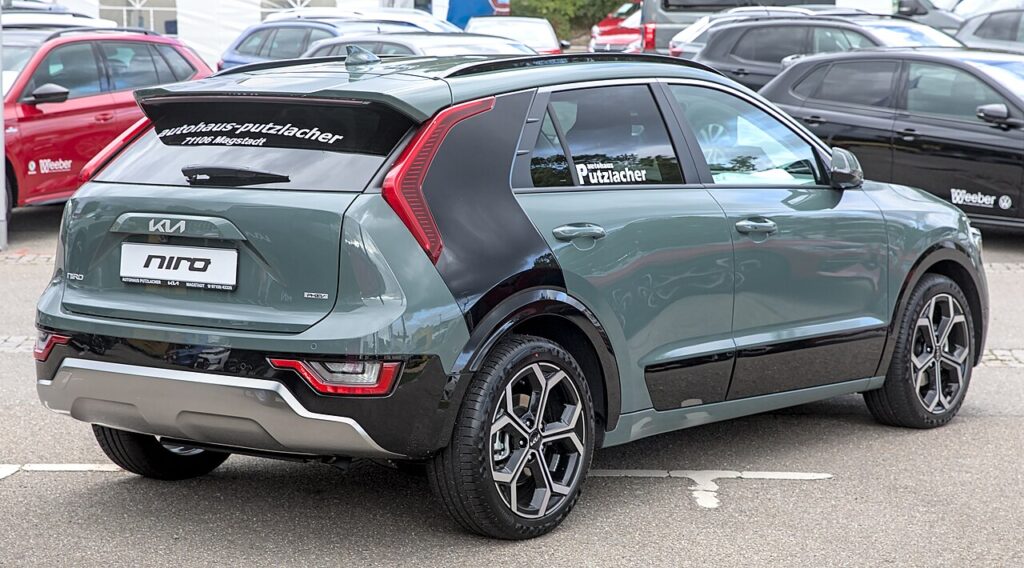
The Niro’s windows offer express one-touch operation — a single tap runs the glass fully up or down — plus anti-pinch protection that reverses the window if something is trapped as it closes. Both features need the door module to know exactly where the fully-closed point sits. As a hybrid and plug-in hybrid, the Niro still runs its body electronics from a conventional 12 V battery, and it is that supply which holds the learned window limits. If the 12 V is disconnected or drops flat, the memory clears and express mode drops out. This is normal, not a fault, and is fixed by teaching the limits back in.
How It Works on This Model
The window controller remembers the fully-closed position so one-touch can stop correctly and the safety auto-reverse can work. A power interruption clears that memory, leaving only hold-to-move operation. Note that it is the low-voltage 12 V system, not the high-voltage traction battery, that powers the windows — so any 12 V disconnect, jump, or flat-battery event is what wipes the learned limits and calls for this re-initialise.
Before You Start
- Sit in the car with the door closed so the glass reaches its true top.
- Switch the ignition on (ready/on state; the engine need not be running).
- Work on one window at a time from its own switch.
- Keep hands and objects clear of the glass path.
- If the 12 V was just reconnected, confirm it is charged and holding before you start.
How to Re-initialise a Window
- Sit in the car with the door closed and the ignition on.
- Pull the switch up to fully close the window and keep holding for about 2–3 seconds after it stops.
- Release, then push the switch down to fully open and hold a moment at the bottom.
- Pull up again to fully close and hold for a couple of seconds at the top.
- Release and test one-touch up and down — it should now run on its own.
Repeat for each affected window using its own switch.
If One-Touch Still Doesn’t Work
- Hold a little longer at the fully-closed stop — the controller needs to register the top limit.
- Make sure the door is shut and the 12 V battery is healthy during the learn.
- Run the whole up-down-up cycle again — one pass sometimes only part-teaches the stops.
- Check the relevant window fuse if a switch is completely dead rather than just un-learned.
- Watch for a window that stops short of the top — a dirty channel or tight seal can prevent it reaching the true closed point.
- Use each rear door’s own switch, not just the driver’s master panel, if a rear window won’t take the learn.
- A persistent failure after a clean attempt can mean a worn regulator or switch — any stored fault can be checked on autodtcs.com.
What to Expect After
With the limits relearned, a single tap should run the window fully up or down on its own, and anti-pinch auto-reverse is active again. The learned position is stored, so it stays set until the 12 V supply is next interrupted. Since a hybrid can flatten its 12 V battery if left standing a long time, it is worth knowing this quick routine for the future.
Frequently Asked Questions
Why did my Niro windows stop going up automatically?
A 12 V disconnect or a flat 12 V battery wiped the learned fully-closed position, so the door module reverts to hold-to-move only. The glass still runs while you hold the switch, but express one-touch and anti-pinch stay off until you re-initialise the window with the short hold routine.
How do I reset the auto window on a Kia Niro?
With the ignition on and the door shut, hold the switch up to fully close and keep holding 2–3 seconds; if needed, fully open and then fully close again, holding at the top. That re-teaches the end limits, restoring one-touch and anti-pinch. Repeat on each affected door from its own switch.
Does the high-voltage battery affect the windows?
No — the windows run from the 12 V system, the same as on a petrol car. The traction battery drives the wheels only. So it is a 12 V disconnect, jump-start, or flat 12 V that wipes the window memory, and this re-initialise is what restores it.
Do I have to do every window?
Only the ones with one-touch that have lost it. If just the driver’s window is affected, re-teach that one. Where the passenger and rear windows also have express operation and dropped it after the power loss, run the same routine at each of those switches.
Do I need a tool?
No — it is done entirely from the window switches. There is no dashboard menu, code, or diagnostic scanner needed for the basic re-initialise; you only need the ignition on and a few seconds at each door.
The window rises a little then stops or drops — is it broken?
Usually not. Without a learned top limit the anti-pinch system treats the travel as an obstruction and halts or reverses the glass. Completing the full up-down-up hold routine gives the module a valid closed position, after which the window runs to the top normally.
This is the step most owners miss after battery work — see our Niro battery guide. For warning lights, look up the code on autodtcs.com.
Independent guide — not affiliated with Kia. Always follow your official service manual and safety precautions. Read our full disclaimer.