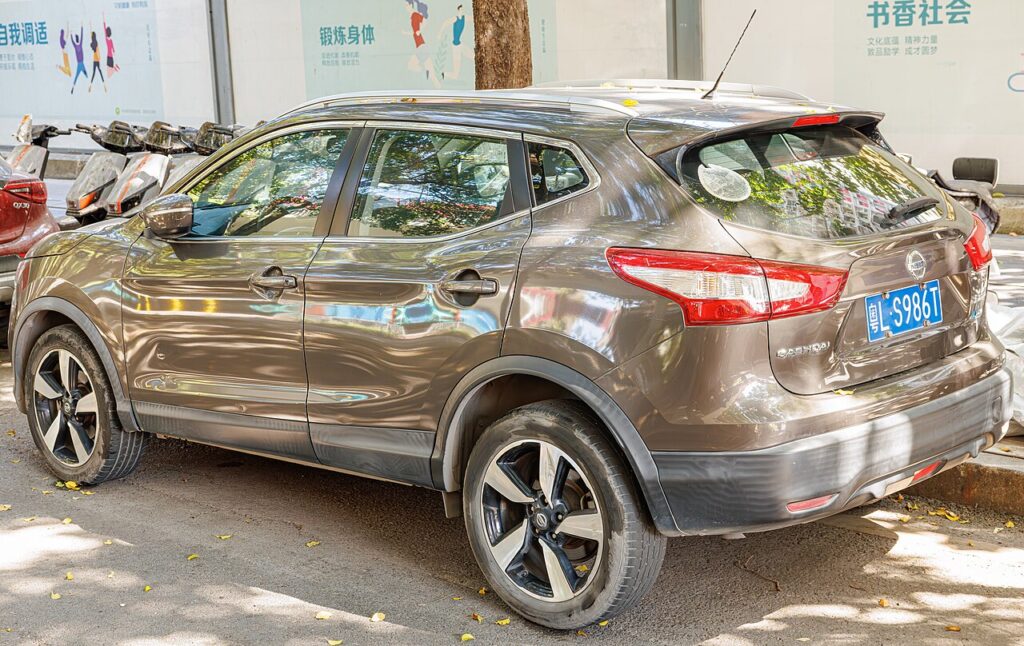
These instructions apply to the Nissan Qashqai Mk2 (J11) 2014-2021.
For other models, please choose your vehicle here.
The second-generation Nissan Qashqai (J11 chassis, 2014–2021 — also sold as the Rogue Sport in the US) shares its electrical architecture with the Pulsar C13 and Note E12 but adds a battery management system (BMS) sensor on the negative terminal that tracks state of charge and state of health. Disconnecting the 12-volt battery clears the usual volatile state (radio presets, clock, idle adaptation, window calibration) plus the BMS’s running estimate of battery condition. This guide covers the safe disconnect/reconnect sequence and the post-reconnection re-learns specific to the J11.
Before you start
The Qashqai’s battery sits in the engine bay under a moulded plastic cover at the front-right corner (right-hand-drive UK/IRL spec) or front-left (left-hand-drive EU). Two clips at the front of the cover release it; the cover hinges backwards to reveal the terminals. The BMS sensor is a small black box clamped between the cable and the negative post — don’t lose or disturb it. Battery type is conventional flooded on early trims without Stop/Start, EFB on trims with the ECO Stop/Start system (most facelift cars from 2017).
- Pyrotechnic safety wait — 3 minutes. The Qashqai’s airbag control unit holds capacitor charge for 3 minutes after the negative terminal lifts. Don’t touch airbags, pretensioners, or the steering column for the full 3 minutes.
- Intelligent key in the cabin. The Qashqai’s immobiliser cross-checks the smart key during several procedures after reconnection — leave it on the driver’s seat or in the centre console.
- Don’t disturb the BMS sensor. If you remove the negative cable, lift it cleanly from the BMS sensor’s terminal clamp — don’t pry the sensor off the cable. A misaligned sensor reads incorrectly and the BMS algorithm won’t trust it; Stop/Start will refuse to arm until the sensor is properly oriented.
- Open a front window before disconnecting. Smart-key central locking is reliable on the J11 but if anything misbehaves after reconnection, you’ll have a way back into the car.
Tools required
- 10 mm spanner or socket (terminal nuts)
- 12 mm socket (battery hold-down bolt at the front of the battery base)
- Extension bar and ratchet (the hold-down is recessed; a 4–6″ extension helps)
- Optional: memory-saver lead with 9 V supply, terminal brush, terminal grease
Disconnect procedure
- Switch the ignition fully OFF (press the START button while the engine is running to turn it off, then press once more from accessory to fully off; the dashboard goes dark). Take the intelligent key out of the cabin or place it well away from the car (at least 5 metres) — the BCM only enters proper sleep state when no key is detected.
- Wait two minutes for control modules to enter sleep state. The BCM and ECM take this long on the J11.
- Open the bonnet and lift the moulded plastic cover off the battery (two clips at the front, then hinge it backwards).
- Loosen the negative (−) terminal nut with the 10 mm. The terminal clamp connects to the BMS sensor. Lift the clamp + sensor assembly clear of the post, keeping the sensor attached to the cable. Rest it against the side of the battery box so it doesn’t spring back onto the post.
- Loosen the positive (+) terminal nut. Lift the clamp off and cover the bare positive post with a clean cloth.
- If removing the battery: use the 12 mm to release the hold-down bolt at the front of the battery base. The bracket lifts up. The battery (around 14 kg on flooded, 16 kg on EFB) lifts straight out.
Reconnect procedure
- Verify the new battery is the right spec — see the FAQ below for OEM values by engine.
- Clean both posts and clamps with a wire brush until they show bright fresh lead.
- Fit the battery and secure the hold-down bolt to 5 Nm before any cable work.
- Connect the positive (+) terminal first. Tighten the nut to 5–7 Nm.
- Connect the negative (−) terminal second, with the BMS sensor properly oriented (sensor body straight along the cable, parallel to the post). Tighten to 5–7 Nm.
- Apply terminal grease to the outside of both joints (not on the post before clamping — grease is an insulator).
- Refit the plastic cover.
- Bring the intelligent key back into the cabin. Press START with the brake pedal pressed. The engine should crank and fire normally.
Post-reconnection tasks
- Reset the clock and date on the centre display — some trims auto-sync via GPS; others need manual setting.
- Reset radio presets and re-pair Bluetooth on phones that were previously connected.
- Re-initialize the electric windows — see Qashqai J11 power windows initialize.
- For ECO Stop/Start variants: the system will refuse to arm until the BMS has re-sampled state of charge through driving. Allow approximately 30 minutes of mixed driving plus one overnight rest before expecting Stop/Start to re-engage cleanly.
- Drive in a straight line at 30 km/h or above for at least 1 minute to allow the steering angle sensor to re-zero. Then slowly full-lock left, return to centre, slowly full-lock right while stationary. Clears any ABS/VDC lamps that activated after the disconnect.
- Direct TPMS: drive normally for 15 minutes; the per-wheel sensors will re-establish communication with the body module. Optional: run the menu-driven TPMS reset (see the TPMS guide for the J11) to commit the current pressures as the new baseline.
- Run a short scan with a generic OBD-II tool to clear any “freeze frame” codes the modules logged during the disconnect. A pending P0606 or similar bus-communication code immediately post-reconnect is normal and self-clears after one drive cycle.
Troubleshooting
Engine cranks but won’t start. The intelligent key has lost sync with the immobiliser. With brake pedal pressed, touch the smart key directly to the START button (the J11 has a backup induction antenna in the button) and press. This forces a direct authentication. If still no start, disconnect the battery for 5 full minutes and reconnect — this resets the BCM and re-pairs the key.
Warning lights stuck on after reconnection. Most common: ABS and VDC together, from steering angle sensor needing a re-zero. Drive straight for a minute, then full-lock both ways. If they remain after that, the steering angle sensor has logged a stored fault — scan with a Nissan-aware tool (CONSULT III+ or Carista with the Nissan subscription).
Stop/Start refuses to arm even after 30 minutes of driving. Two likely causes: (a) battery state of charge still below threshold — put the car on a smart charger overnight and try the next day; (b) the BMS sensor on the negative terminal is disturbed or misaligned — re-tighten the negative terminal making sure the sensor body is straight along the cable.
Idle is high (1,200–1,400 rpm) and hunts for the first 5–10 minutes. Normal — the ECU is re-learning idle-air adaptation. Let it idle from cold for 3 minutes without accessories, then drive normally. If it persists past 50 km, look for a vacuum leak at the intake (a hose disturbed during the battery work is the usual cause).
Push-button start shows “INSERT KEY” with the key in the cabin. The intelligent key’s internal CR2032 battery may be weak — try a fresh coin cell. If the message persists, the antenna unit in the dashboard has lost calibration; cycle the ignition twice (without starting) — usually resolves.
Frequently asked questions
Does the Qashqai J11 need battery registration after replacement?
For ECO Stop/Start trims, yes — the BMS needs to know that a fresh battery has been fitted so it can baseline the state-of-charge algorithm. This is done with CONSULT III+ (dealer) or compatible aftermarket tools. Without registration, Stop/Start works eventually but the BMS will report inaccurate state-of-health and may suppress the system earlier than necessary. Non-Stop/Start trims don’t require registration.
What’s the OEM battery spec?
1.2 DIG-T (HR12DDT) without Stop/Start: 60 Ah, 540 A CCA, type EN60. 1.2 DIG-T with ECO Stop/Start: 60 Ah EFB, 580 A CCA. 1.5 dCi diesel (K9K): 70 Ah, 720 A CCA. 1.6 dCi diesel (R9M): 70 Ah EFB on Stop/Start variants. 1.6 DIG-T petrol: 60 Ah EFB.
Can I fit an AGM battery to a non-Stop/Start Qashqai?
The J11’s charging system isn’t optimised for AGM — alternator voltage peaks around 14.5 V, on the low end for AGM. AGM will work but won’t last as long as in a properly AGM-coded car (typical 4–5 years vs. 7+ in a Mercedes/BMW). Stick with EFB on Stop/Start trims and conventional flooded on non-Stop/Start.
How long can the Qashqai sit without a battery before something goes wrong?
Indefinitely on disconnect. Nothing is damaged. What’s lost: clock, Bluetooth pairings, radio presets, idle adaptation, window calibration, and the BMS state-of-charge estimate. Smart-key codes, ECU adaptation parameters, ABS calibration all survive.
Should I use a smart charger to charge the battery in-car?
Yes — modern smart chargers (CTEK, NOCO) are safe on J11 electronics. Use the dedicated positive jump-start post under the bonnet and a chassis earth point rather than reaching down to the BMS sensor at the negative terminal — that way the BMS counts the charge correctly.
For diagnostic trouble codes that surface after the battery work and don’t clear with a normal drive cycle, see autodtcs.com.
Registering or Coding the New Battery
Depends on the model. Cars with a battery current sensor may need the battery data reset with a tool (dealer or a capable scanner); simpler models need only a relearn drive.
Independent guide — not affiliated with Nissan. Always follow your official service manual and safety precautions. Read our full disclaimer.