These instructions apply to the Renault Megane Mk4 (XFB) 2016-2022.
For other models, please choose your vehicle here.
When the spanner and a service message appear on your Renault Megane Mk4 (2016–2022), the service counter has run down. It is a maintenance reminder, not a fault: the car tracks the distance and time since the last reset, and when that interval elapses it lights the spanner and shows a service message to prompt the next oil and filter change. The car will still drive normally — the display is simply telling you it is time for scheduled maintenance. You clear it from the instrument-display menu using the stalk/steering controls — no garage tool needed. Do the oil and filter change first.
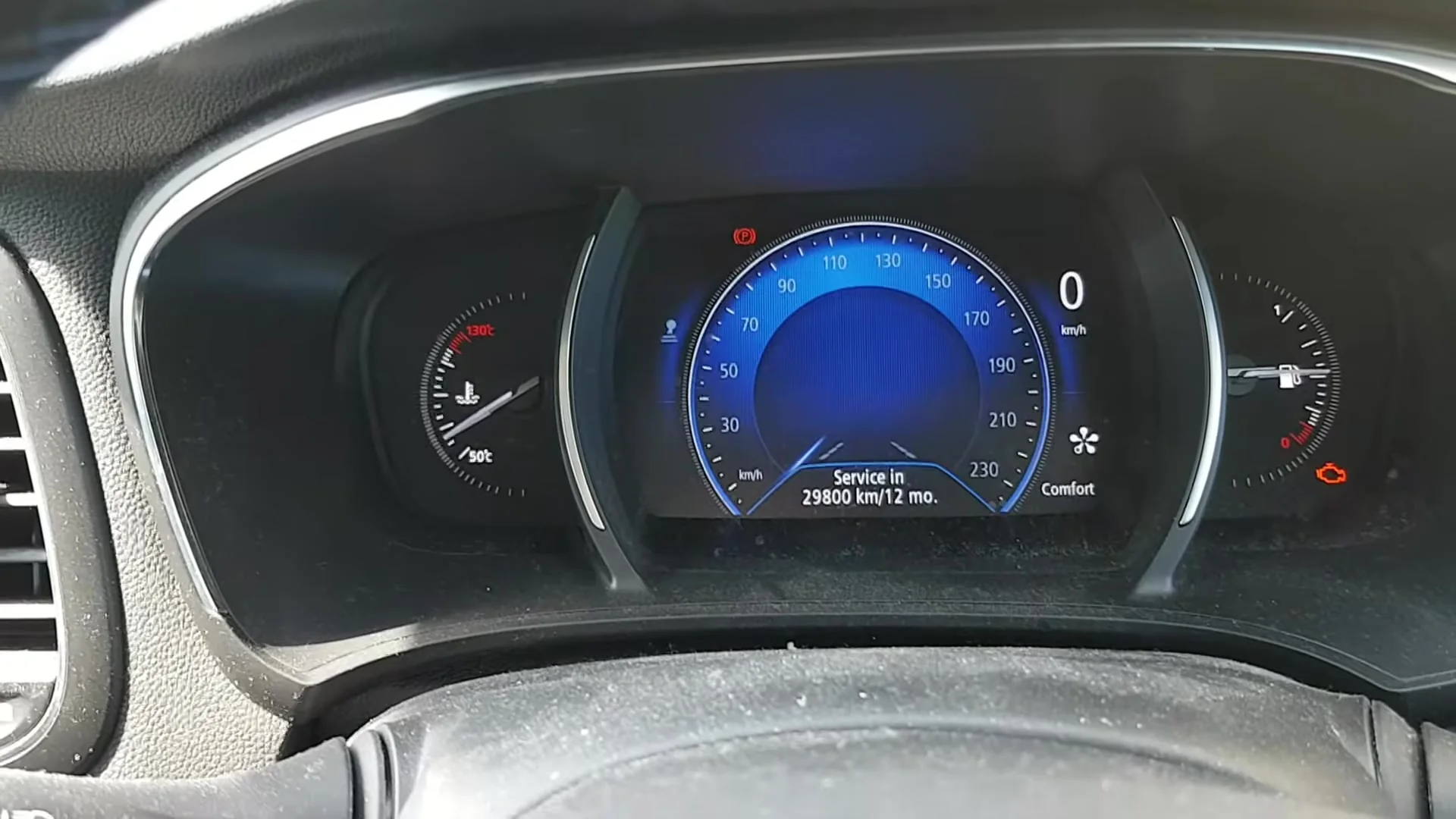
What the Service Light Means
On the Megane Mk4 the spanner is the service-due indicator, and the ‘Service Interval’ readout in the instrument menu shows the distance remaining until the next service. The system is interval-based: it counts down distance and elapsed time from the last reset rather than measuring the oil directly, so reaching zero is a scheduling prompt, not a sign that anything has failed. Because the counter has no way of knowing whether the oil has actually been changed, resetting it only restarts the count — it does not affect the oil. That is why the reset should always come after the service work, never before.
The exact distance and time limits depend on the engine and market, so treat the reminder as the trigger to have the service done and refer to your Renault handbook for the schedule that applies to your car.
First, a Few Checks
Reset the service indicator only after the oil and filter change is complete, so the next reminder lands at the right point. A few things to check first:
- Park on level ground with the parking brake applied.
- Turn the ignition on but do not start the engine — the reset needs the ignition live with the engine off.
- Find the display button on the wiper/column stalk or steering wheel, and the OK control you will hold.
- No tools and no scan equipment are needed — everything is done from the dashboard menu.
Reset After the Service Only
The counter just measures distance and time. Reset it once the work is done, or the next reminder will be wrong.
How to Reset the Megane Mk4 Service Indicator
- Turn the ignition on — do not start the engine.
- Press the display button (on the wiper/column stalk or steering wheel) repeatedly until ‘Service Interval’ is shown.
- Press and hold ‘OK’ for at least 5 seconds, then release.
- Press and hold ‘OK’ again for about 10 seconds.
- The display now shows the full distance to the next service — the reset is done. Turn the ignition off.
If It Doesn’t Reset
If the spanner or service message is still there, check through these before assuming a fault:
- You didn’t hold long enough — both OK-holds (about 5 seconds, then about 10 seconds) are needed, and the second one must run long enough for the full distance to reappear.
- Wrong menu item — make sure the display is on ‘Service Interval’ before you hold OK; holding on any other screen won’t clear the counter.
- Engine running — the ignition must be on with the engine off. If the engine started, switch it off and try again.
- A different warning is lit — that’s a fault, not the service counter, and this procedure won’t clear it.
- Still showing? Switch the ignition off, wait a few seconds, switch back on and repeat both OK-holds from the start.
Once the Reset Is Done
When the reset completes, the ‘Service Interval’ readout jumps back to the full distance to the next service, and the spanner should be gone the next time you switch on. If the light stays away through a few ignition cycles and a short drive, the reset has taken. If it returns immediately, the OK-holds most likely didn’t complete — repeat them.
Reset Frequency
Reset the indicator after every service, each time the oil and filter are changed or the scheduled maintenance is carried out. Because the Megane Mk4 uses a distance-and-time interval, the reminder returns whenever the next limit is reached, whichever comes first. For the exact figures, follow the maintenance schedule in your Renault owner’s handbook rather than a fixed number — petrol and diesel variants can differ.
Frequently Asked Questions
How do I reset the service light on a Renault Megane?
Ignition on, scroll to Service Interval, hold OK ~5 seconds, release, then hold OK ~10 seconds until the full distance shows.
Do I need a diagnostic tool?
No — it’s done from the dashboard display using the stalk and OK controls.
Does the engine need to run?
No — ignition on, engine off.
The message came back — why?
The OK-holds didn’t complete. Repeat both steps, making sure you are on the ‘Service Interval’ screen and hold each time for long enough.
Which button do I use?
The display button on the wiper/column stalk or steering wheel to reach ‘Service Interval’, then the OK button held to carry out the reset.
Will resetting fix a warning light?
No. Resetting only zeroes the service counter. A separate warning is a stored fault that needs its own diagnosis.
If a warning light appeared with the service message, look it up on autodtcs.com. After battery work, see our Megane Mk4 battery guide.
Independent guide — not affiliated with Renault. Always follow your official service manual and safety precautions. Read our full disclaimer.