These instructions apply to the Toyota C-HR Mk1 (XW10) 2016-2023.
For other models, please choose your vehicle here.
After the 12V battery on a Toyota C-HR (Mk1/AX10, 2016–2023) is disconnected or goes flat, the one-touch auto function on the electric windows usually stops working — the glass only moves while you hold the switch, and auto-up/down and the anti-trap protection are disabled until you re-teach each window. This short relearn restores them.
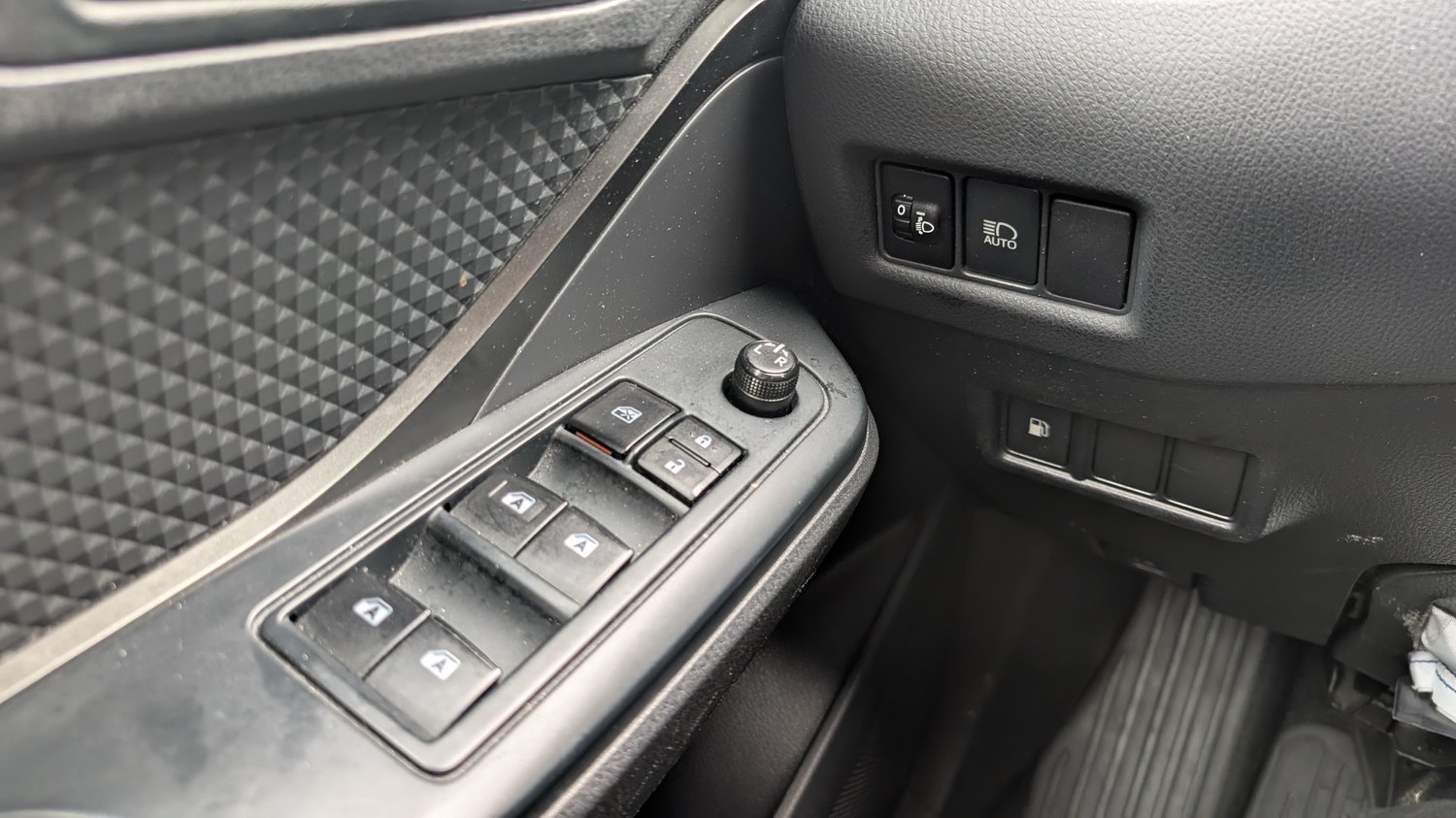
Before you start
- Do this after any battery disconnect, replacement or jump-start, or whenever a window loses its one-touch and auto-reverse.
- Switch the car to IGNITION ON (or READY); the windows need power to relearn.
- Keep hands and passengers clear of the glass — while auto-reverse is disabled a closing window will not stop on an obstruction.
Re-initialise a Window — Step by Step
Do this at each affected door, using that door’s own switch (the driver’s master switch can relearn the front windows from the driver’s seat):
- With the ignition on, press and hold the window switch DOWN until the glass is fully open, then keep holding for another second after it stops.
- Release, then pull the same switch UP and hold until the window is fully closed, keeping it held for a second or two after it seats at the top.
- Release the switch. Briefly tap auto-down and auto-up to confirm one-touch now works in both directions.
- Repeat for each window that lost its auto function.
If It Still Won’t Auto
Run the hold-open, hold-closed cycle once more, making sure you keep the switch held for that extra moment at each end — that pause is what teaches the window its travel limits. If a window still refuses to auto-close or the anti-trap keeps reversing it, the regulator or motor may be worn and worth checking. Re-teach every window that was affected, not just the driver’s.
Frequently Asked Questions
Why did my windows stop auto-closing after a battery change? The window modules lose their stored top and bottom limits when power is removed. Without those limits the C-HR disables one-touch and auto-reverse for safety until you relearn each window.
Do I have to do all four windows? Only the ones that lost the function — but a battery disconnect usually affects all of them, so it is quickest to relearn each in turn.
Is the hybrid C-HR any different? No. The window switches and relearn are the same on the 1.8 hybrid and the 1.2 turbo.
The window moves but won’t hold auto — what now? You probably released the switch too early. Hold it a full second past the fully-open and fully-closed points so the module captures both limits.
If the battery work also left a warning light on the dash, you can check what the code means on our sister site autodtcs.com.
Independent guide — not affiliated with Toyota. Always follow your official service manual and safety precautions. Read our full disclaimer.