These instructions apply to the Volkswagen Golf Mk7 (5G) 2012-2020.
For other models, please choose your vehicle here.
The rear calipers on the Volkswagen Golf (Mk7, 2012–2020) — including the GTI, GTD and Golf R — use an electric motor on each rear caliper instead of a cable handbrake. Before you can change the rear pads you have to put the electronic parking brake (EPB) into service mode so the motors wind themselves back electronically. This is not an owner button trick: the Mk7 has no hidden three-pedal dance to release the calipers. You need a scan tool that can talk to the parking-brake module.
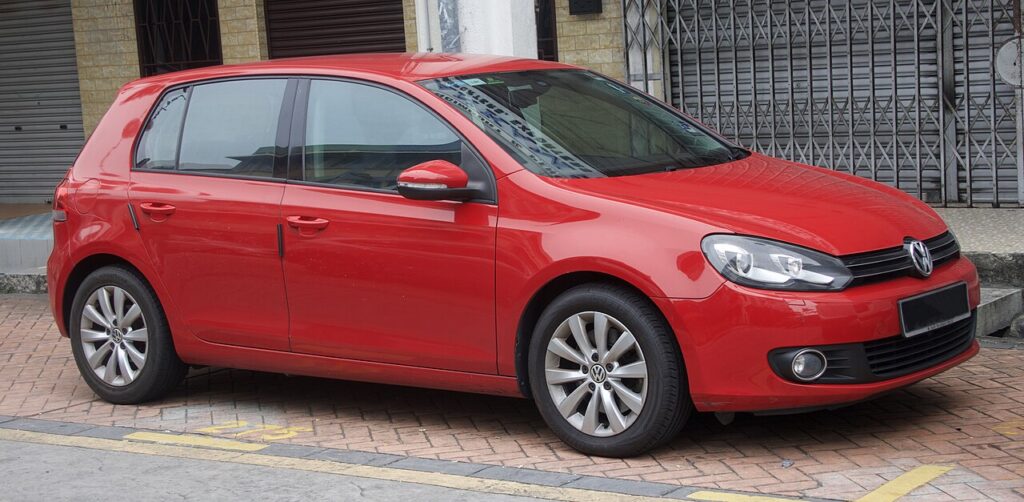
What Service Mode Is and Why You Need It
The EPB switch on the centre console clamps the rear pads by driving a small electric motor through a gearbox onto the back of each piston. To fit thicker new pads you must first command those motors to retract fully. Service mode does exactly that — it backs the spindles right off so the piston can be pushed home by hand with the pads off the disc.
You will need a tool that reaches address 53 (Parking Brake): Ross-Tech VCDS, OBDeleven, or any cheap (£20–40) generic OBD EPB/SAS service tool that lists VAG “brake pad change” or “lining change mode” routines. A plain code reader will not do it.
Retracting the Caliper
- Park on level ground, ignition on (engine off). Connect a battery charger/maintainer — the EPB module is fussy about voltage and will abort mid-routine if it sags.
- Turn Auto Hold off (the AUTO HOLD button by the EPB switch) and make sure the EPB itself is released.
- Plug the tool into the OBD port under the dash. Select [53 — Parking Brake] → Basic Settings → Start lining change mode (generic tools call it “EPB / brake pad replacement”). The motors whirr and the spindles back off.
- Wait about 30 seconds after the noise stops, then remove the caliper. The piston is now free to be pushed straight in by hand — no twisting.
Never Force the Pistons
Do not wind the rear pistons back with a clamp or a wind-back/cube tool, and never turn them by hand. Unlike an old screw-type caliper, the Mk7 rear piston is driven by the EPB motor and its spindle. Forcing it will strip the motor gears or the spindle thread and leave you buying a caliper. Once service mode has backed the spindle off, the piston pushes in with light, straight hand pressure only.
Exit and Bed-In
With new pads and the caliper bolted up, go back into the tool and select End lining change mode (or “close / exit”). The motors re-clamp and take up the gap to the new pads. Cycle the ignition off and on, then apply and release the EPB switch a couple of times and confirm the dash brake-warning light is out. Finally, bed the pads in: several moderate stops from about 30–40 mph, letting the brakes cool between them, before any hard use.
Frequently Asked Questions
Can I change the Golf Mk7 rear pads without any tool?
No. The rear EPB motors must be retracted electronically. There is no manual override button sequence on the Mk7 — a £20–40 generic OBD EPB tool is the cheapest legitimate route.
Where is the EPB switch?
On the centre console behind the gear lever, marked with the (P) parking-brake symbol, with the AUTO HOLD button beside it.
Do I really need a battery charger?
Yes. The parking-brake controller aborts if voltage drops, and a half-finished routine can leave the calipers stuck open. Keep a charger on for the whole job.
What if I get an EPB fault afterwards?
Usually the routine was interrupted or the calipers weren’t closed. Re-run End lining change mode, then clear the fault. A stored code can be checked on autodtcs.com.
Is the procedure the same for GTI and Golf R?
Yes — the bigger performance brakes still use the same rear EPB motors and the same service-mode routine.
If a parking-brake warning lingers after the job and stores a fault code, look it up on autodtcs.com.
Independent guide — not affiliated with Volkswagen. Always follow your official service manual and safety precautions. Read our full disclaimer.