These instructions apply to the Alfa Romeo Stelvio Mk1 (949) 2017-Present.
For other models, please choose your vehicle here.
The Alfa Romeo Stelvio (Type 949, 2017–present) comes with a single style of key across the range — the slim, leather-backed keyless smart fob that lets you walk up, unlock and push-button start without taking it out of your pocket. When that convenience starts failing — the tailgate ignores the button, the doors only respond up close, or the dash flashes a key-battery warning — the usual culprit is the little coin cell buried behind the emergency blade. The good news is that Alfa made this one genuinely DIY-friendly, though the way the cell is held is unusual enough to trip up anyone expecting a plain snap-in tray.

How to Tell the Fob Battery Is Dying
- The keyless walk-up stops working. You find yourself pressing the button or standing right against the handle instead of the doors reading the fob automatically — the first thing to go as the cell weakens.
- A key-battery warning on the display. The Stelvio’s instrument cluster shows a low-key-battery message when the fob voltage drops; treat it as a two-week warning, not an emergency.
- Push-button start needs the fob held close. If the car will only start when you hold the fob against the steering column or start button, it is reading the transponder by backup induction because the radio side has gone quiet.
- Worse in the cold. A tired lithium cell struggles at low temperature, so intermittent winter-morning failures that clear by afternoon point straight at the battery.
Expect roughly two to four years from a Stelvio fob battery. If yours is in that window and showing these signs, swap the cell before suspecting anything deeper.
The Battery You Need
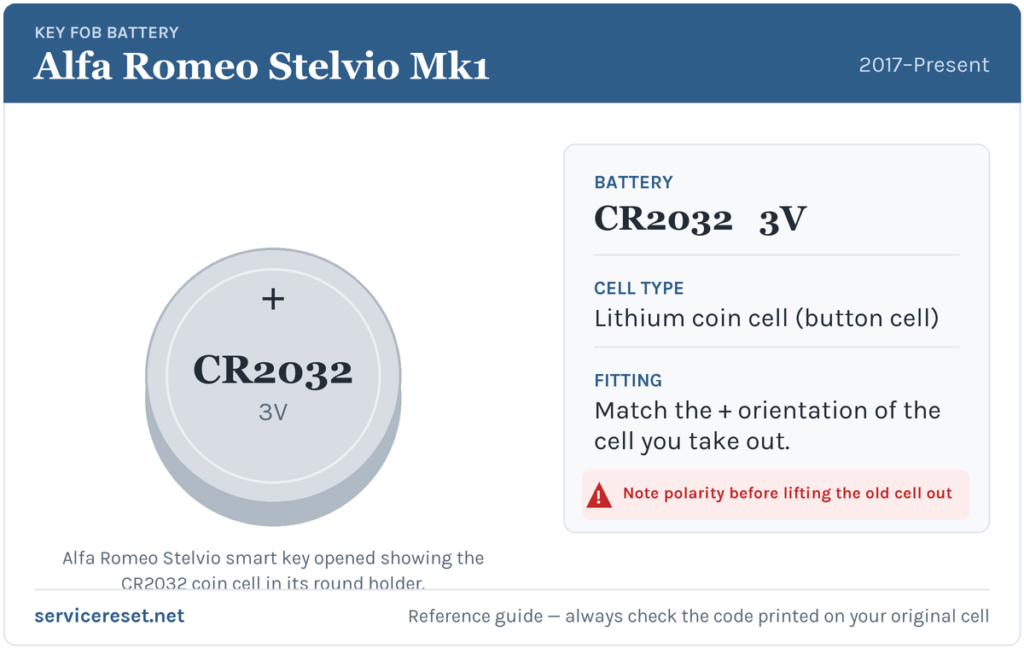
The Stelvio smart fob takes a CR2032 — the widely stocked 3-volt lithium coin cell, around 20 mm across. Any supermarket, chemist or hardware shop carries it. Go for a quality branded cell; the cheapest ones can sag under the brief current spike the transmitter demands and give you disappointing range even when brand new.
How to Replace the Stelvio Fob Battery
- Free the emergency blade. Slide the release on the end of the fob and pull the mechanical key blade out of the body.
- Slide the cover off. With the blade gone, press the sides of the fob and slide the back cover away to expose the internals — it moves off, it does not hinge.
- Release the round battery holder. This is the part that surprises people: the CR2032 sits in a circular retainer that you rotate a quarter-turn anticlockwise to unlock, then lift out. Do not try to lever the cell out from the top before turning the holder.
- Swap the cell. Note the way the old battery faces, lift it from the holder and drop the new CR2032 in the same orientation — on this fob the marked positive (+) face sits upward.
- Reassemble. Seat the holder back and turn it clockwise until it locks, slide the cover back on until it clicks, then push the emergency blade home.
⚠️ Mind the orientation. A CR2032 dropped in the wrong way up will not power the fob, and left reversed it can slowly discharge against the holder’s contacts — so copy the way the old cell sat rather than trusting to luck.
Make Sure It Took
Step back a few metres and test lock and unlock, then walk up to confirm the keyless entry reads the fob on approach again. The low-key-battery warning clears the next time the car reads a healthy fob, which may take one drive cycle rather than happening instantly. Finish by checking the engine now starts with the fob simply in your pocket.
If a Fresh Cell Doesn’t Fix It
- Confirm the holder is locked and the cell seated. If the round retainer was not turned fully home, the contacts do not meet and the “new” battery does nothing.
- Clean the contacts. A smear of skin oil or a little corrosion on the terminals causes exactly the intermittent behaviour of a flat cell — wipe them with a dry cloth.
- Use the backup start. Hold the fob against the start button and press; if the engine fires, the transponder is fine and only the radio side or a contact is at fault.
- Check the car’s 12 V battery. A weak vehicle battery can throw odd locking and no-start faults that look like a dead fob, so have it tested if the fob checks out.
New Key or Spare — Why It’s a Dealer Job
A battery change never touches the fob’s coding, so it keeps working immediately. Cutting and coding a new key is another story: the Stelvio’s immobiliser has to enrol the new transponder through the car’s security system, and blank smart fobs are ordered against the VIN. That makes a spare or a lost-key replacement a job for an Alfa Romeo dealer or a properly equipped auto-locksmith — so keep the cell in your second key fresh and you are never stranded on one fob.
Frequently Asked Questions
What battery does the Alfa Romeo Stelvio key fob use?
A single CR2032 3-volt lithium coin cell, held in a round twist-lock retainer inside the smart fob.
Why won’t the battery just lift out?
Because it sits in a circular holder that has to be rotated a quarter-turn anticlockwise before it releases. Turn the retainer first, then the cell comes out easily — levering at the battery before turning risks bending a contact.
Do I need to reprogram the fob afterwards?
No. Swapping the coin cell leaves the coding intact, so keyless entry and start work straight away. Only a brand-new key needs programming.
How long should a Stelvio fob battery last?
Usually two to four years. Leaving the fob resting near the car so it keeps waking to transmit — on a hall table by the front door, say — shortens that noticeably.
The fob still will not work after a new battery — what should I check?
Make sure the round holder is fully locked and the cell is the right way up, then clean the contacts. If a known-good CR2032 still gives nothing but the car starts with the fob held to the button, the transmitter or a contact has likely failed — worth a locksmith’s inspection.
Can I still drive the Stelvio with a completely dead fob?
Yes. Use the emergency blade hidden in the fob to unlock the door, then hold the fob against the start button as you press it — the car reads the transponder by induction and starts, so a flat cell will not leave you stuck.
If your remote stopped responding suddenly right after the 12 V battery was disconnected, rather than fading over time, the likely cause is a dropped pairing or a stored fault rather than the coin cell — you can check what any related code means on autodtcs.com.
Independent guide — not affiliated with Alfa Romeo. Always follow your official service manual and safety precautions. Read our full disclaimer.