These instructions apply to the Honda Civic Mk10 (FK) 2016-2021.
For other models, please choose your vehicle here.
If the tyre-pressure warning is on in your Honda Civic Mk10 (FK, 2016–2021) after adjusting pressures or changing wheels, you need to recalibrate the system. The Civic uses Honda’s Deflation Warning System — it works from the ABS wheel sensors rather than valve sensors — so you calibrate it and then drive. Here’s how.
How the Civic’s System Works
Instead of a sensor in each wheel, the Civic compares how fast the wheels turn. A softer tyre is fractionally smaller and turns faster, and the car flags it. Because it’s comparing wheels, you must calibrate (tell it the current pressures are correct) after any change.
How to Recalibrate the Civic Mk10 TPMS
- Set all four tyres to the correct pressure cold — the figures are on the label in the driver’s door opening — then switch the ignition ON with the car stationary (automatic in P, or the handbrake on for a manual).
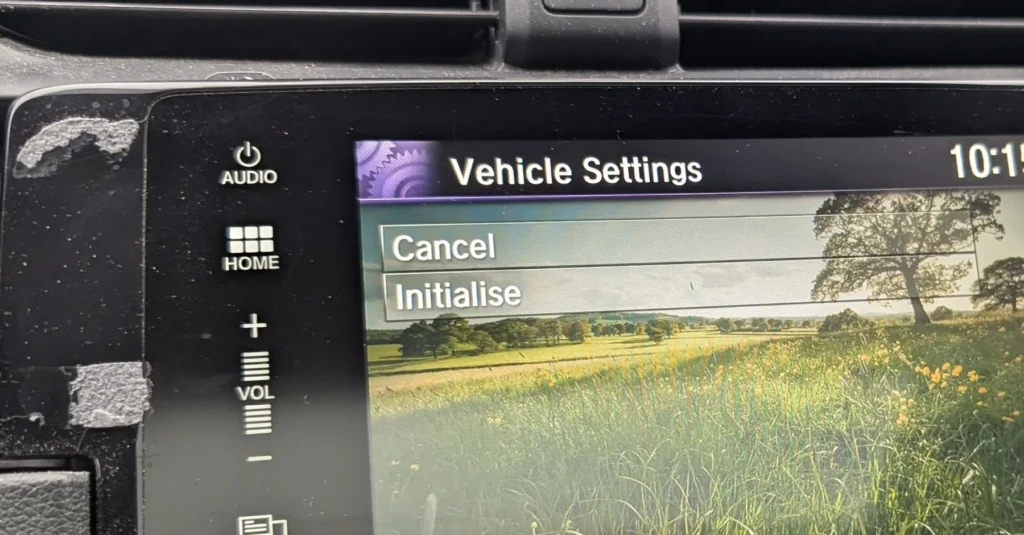
- Start the calibration in the menu. On the driver’s information display go to Settings → Tyre Pressure → Calibrate (shown as Initialise on some cars); on cars with the central touchscreen use Home → Settings → Vehicle → TPMS → Calibrate. Select it to begin.
- Drive to finish calibrating — the system needs roughly 30 minutes of cumulative driving between 48 and 105 km/h (30–65 mph). It completes in the background and the warning clears; you do not have to hold one steady speed.
Some markets fit a physical TPMS button (low on the dash or near the gear selector) instead of the menu item — hold it for about 4 seconds until the low-pressure light blinks, then drive to calibrate as above.
If the Warning Stays On
- Re-check every tyre, including the spare if it’s a monitored full-size wheel.
- One tyre noticeably low — look for a slow puncture; the system is doing its job.
- It flashes then stays on — a flashing TPMS light points to a system fault rather than low pressure; have it scanned.
Frequently Asked Questions
How do I reset the tyre pressure light on a Honda Civic?
Set the pressures, then start calibration — on the driver display Settings → Tyre Pressure → Calibrate, or on the touchscreen Settings → Vehicle → TPMS → Calibrate — and drive about 30 minutes at 48–105 km/h to complete it.
Do I need a tool?
No — it’s a deflation-warning system, so calibrate in the menu/button and drive. No relearn tool needed.
Why did the light come on in the cold?
Pressure drops as temperature falls. Top up to the door-label figure and recalibrate.
The light keeps flashing — is that a fault?
A persistent flash usually means a system fault rather than low pressure — have it diagnosed.
If a fault code is stored, look it up on autodtcs.com. To clear a service reminder, see our Civic Mk10 service reset guide.
Independent guide — not affiliated with Honda. Always follow your official service manual and safety precautions. Read our full disclaimer.